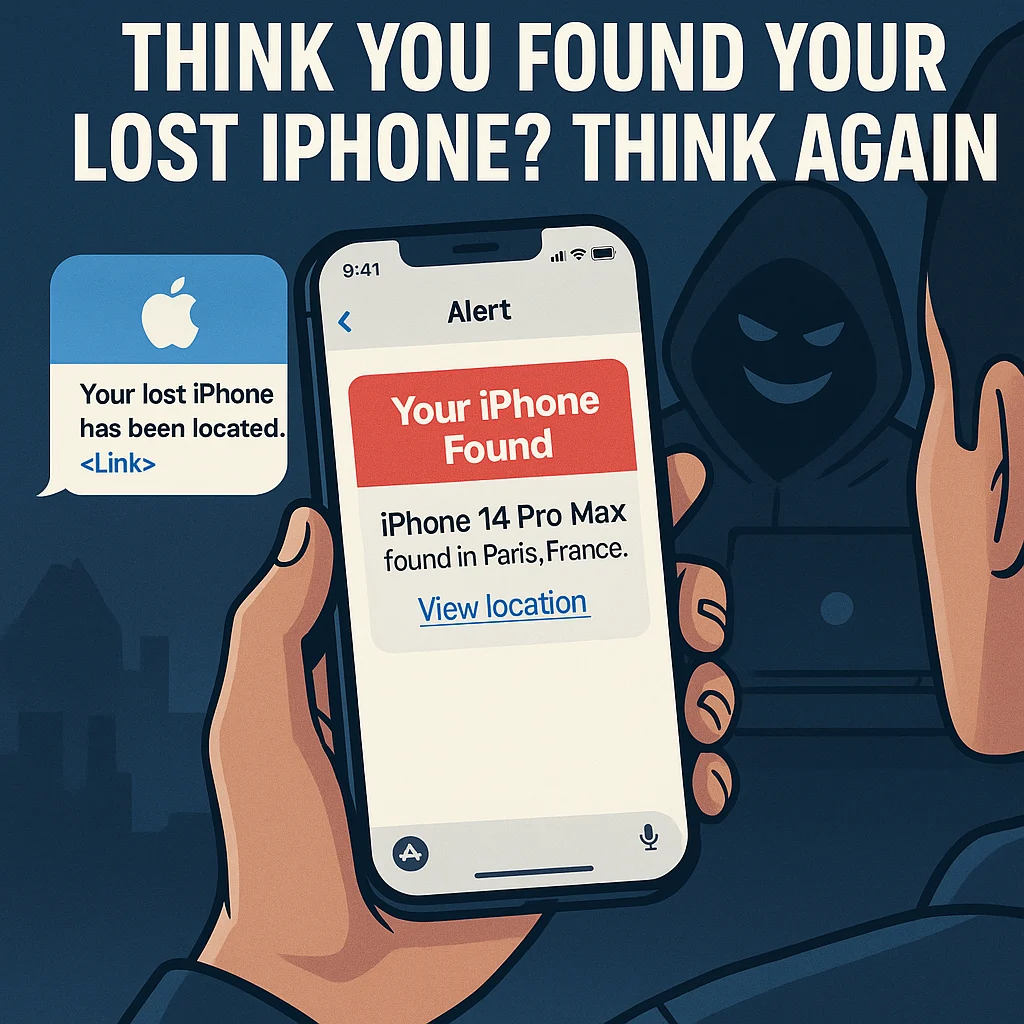
Scammers are now tricking iPhone users with fake “Find My” messages that look like they’re from Apple—but they’re not. Here’s how the scam works, and how to protect your business and data.
A Message You Want to Believe
You lose your iPhone. Weeks later, a text pops up:
“Your iPhone 14 Pro has been found in Paris. Click here to view location.”
You’re relieved, hopeful—maybe even excited. But here’s the twist: it’s not Apple texting you. It’s a hacker.
In November 2025, Switzerland's National Cyber Security Centre warned that criminals are using fake "Find My iPhone" messages to trick people into giving away their Apple ID and password, which gives thieves full control over stolen devices and your personal data (BleepingComputer).
How the Scam Works
This isn’t your average phishing email. It’s clever, personal, and convincing.
Victims who’ve lost their iPhones report receiving messages that include details about their missing phone, such as its model and color. The messages look just like legitimate Apple notifications, complete with links that open fake “Find My” websites.
Once the user logs in, the scammers have it all:
- Your Apple ID credentials
- The ability to disable Activation Lock (which prevents resale)
- Access to your personal data, photos, and iCloud backups
The scam’s goal? Unlock and resell your stolen phone.
The Social Engineering Trap
This attack doesn’t rely on fancy hacking—it preys on human emotion.
When your phone disappears, your guard drops. You want to believe it’s been found, so when a text says, “We’ve located your iPhone,” you click without thinking.
And that’s exactly what the scammers are counting on.
The reason they go to this trouble: Activation Lock works. Without your Apple ID password, a stolen iPhone can't be reset and resold, so the thieves need you to hand it over. Once you enter it, they can remove the phone from your account, wipe it, and get into anything else that uses the same Apple ID.
Why It Matters for Business Owners
If your team uses iPhones for business—sales, customer communication, email access, or mobile banking—this scam could expose your entire operation.
Think about it:
- An employee’s compromised Apple ID could give thieves access to business data.
- Linked accounts like Google Drive or Dropbox could leak sensitive files.
- If company devices are unlocked, bad actors could impersonate your staff or clients.
One compromised iPhone could lead to data loss, financial risk, or even reputational damage.
How to Stay Safe
1. Never click on unsolicited links.
Apple doesn't text or email you to say a lost device has been found. Check the Find My app yourself instead of tapping a link.
2. Use Lost Mode from the official app.
If your device goes missing, use the Find My app or visit iCloud.com/find.
3. Keep Activation Lock turned on.
Never remove your device from your Apple ID—even if you think it’s gone for good.
4. Use a SIM card PIN.
A SIM PIN stops a thief putting your SIM card in another phone and using your number, for example to receive your verification codes.
5. Use a dedicated contact method for lost devices.
Lost Mode lets you show a phone number or email on the lock screen. That's exactly how scammers find out where to send the fake message, so use a separate email address just for that purpose.
If you'd rather have someone handle this for you, talk to us.

No comments yet