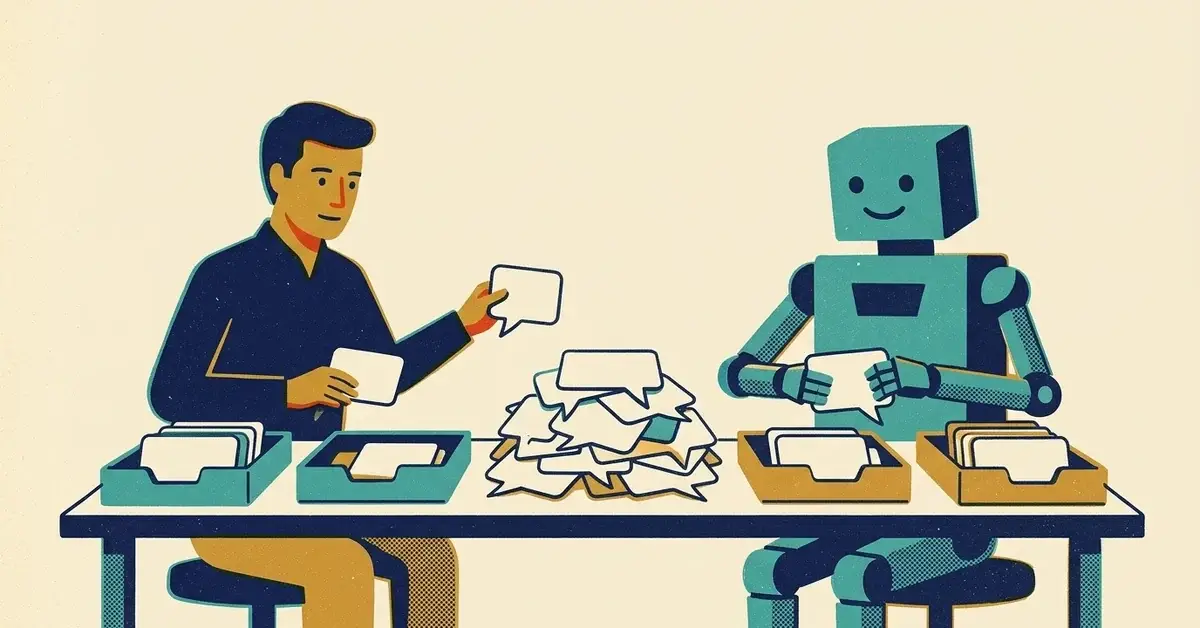
Social media is the job that's never finished.
A post goes up. Then the comments come in. Then a DM asking if you're open Saturday, then a new review, and then it's time to post again.
AI tools promise to take all of that off your plate. Some of it, they can. Some of it, you really don't want them doing.
This post sorts the work into three piles: hand it to AI, let AI draft and you approve, and keep it human. Then it puts all three into a 30-minute weekly routine.
Looking for the tools themselves? Our cheap social media scheduling stack covers them. For planning a month of posts in one sitting, see how to build a content calendar with AI.
The quick answer
- Hand AI the grunt work: caption variations, reshaping one idea for each platform, hashtag and alt text drafts, summarizing your numbers.
- Let AI draft, then you approve: review replies and anything else public with your business name on it.
- Keep it human: complaints, refunds, anything about someone's health, money or safety, and anything that sounds like a promise.
- Label realistic AI images and video where a platform asks you to.
- Never use AI to write reviews or fake engagement.
- Spend 30 minutes a week on it, plus a quick daily look at messages.
Which pile does each job go in?
Here's how I'd split the usual social media jobs for a small business.
Job | Who does it | Why |
|---|---|---|
Caption ideas and variations | AI drafts, you pick | You're choosing, not starting from a blank box |
Reshaping one post for each platform | AI | Same message, different length and tone |
Image alt text | AI drafts, you check | It can't know what matters in your photo |
Hashtags | AI suggests, you trim | It tends to overdo them |
Answers to common DMs | Saved replies you wrote once | Same answer every time, checked by you |
Replies to reviews | AI drafts, you edit and post | Public, permanent and under your name |
Complaints and refund requests | You | A wrong answer costs more than a slow one |
Monthly "what worked" summary | AI, from numbers you export | Saves squinting at a spreadsheet |
Hand it off: the grunt work
One idea, every platform
The biggest time sink is writing the same post four times. Write the idea once and let AI reshape it.
Prompt to copy:
Here is one idea for a post from [business], a [type of business] in [town]: [idea]. Write: 1) a Facebook post under 60 words, 2) an Instagram caption that ends with a question, 3) a LinkedIn post for other business owners, under 120 words. Plain English, no emojis, no more than three hashtags. Don't invent facts, prices, offers or dates. Leave [brackets] where you need something from me.
Then edit. Cut anything you wouldn't say out loud.
Alt text and hashtags
Ask for one plain sentence describing what's in the photo, then fix what it got wrong. It won't know that the van in the background is yours, or that the person is your lead tech.
Google's guidance on AI content says to review alt text, titles and descriptions before you publish, because they can show up in search results (Google Search Central). Same habit, different platform.
The monthly summary
Export your post numbers from each platform's insights or analytics page. Paste them in and ask:
Which three posts got the most comments, clicks or messages? What do they have in common? Which three did worst?
Check its answer against the sheet before you act on it. AI tools can get simple sums wrong.
AI drafts, you approve: review replies
This is where AI saves the most time and can do the most damage.
A review reply is public and signed by your business. On Google, approved replies show under the review as coming from your business, and the reviewer gets notified (Google Business Profile Help). A reply that gets a detail wrong, or reads like a form letter to someone who had a bad day, sits there for every future customer to see.
The routine:
- Paste the review (not the customer's phone number, address or order history) and ask for a reply under 50 words that thanks them by first name, mentions one specific thing they said and doesn't promise anything.
- Read it out loud. If you wouldn't say it at the counter, rewrite it.
- Post it yourself.
A starting point for a good review:
Thanks, [first name]. Glad [specific thing they mentioned] worked out. See you next time.
And for a mixed or bad one:
Thanks for telling us, [first name]. That's not how we want [thing] to go. Please call us at [number] so we can sort it out.
Then take it offline. Don't argue in public, and don't let AI argue for you.
DMs: saved replies beat a chatbot
Most DMs are the same five questions: hours, location, booking, service area, how to get a quote.
Write one answer to each, once, with the right link in it. Save them as saved or automatic replies in your platform or scheduler (where that lives varies, so check your tool's help). They say exactly what you want, every time, and nobody has to check what a bot made up.
Keep it human
- Complaints, refunds and anything heated.
- Anything about someone's health, money, legal situation or safety.
- Anything that sounds like a promise: dates, guarantees, "we'll fix it for free."
- Anything during a bad day for the business: an outage, a closure, a staff issue.
Weirdly, the more upset someone is, the faster they spot a canned reply.
The rules that trip people up
Label realistic AI images and video
Platforms ask you to say when realistic content was made or changed with AI.
YouTube is a clear example. Creators have to disclose realistic altered or synthetic content, like a real person appearing to say something they didn't, or a realistic scene that never happened. Using AI to write a script, come up with ideas or create captions doesn't need a label, and neither do beauty filters or color fixes. You set it during upload in YouTube Studio, under the AI use setting in the Attributes section (YouTube Help).
Other platforms have their own versions of this rule, and they change. Check each one's help page before you post a realistic AI image of your team, your shop or a customer.
The short version: AI-written captions are fine. A realistic AI photo of a job you didn't do is not.
No fake reviews or fake engagement
Don't use AI to write reviews of your own business, and don't hand staff or friends a review you drafted. Google's Maps content policy says "Fake engagement is not allowed and will be removed," and it also bans offering discounts or free services in exchange for reviews (Google Maps contributed content policy).
Keep customer details out of free chatbots
Where you can, use the AI that comes with your business accounts. Microsoft, for example, says prompts and responses in Copilot Chat with enterprise data protection aren't used to train its foundation models (Microsoft Learn). With any free tool, read its data settings before you paste in a customer's message.
A 30-minute weekly routine
Pick one day. Monday works for most people.
- 10 minutes: paste this week's one idea into AI, get the platform versions, edit them and schedule them.
- 10 minutes: go through new reviews and comments. AI drafts, you edit and post.
- 5 minutes: answer DMs your saved replies didn't cover.
- 5 minutes: write down one post that brought a message, a call or a booking last week.
Once a month, export the numbers and run the summary prompt above.
Every day, take a quick look at messages so nobody waits days for an answer. That part stays human.
Why AI won't fix social media on its own
AI makes posts faster. It doesn't make them lead anywhere.
If a post doesn't point to something (a booking link, a page about the service, a phone number), more posts just means more posts. Our guide to how social media and search work together covers making them lead somewhere. And if you're stretched across five platforms, the 2-platform plan covers doing less, better.
When to get help
- Reviews or messages sit unanswered for days.
- A reply went wrong in public and you're not sure how to fix it.
- You post regularly and still can't tell which posts bring in work.
If you'd like a hand setting this up, get in touch.


No comments yet