
You paid for a billboard near Washington Road and Bobby Jones Expressway, a month of radio spots, or an ad in a local business newsletter. The phone didn't ring off the hook, and nobody walked in saying "I saw your billboard." So did it work?
Here's the deal: most people who see an offline ad don't act on it right then. They're driving, or reading over coffee. What they do is remember your name, and later, at their desk or on the couch, they Google it. That search is the footprint your ad leaves behind, and Google gives you two free places to see it.
The quick answer
- Before the ad runs, write down how often people searched for your business name over the last few months, in Search Console and in your Google Business Profile.
- Run the ad, and try not to launch anything else big the same week.
- Compare the weeks the ad ran (plus a few weeks after) against the same number of weeks before.
- If searches for your name went up and searches for everything else didn't, the ad very likely did its job.
Why branded searches are the thing to watch
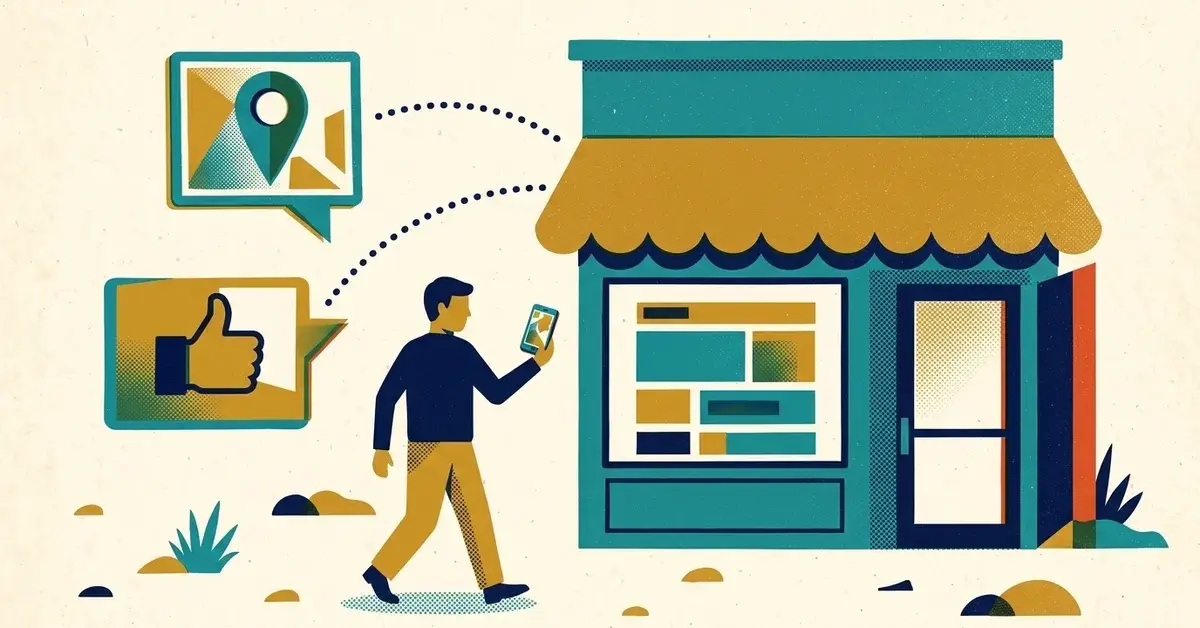
A branded search is any search that includes your business name: "smith plumbing augusta", "smith plumbing hours", "smith plumbing reviews". Nobody types your name unless they already know it. So when a TV spot, a radio read or a billboard puts your name in front of thousands of people driving through the CSRA, the ones who remember it show up as branded searches over the following days and weeks.
Non-branded searches ("plumber near me", "water heater repair evans") are a different animal. Those come from your SEO and your ads, and they rise and fall with the season. Keeping the two apart is what lets you see the ad's effect instead of a general bump.
Branded search won't catch everyone. Some people call the number straight off the billboard, some walk in, some ask a neighbor. That's why it pairs well with call tracking and tagged links. But it catches the big group the others miss: people who remembered your name and looked you up later.
Where to look first: Google Search Console
Search Console is Google's free report on how your website shows up in search. If it isn't set up yet, start with our Search Console guide and come back.
Use the branded filter, if you have it
In November 2025 Google added a branded queries filter to the Search results Performance report. It sorts searches into Branded and Non-branded, where branded means a search that includes your brand name, including misspellings and brand-related products or services. Google says an AI-assisted system makes the call, so it will occasionally sort a search into the wrong pile.
There's a catch for small local sites. Google says the filter only shows up for top-level properties and for sites with enough queries and impressions. Plenty of small businesses won't see it yet.
Or build your own filter
If you don't see it, make your own in about a minute:
- Open Performance > Search results.
- Click Add filter > Query, choose Queries containing, and type your business name.
- If people spell your name more than one way, switch to Custom (regex) and list the versions separated by a pipe, like
(smith plumbing|smiths plumbing|smithplumbing).
Google's filtering help says both kinds of query match ignore capital letters, so you don't need to worry about "Smith" versus "smith".
Compare before and after
In the same filter dialog, choose Compare, set the weeks the ad ran against the same number of weeks before it, and click Apply. The table adds a Difference column. Watch two numbers, as Google defines them: impressions (how many times your site appeared in results) and clicks (how many times someone clicked through).
One more thing so the math doesn't confuse you: Google's help says filtering by query leaves out anonymized searches, so your filtered totals won't add up to your overall total. That's fine. You're comparing one period to another with the same filter.
Where to look next: your Google Business Profile
For a local business, a lot of branded searches end at your Business Profile, not your website. Someone sees your hours and phone number on the map and calls without ever clicking through. Search Console never sees that visit.
Open your profile, click Performance and pick a date range (Google's steps). The Searches section lists "the search terms people used to find your business." Look for your name and its variations in that list, and watch calls (taps on the call button), website clicks and direction requests over the same period.
Two things to know. Google updates the searches number at the start of each month and says it can take up to five days to show, so this is a month-by-month view, not a week-by-week one. And the numbers include both regular results and Google Ads, so if you also run ads on your own name, keep that in mind when you read them.
Set the baseline before the ad runs
This is the step everyone skips, and then there's nothing to compare against.
- Pull at least three months of branded clicks and impressions from Search Console, week by week. Export it or take a screenshot.
- Write down the last few months of Business Profile searches for your name, plus calls and direction requests.
- Note anything else going on: a sale, a new location, a news story about you, a holiday rush. Any of those can move branded searches on their own.
If you can, run one thing at a time. If the billboard, the radio flight and the newsletter ad all start the same week, branded search will tell you the combination worked, not which piece did it. Stagger them by a few weeks and you get a cleaner answer for each.
Reading the result honestly
- Branded up, non-branded flat: the best sign that the ad drove it.
- Both up: probably the season or something else. If you have a year of data, compare against the same weeks last year.
- Nothing moved: the ad may not have stuck. Was the name easy to read at 45 miles an hour? Easy to spell? Did it run long enough for people to see it more than once?
Small numbers are normal for a local business. A change from a handful of branded searches a week to a couple dozen is a real result for a shop in Grovetown or North Augusta, even if it looks tiny on a chart.
Make the ad easy to look up
The ad's job is to get your name remembered. Your job is to make the search pay off.
- Put a name on the billboard that people can spell. If your name is tricky, add a short, plain phrase people will search instead.
- Make sure the first thing that shows for your name is you: a verified Business Profile with correct hours, recent reviews and a website that loads.
- Check whether a competitor is running ads on your name. Your billboard shouldn't send people to them.
- For anything clickable, like a newsletter ad or a QR code, use a tagged link so the visits show up in your analytics by name.
If setting up the reports is the part that keeps getting pushed to next week, that's the kind of thing we help CSRA businesses with at Managed Nerds.
Related reading
- Call Tracking for Small Businesses: See Which Marketing Makes Your Phone Ring
- How to Use UTM Codes: A Simple Naming System With Templates
- How Do I Know If My SEO Is Actually Working?
Originally published November 2026.



No comments yet