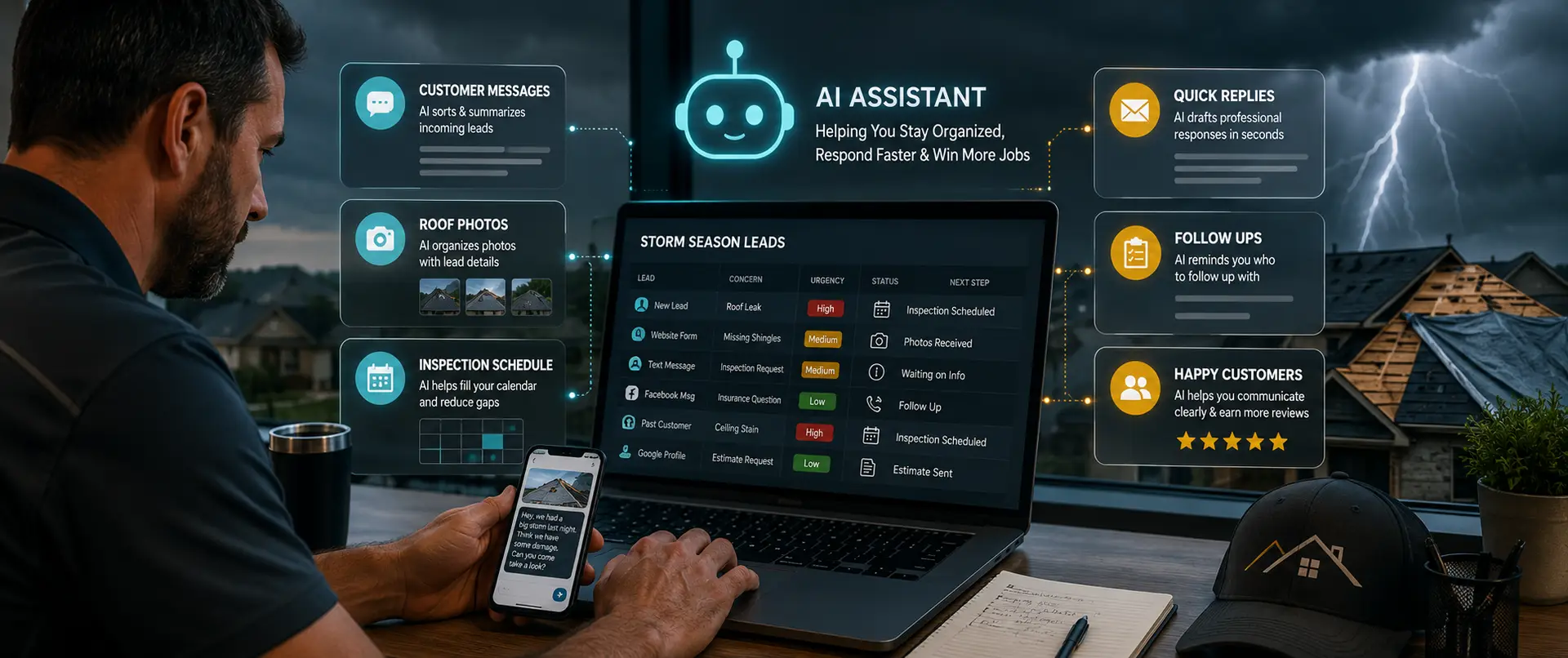
The storm passes. The phone doesn't stop.
Voicemails with no address. Texts with three blurry photos and "is this bad??". A form fill from someone two counties over. A past customer with water coming through the bedroom ceiling. Your crew is already booked through next week.
By Friday, somebody says, "I thought you called them back."
That's the lead you paid for, gone.
It isn't because you don't care. Storm season creates more messages than a small roofing office can track by memory and screenshots. AI can't inspect a roof. It can help you keep up with everything that happens before and after the inspection.
The quick answer
Before the next storm, set up four things. An AI chat tool (ChatGPT, Claude, Gemini or Copilot) can draft all of them in an afternoon:
- Five approved text templates: first response, active leak, photos received, inspection scheduled, estimate follow-up.
- One intake checklist the office uses for every call, text and form.
- One lead tracker, a shared spreadsheet with the columns below.
- One storm FAQ for your website and Google Business Profile.
Then one rule for the whole team: AI organizes, roofers decide.
How to tell you're losing storm leads
Ask the office these after the last big storm:
- Can you list every person who contacted us in the 72 hours after it hit?
- Does each one have an address, a callback number and a next step?
- How many got a reply the same day?
- How many estimates went out with no follow-up?
- Are there photos on someone's phone that aren't tied to a customer?
If the answers involve scrolling through three phones, you have a system problem, not a marketing one.
Step 1: Write your templates before the storm
Speed matters after a storm, but a fast reply that promises too much is worse than a slower one. Write and approve these while it's quiet.
Prompt to draft them:
Write five short text message templates for a roofing company to use after a storm: first response, active leak, photos received, inspection scheduled, and estimate follow-up. Tone: calm, professional, helpful. Don't diagnose damage, don't promise insurance coverage, don't say "ASAP." Leave [brackets] for names, dates and times.
What good ones look like:
First response:
"Hi [Name], thanks for reaching out, and sorry you're dealing with this after the storm. So we can get you on the schedule, can you send the property address, the best callback number, a few photos if it's safe to take them, and let us know if water is coming in anywhere?"
Inspection scheduled:
"You're booked for [day] between [time] and [time]. If water starts coming in before then, text us right away so we can move you up."
Photos received:
"Got the photos, thanks. They're in your file for the inspector. Photos help, but we'll need to see the roof in person before we can tell you what it needs."
Estimate follow-up:
"Hi [Name], following up on the estimate for [address]. Happy to go over the scope, timing or next steps. Want us to set up a quick call?"
Swap "ASAP" for real windows. "We're scheduling in the order requests come in and moving active leaks to the front. We have [Option A] or [Option B]" sounds more organized than a promise you can't keep.
Step 2: Turn every message into a clean lead note
Customers don't send tidy information. You get:
"storm last night think we lost shingles, spot on bedroom ceiling too, can someone come look, near Evans"
Paste it into your AI tool with this:
Turn this customer message into a roofing lead note with: concern, possible urgency, location, missing information and next step. Don't diagnose the roof. Don't add anything the customer didn't say.
You get back something like:
- Concern: possibly missing shingles; ceiling spot mentioned
- Urgency: possible interior leak
- Location: near Evans, full address needed
- Missing: address, phone, photos, whether it's actively leaking
- Next step: send first-response template, then schedule
Check it against the original message before it goes in the tracker. "Don't add anything" is an instruction the tool usually follows, not a guarantee.
Step 3: Sort by urgency, not by who called first
Not every storm call is the same job. Use simple categories:
- active leak
- visible exterior damage
- inspection request
- estimate follow-up
- insurance question
- past customer
- missing information
Sort these lead notes into these categories: [paste list]. Don't diagnose damage or make promises. For each one, list what's missing and the next message to send.
Active leaks and past customers go first. "Missing information" gets the first-response template, not a truck.
Step 4: Tie every photo to a customer
Photos come in by text, email and Facebook. The problem isn't the photos. It's "which house was this?"
Have the office collect these with every set of photos:
- customer name and property address
- date the photos were taken
- where on the house each one is
- whether water is coming in
- best callback number
Save them in one folder per address, named the same way every time (for example 1234-Main-St_2026-10-12), not left in someone's camera roll.
Step 5: Track every lead in one place
This is the part that stops leads disappearing. A shared Google Sheet or Excel file is enough. Here's a layout to copy, one row per lead:
Column | What goes in it |
|---|---|
Name and phone | Who to call back |
Address | Full street address |
Lead source | Call, website form, Google profile, referral, ad, door hanger |
Category | One of the seven from Step 3 |
Photos | Yes / No, and the folder name |
Inspection date | Booked date and time window |
Estimate sent | Date sent |
Next action and date | What happens next, and when |
Status | Open, booked, estimate out, won, lost |
Review it at the end of every day during storm season. Anything with no next action date is a lead you're about to lose.
The lead source column matters more than it looks. Storm-season marketing is expensive, and this is how you find out which of it brought in jobs. If calls are a big part of your business, call tracking fills in the source for phone leads.
Step 6: Follow up on estimates
A customer who goes quiet after an estimate isn't always gone. They may be waiting on their insurance company, comparing quotes, or just overwhelmed.
Write a short, friendly follow-up for a roofing estimate we sent [number] days ago. Ask if they have questions about the scope, timing or next step. No pressure, no discounts, no insurance promises.
Send one at three days and one at a week. The 7-day follow-up system has a full sequence you can adapt.
Step 7: Build a storm FAQ
You answer the same ten questions after every storm. Write them down once.
Write a storm damage FAQ for a roofing company's website. Audience: homeowners after a storm. Tone: calm and practical. Cover what to do if the roof is leaking, whether to take photos, whether photos can replace an inspection, what happens at an inspection, and what happens after. No legal or insurance advice, no promises about claims.
Read every answer before it goes live. Put it on your website, link it in your Google Business Profile posts, and paste the relevant answer into texts so you stop typing it.
What AI should never do for a roofing company
This is the guardrail. AI should not:
- decide from a photo whether a roof needs repair or replacement
- tell a customer their roof is safe
- say a roof will be covered by insurance, or predict how a claim turns out
- price a job without a person reviewing it
- invent details a customer didn't give
- send anything to a customer that nobody on your team has read
AI drafts, sorts and reminds. Roofers inspect, decide and approve.
Also keep customers' full names, addresses and insurance claim details out of a free personal AI account. Use a business account, or strip the details before you paste. Who owns the data I feed into AI? explains why.
Why storm season breaks the system
You don't lose leads because the phone rings too much. You lose them because the process behind the phone was built for a normal week.
In a normal week, one person remembers everything. After a hailstorm, leads come in from calls, forms, texts, Facebook, referrals and neighborhood groups all at once, and memory stops scaling around lead number fifteen.
If you're already behind
Storm hit, and the backlog is already a mess? Do this today:
- Have everyone forward or screenshot every unanswered lead into one place.
- Paste them in batches into your AI tool with the Step 2 prompt to get lead notes.
- Put every note in the tracker, sorted by the Step 3 categories.
- Send the first-response template to everyone missing information.
- Call active leaks and past customers first.
An apology helps here: "Sorry for the slow reply, we've been flat out since the storm." People understand. They don't understand silence.
Preventing it next season
- Templates, checklist, tracker and FAQ approved before storm season starts.
- One named person owns the tracker each day.
- Staff rule: nothing AI wrote goes to a customer until someone has read it.
- After each storm, check the tracker: how many leads, how fast you replied, how many you won, and which sources brought them.
When to get help
If leads are coming in from five channels and nobody can see them in one place, if you want texts and forms feeding a tracker automatically, or if you're paying for storm-season ads and can't tell which ones work, it's worth a second pair of eyes. We're glad to help.
Related reading
- Leads Keep Ghosting? The 7-Day Follow-Up System That Books More Jobs
- Should I Use AI for Lead Follow-Up? What to Automate and What to Keep Human
- Local Services Ads vs Google Search Ads: Which One Wins for Home Services?
- Should an AI Receptionist Answer Our Phones? What Jobber, CallRail and Aircall Actually Do




No comments yet