You paste a client's email into ChatGPT to draft a reply. You let Copilot summarize a contract. You ask Gemini to sort your inbox.
Then a thought: could any of this come back to bite you?
Yes. Not because the AI is out to get you. Because what you type is stored, what it can read it can repeat, and what it reads can include instructions from someone else.
The quick answer
- Use business accounts for client work. Personal and free plans can use your chats for training unless you switch that off. Business plans don't by default.
- Treat every prompt as a written record. On business plans it's logged and searchable. On any plan it can be requested in a dispute.
- Fix file sharing before you turn on Copilot or Gemini for the team. The assistant can find anything the person asking can open.
- Don't let it act on content from strangers unchecked. Emails, web pages and shared files can carry hidden instructions.
- Keep the obvious stuff out: passwords, card numbers, health details, full contracts.
Four ways it can actually be used against you
1. Your chats feed someone else's product
On a personal plan, your conversations can be used to improve the vendor's models.
Google says that while Gemini's Keep Activity setting is on, some chats are read by human reviewers, and reviewed chats are kept for up to three years even if you delete your activity (Gemini Apps Privacy Hub). OpenAI says it doesn't train on ChatGPT Business, Enterprise or Edu data by default (OpenAI: business data), which tells you the personal plans work differently.
What it costs you: client details or your pricing playbook sitting in a vendor's review queue.
2. Your prompts are records
In Microsoft 365, Copilot Chat prompts and responses are "logged and stored in Exchange for auditing/eDiscovery" when you're signed in with a work account (Microsoft Learn: Copilot Chat privacy and protections). That's useful when you control it.
It also means "I asked the AI to make the contract tougher" is a written, searchable note. Same as an email.
Personal accounts aren't exempt either. Chat logs have already been pulled into a major lawsuit. We covered the court orders in what happens when your chat history isn't private.
3. It finds files nobody meant to share
This is the one that surprises offices.
Microsoft says Copilot "only surfaces organizational data to which individual users have at least view permissions" (Microsoft Learn: Copilot privacy). Sounds safe. But in plenty of small businesses, the payroll spreadsheet is shared with "everyone in the company" because someone clicked the wrong link setting years ago.
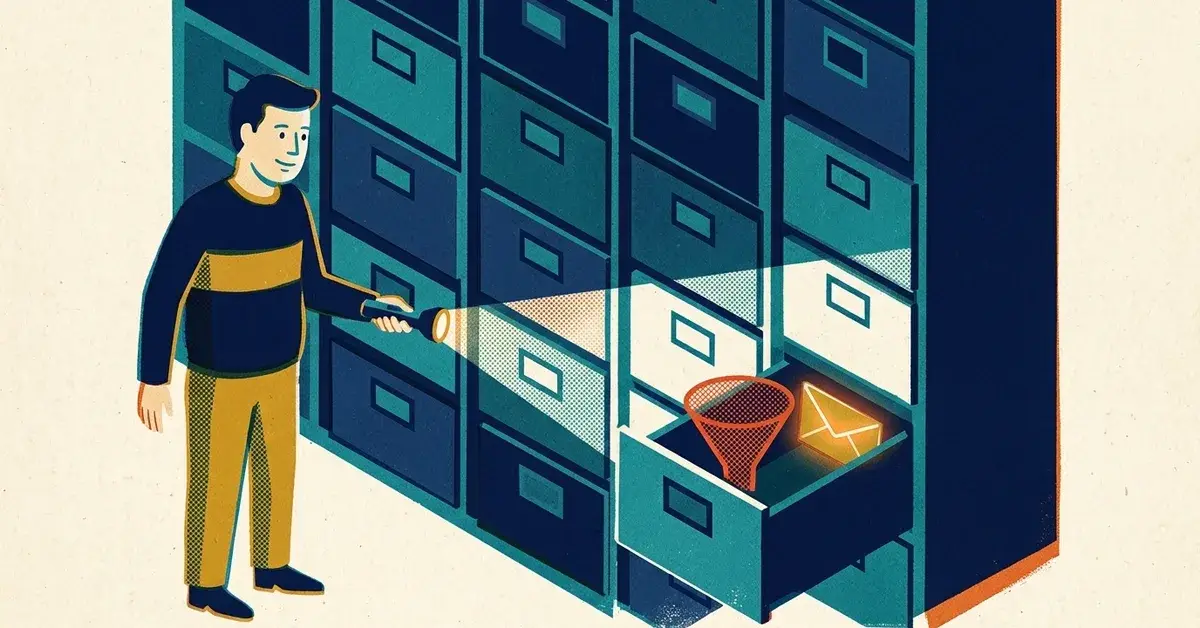
Before Copilot, nobody stumbled on it. Now anyone can ask "what does everyone get paid?" and the assistant does exactly what it's built to do.
4. Someone else's words steer your assistant
Google calls this prompt injection: an attempt to get an unintended or harmful response from an AI tool. Google says attackers can do it "by sharing malicious content with a user, who then unintentionally references this malicious content in prompts" (Gemini Apps Help: prompt injection).
In plain English: a stranger's email or web page contains hidden instructions. You ask your assistant to summarize it. The assistant reads the instructions too.
Both big vendors filter for this. Google says Gemini may warn you, skip the suspicious content, or refuse to answer (Google Workspace with Gemini Help). Microsoft says Copilot uses classifiers to block cross-prompt injection attacks, and that they "may not be available in all Microsoft Copilot scenarios" (Microsoft Learn: Copilot privacy).
Filters help. They're not a guarantee. The more an assistant can do on its own (send email, edit files, book things), the more this matters.
How to tell where you stand
Answer these five. A "no" or "not sure" is where to start.
- Does everyone use a work account for AI, not a personal Gmail or Microsoft account?
- In Copilot, do you see the green data protection shield? Microsoft says that, plus a "Work" label under your profile, means enterprise data protection is on (Microsoft Learn: Manage Copilot Chat).
- Do you know which files are shared with everyone in the company or anyone with the link?
- Can any AI tool send email, edit files or make purchases without a person clicking approve?
- Is there a written list of what never goes into a prompt?
Fixes, easiest first
1. Switch training off on personal accounts
If staff use personal accounts (they do), turn training off in each one. Exact steps for ChatGPT, Claude, Gemini and personal Copilot are in who owns the data I feed into AI.
Free. Takes two minutes. Also the weakest fix, because it depends on everyone remembering.
2. Move client work to the business version you already pay for
- Microsoft 365: Copilot Chat signed in with the work account. Look for the green shield and the "Work" label.
- Google Workspace: Gemini signed in with the work account, on a Workspace plan that includes it. Google says it doesn't use that content to train models outside your organization without permission (Generative AI in Google Workspace Privacy Hub).
3. Clean up sharing before the assistant goes wide
In OneDrive or SharePoint, open your most sensitive folders (payroll, HR, contracts, client records) and check who has access: open the item's sharing options and choose Manage access (Microsoft Support: share OneDrive files and folders). Remove "everyone" groups and old "anyone with the link" links.
In Google Drive, select the file, click Share, and check General access (Google Drive Help). "Anyone with the link" on a payroll file is a problem with or without AI.
4. Keep a person between the assistant and the send button
Let AI draft. A person approves anything that leaves the building: emails, quotes, contract changes, payments.
If an assistant summary of an outside email tells you to click a link, change bank details or "urgently" do anything, treat it like the original email. Check it the normal way.
5. Redact before you paste
Swap names for placeholders: [Client A], [Address], [Amount]. The AI rarely needs the real ones to fix your tone or tidy a paragraph.
Why this happens
AI assistants are built to be helpful with whatever they can reach. That's the whole product.
Free plans pay for themselves partly with your data. Business plans are sold on the opposite promise, with logs your admin controls. And the assistant can't always tell your instructions from text hidden inside the thing you asked it to read.
If something sensitive already went in
- Work out what went in, which tool, which account.
- Delete the chat. The vendor may still keep a copy for its stated retention period.
- Turn training off on that account now. It doesn't pull back anything already reviewed.
- If it was a password or key, change it.
- If it was client personal, health or financial data, check your contracts and get advice before deciding it's nothing.
Preventing it in a business
A one-page rule sheet beats a policy nobody reads:
- Approved tools: "Copilot Chat, signed in with your work account. Nothing else for client work."
- Never paste: passwords, card numbers, health information, full contracts, anything marked confidential.
- Approve before it leaves: AI drafts, a person sends.
- Outside content: if an AI summary asks you to act, verify it the normal way.
- Who to ask: one named person for "is this OK to paste?"
For whoever runs IT: review file sharing every quarter, and keep a list of every AI tool connected to email, drives or your CRM.
When to get help
- You're about to switch on Copilot or Gemini for the whole team and haven't checked who can open what.
- An AI tool is connected to email or files and nobody can say what it's allowed to do.
- A client, insurer or contract asks how you protect their data in AI tools.
If that's you, we can help you sort it out.
Related reading
- Who owns the data I feed into AI?
- Your confidential emails? Microsoft Copilot just read them
- The AI vendor red-flag checklist: 12 questions to ask before you let a tool touch client data
Originally published August 2025. Updated November 2026.



No comments yet