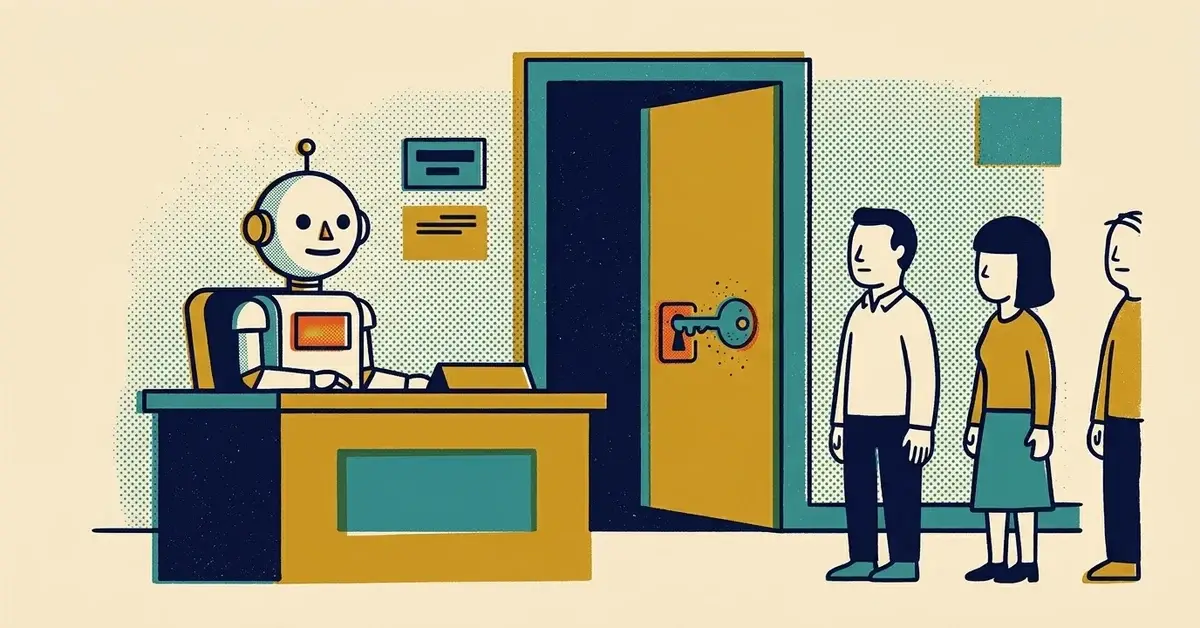
McDonald's uses an AI hiring assistant called Olivia on its McHire job site. Applicants chat with it, answer screening questions and book interviews. The software comes from a vendor, Paradox.ai.
In late June 2025, two security researchers got into the back end of that system with the password "123456". Not a clever AI attack. A test account with a password that tops every list of passwords you should never use.
Here's what happened, and the questions it should make you ask about the software you use to hire, sell and talk to customers.
The quick answer
If you use an outside tool that collects personal details (applicants, customers, leads):
- Find every login to it, including old test, demo and "admin" accounts, and delete the ones nobody uses.
- Turn on multifactor authentication (MFA) for every account that can see that data.
- Ask the vendor whether its own staff and test accounts require MFA, and how it removes accounts it no longer needs.
- Collect less. If you don't need a date of birth or a full chat transcript, don't keep it.
- Know what you'd do if the vendor emailed tomorrow to say your data was exposed.
What happened at McHire
Security researchers Ian Carroll and Sam Curry published their findings in a write-up titled "Would you like an IDOR with that?". Paradox posted its own account in a Responsible Security Update. The two agree on how it started and disagree on how big it was.
How they got in
The McHire site had a login page for Paradox staff. The researchers tried common passwords, and "123456" worked. It opened an administrator account for a test restaurant (the researchers' write-up). News reports say the account had no MFA.
Paradox said it was a test account that hadn't been logged into since 2019 and, in its words, "should have been decommissioned."
What they could see
Once inside, the researchers found a second flaw. Changing an ID number in a request showed them other applicants' records: names, email addresses, phone numbers and the chat with Olivia. Security people call this an IDOR (insecure direct object reference): the system checks that you're logged in, but not whether the record you asked for is yours.
Their own test application had an ID of about 64 million. The IDs ran in sequence, so the researchers estimated that many records could have been reached. That's an estimate, not a count of records pulled, and Paradox disputes the framing.
What Paradox said
Paradox said the researchers contacted it on June 30, 2025, and it fixed the problem within hours. It said they viewed seven chat records, five of which held a U.S. applicant's name, email address, phone number and IP address, and that nobody other than the researchers accessed the account. It also said it would start a bug bounty program, which pays outside researchers to report flaws (Paradox's statement).
So "64 million records exposed" means 64 million records were within reach. As far as anyone has reported, the people who reached them were the ones who reported it.
Why a small business should care
You're not McDonald's. You probably do use the same kind of software, though.
Online booking forms, website chat widgets, applicant tracking systems, CRMs, AI receptionists. Each one holds personal details about people who trusted you with them, and each one has logins you didn't create and may never have seen.
Two lessons from this one have nothing to do with AI:
- Forgotten accounts are open doors. A test account from 2019 was still working in 2025. Your version is the old web designer's login, the trial account a former employee set up, or the "admin" user that came with the system.
- The vendor's security is your security. Applicants applied to McDonald's. Most of them had never heard of Paradox. If your vendor slips, your customers hear your name, not theirs.
The AI part matters in one way: chatbots collect a lot. A conversation captures more than a form ever did, and all of it sits in the vendor's system.
How to check your own tools
Set aside an hour. If you can't list it, you can't secure it.
1. List the tools that hold personal data
Make a simple spreadsheet with four columns:
- Tool (e.g. booking system, website chat, hiring platform)
- What it holds (names, emails, phone numbers, résumés, payment details)
- Who has a login
- MFA on? (yes/no)
2. Clean out the logins
In each tool's user or team settings, look for:
- people who've left
- shared logins like "office@" or "admin"
- test, demo or trial accounts
- accounts your vendor or a past contractor set up for support
Delete what nobody needs. If an account must stay, give it a long, unique password from a password manager.
3. Turn on MFA
Turn it on for every account in every tool on your list, starting with the admin accounts. If a tool doesn't offer MFA at all, that's worth a note in the spreadsheet and a question for the vendor.
4. Ask the vendor three questions
- Do your staff and test accounts that can reach our data require MFA?
- How do you find and remove accounts you no longer use?
- If our data is exposed, how and how fast will you tell us?
A vendor that answers quickly and in writing is a good sign. For the full list of questions to ask before a tool touches client data, use our AI vendor red flags checklist.
5. Keep less
Check what each form and chatbot asks for. Every field you drop is one less thing to lose. Set the tool to delete old applications, chats or leads after a set time, if it has that option.
Why "123456" still works
Current password guidance from NIST, the U.S. standards agency, tells systems to reject passwords on a list of common and breached ones, and "123456" is on every such list. But a check like that only works on accounts that go through it. A test account that nobody has looked at in years keeps whatever password it was given.
Passwords on their own are the weak part. That's why MFA matters: a guessed or stolen password isn't enough to get in. If you're worried about old passwords of yours floating around, our guide to checking for leaked passwords covers it.
If a vendor tells you your data was exposed
- Get the details in writing: what data, whose, and when.
- Ask what they've fixed and whether anyone other than researchers accessed it.
- Change passwords and check MFA on your account with them.
- Warn the affected people to expect scam emails, texts and calls that mention your business.
- Talk to someone who knows the notification rules in your state before you send anything.
Our post on the TransUnion breach and your vendors walks through the vendor side in more detail.
When to call someone
- You can't tell who has admin access to the tools that hold customer or applicant data.
- A vendor has told you about an incident and you don't know what you have to do next.
- You want MFA and account cleanup done across your tools without breaking anyone's access.
If that's you, we can help.
Related reading
- AI Vendor Red Flags: 12 Questions to Ask Before a Tool Touches Client Data
- Old Data Breach? How to Check if Hackers Are Using Your Leaked Passwords
- The TransUnion Breach: What It Means for Your Business and Your Vendors
Originally published July 14, 2025.




No comments yet