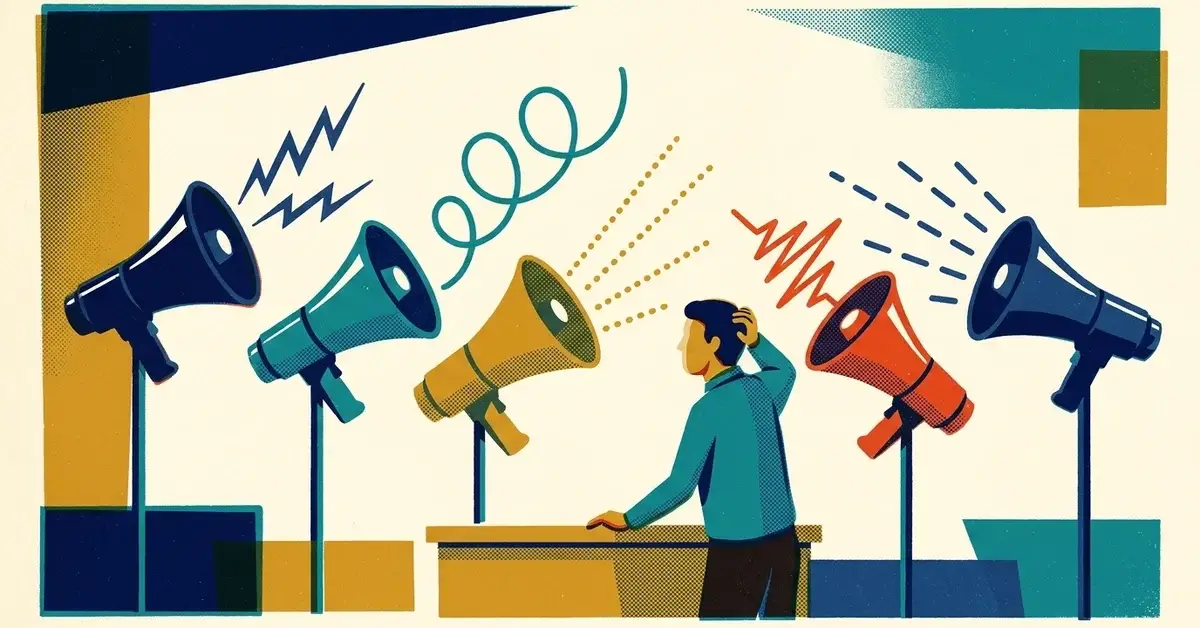
Monday's email to a customer was friendly and direct. Wednesday's started with "Dear Valued Customer, please be advised." Friday's had three exclamation marks and the word "thrilled."
Same business. Same customer. Three different voices.
That's tone drift. Nobody decided to sound inconsistent. It happens when different people use different AI tools, different prompts and old templates copied from wherever they last found something that worked.
It costs you something real: customers who aren't sure who they're dealing with hesitate, ask more questions and trust you a little less.
The quick answer
- Write a one-page voice guide: 5-7 bullets on how you sound, plus a short "don't" list.
- Turn it into one master prompt, and make it the only one the team uses for customer messages.
- Save that prompt inside the AI tool so nobody has to remember to paste it.
- Add a 10-second tone check before anything goes to a customer.
How to tell your voice is drifting
Pull up the last 10 emails, texts or review replies your business sent. Read them in a row, like a customer would.
Look for these:
- Different greetings. "Hey!" in one, "Dear Customer" in another, "I hope this message finds you well" in a third.
- Different energy. One message is calm, the next is exclamation marks and "amazing opportunity."
- Corporate filler you'd never say out loud: "touch base," "please advise," "as per my last email."
- Cold replies to upset customers. "That's not included. See attached."
- No clear next step. The message ends and the customer doesn't know what happens now.
If you can guess which person (or which tool) wrote each message, your customers probably can too.
Why it matters
Tone isn't decoration. Nielsen Norman Group, a user-experience research firm, tested nearly identical web pages that differed only in tone and found that tone had measurable effects on how friendly, trustworthy and desirable people rated the business. Trustworthiness was a strong predictor of whether people would recommend the brand.
That was web copy, not email. But the logic carries over. When your tone jumps around, customers start wondering whether the message is real, whether they're being passed around, and whether anyone's in charge.
It matters most when something has gone wrong. A cold or overly formal reply to a frustrated customer is how a small complaint becomes a one-star review.
Fix it in about 30 minutes
Step 1: Describe your voice in plain English
Write 5-7 bullets. For a small service business, something like:
- Clear and direct
- Friendly, not overly casual
- Confident, not salesy
- Short sentences, no jargon
- No emojis in customer emails
- Every message ends with the next step
Then a short "don't" list:
- Don't overpromise
- Don't use filler ("just checking in," "touch base")
- Don't sound legal unless it's actually a legal matter
- One exclamation mark per message, max
Stuck on where to start? Nielsen Norman Group describes tone on four scales: funny to serious, formal to casual, respectful to irreverent, and enthusiastic to matter-of-fact. Pick a spot on each. A plumbing company might choose fairly serious, casual, respectful and matter-of-fact, for example.
Step 2: Write an approved phrase list
A handful of lines everyone can reuse:
- "Quick follow-up on..."
- "Here are two options..."
- "Here's what's included, and what isn't."
- "Here's what I can do next."
- "Which option works for you?"
A shared phrase list makes five people sound like one business.
Step 3: Build one master prompt
Copy this and edit the bullets to match your guide:
Write this message in our brand voice: clear, friendly, confident and concise. Use short paragraphs. Avoid filler phrases, hype and legal-sounding language. No more than one exclamation mark. End with one clear next step or question. If a detail is missing, ask me instead of guessing.
The last line matters. Without it, AI tends to fill gaps with something that sounds right but isn't.
Step 4: Save it in the tool, not in someone's head
A prompt that lives in a sticky note gets forgotten. Put it where the AI reads it automatically:
- ChatGPT, for one person: Settings > Personalization > Custom instructions applies your rules to every chat (OpenAI Help).
- ChatGPT, for a team: create a Project for customer messages and add the master prompt under the project's three-dot menu > Project settings. On Business, Enterprise and Edu plans you can share that project with teammates (OpenAI Help: Projects in ChatGPT).
- Any other tool: keep the prompt at the top of a shared doc called "Customer message prompts" and pin it.
If your team uses three different AI tools, that's three places to set this up. Or pick one tool for customer messages and stick to it.
Step 5: Set tone rails for different situations
Your tone should flex a little by situation and still sound like you. Here's a simple set of three:
Situation | Tone | Every message includes |
|---|---|---|
Sales and quotes | Friendly, confident | One simple next step |
Scheduling and operations | Direct, no fluff | Confirmed date, time and details |
Complaints and mistakes | Calm, no defensiveness | An apology in plain words and two options |
Write one prompt per row, starting from the master prompt, and make those the only three people use.
Step 6: Add a 10-second tone check
Before anything goes out, ask:
- Does this sound like us?
- Is it clear what happens next?
- Would I say this out loud to the customer?
- Does it sound cold, pushy or fake anywhere?
If any answer is no, rewrite the first and last sentence. That usually fixes it.
Same message, before and after
The drifted version:
Dear customer, I hope this message finds you well. We can possibly schedule you soon. Please advise.
The consistent version:
Quick follow-up on your request. I can do Tuesday 2-4 or Thursday 9-11. Which works best?
Same information. One sounds like a form letter; the other sounds like a person who's going to show up.
Why AI makes drift worse
AI doesn't know your brand. It only knows:
- the prompt someone just typed
- the example someone pasted in
- the default tone of that particular tool
- the message it's replying to
So "make this professional" from one person and "make this friendly" from another produces two different businesses. Then people copy each other's prompts and old templates, and the mix gets worse over time.
There's one more trap: an AI draft can pick up the tone of the message it's answering. Feed it an angry customer's email and the reply can come back stiff or defensive. More on that in AI copied your client's tone and now you sound rude.
If a message already went out wrong
- If it was just stiff or odd, don't apologize for tone. Send the next message in your real voice and move on.
- If it was cold to an upset customer, follow up quickly and plainly: "Rereading my last message, it came across colder than I meant. Here's what we can do."
- Find the source. Which prompt, template or tool wrote it? Fix that, not just the one message.
Make it survive turnover
People leave. New people join. If your voice guide and prompts live in one person's head, they leave with them.
Put them in:
- a shared doc everyone can find
- your onboarding checklist for new hires
- the saved replies or templates in your email, CRM or booking tool
- the saved AI instructions from Step 4
Review it twice a year, or whenever you add a new AI tool.
Banned phrases list
Copy this into your voice guide.
Drop:
- "I hope this email finds you well"
- "I wanted to reach out"
- "Just checking in"
- "Touch base"
- "As per my last email"
- "We sincerely apologize for any inconvenience"
Use instead:
- "Quick update on..."
- "Following up on..."
- "Here's what I can do next."
- "Which option works for you?"
- "Sorry about that. Here's how we'll fix it."
When to get help
- Several people send customer messages from different tools and you can't see what's going out.
- You want your voice built into your CRM or email templates so it's the default, not a habit.
- You're adding an AI chat widget or auto-replies and want them to sound like you before customers see them.
That's the kind of setup we do. Get in touch if it's on your list.
Related reading
- Can you train AI to sound like you?
- AI copied your client's tone and now you sound rude: the empathy fail in customer messages
- Why your AI assistant keeps getting it wrong (and how to fix it)
Originally published March 2026. Updated November 2026.





No comments yet