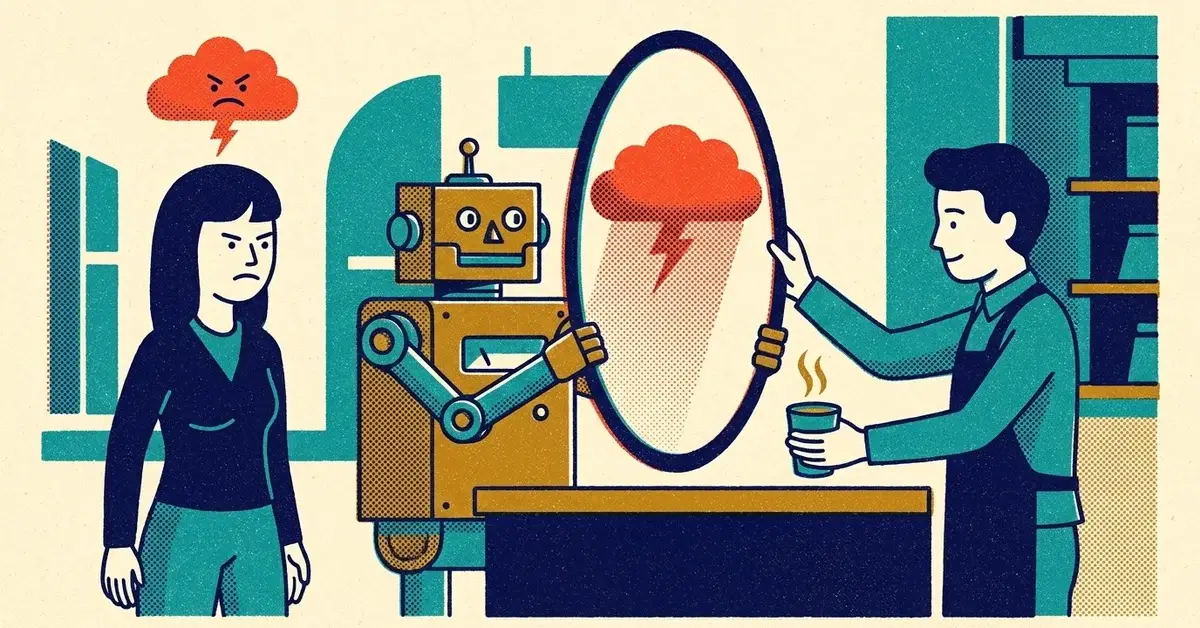
A customer sent you an annoyed message. You were busy, so you pasted it into ChatGPT or Copilot and asked for a reply. The reply was clean, correct and to the point.
Then the customer got colder. Or asked for a manager. Or left a review that starts with "Customer service was horrible."
The grammar was fine. The tone wasn't. And tone is what the customer actually reads.
The quick answer
- Don't paste an angry message in and type "reply." Tell the AI what tone you want, in writing, every time.
- Use a de-escalation prompt (below) for anything about money, a missed appointment, a mistake on your side or a threatened review.
- Write the first sentence and the last sentence yourself. Let AI fill in the middle.
- Read it out loud before you send it. If you wouldn't say it to their face, rewrite it.
How to tell the AI mirrored the customer
Put the customer's message and the AI draft side by side. Check for these:
- Same length, same punch. They sent three short sentences. The draft is three short sentences back. Short reads as curt when someone's upset.
- No acknowledgment. The draft jumps straight to the facts. Nothing says "I can see why that's frustrating."
- Policy first. "As stated in our terms..." or "Per our cancellation policy..." near the top.
- Their words, repeated back. They said "ridiculous"; the draft says "I understand you find this ridiculous." That reads as sarcasm.
- A polite exit instead of a next step. "Let us know if you have any other questions." The customer hears "we're done here."
Two or more of those and the draft needs work before it goes anywhere.
Fix it: give the AI the tone before it writes
Step 1: use the tone controls your email app already has
If you draft in your email app, the tone setting is built in. Use it instead of accepting the first draft.
- Outlook with Copilot (new Outlook for Windows, Outlook on the web): start the reply, select the Copilot icon in the toolbar, then Draft. Type your prompt and select Generate. If the draft is off, use the options under it to change the length or tone, or type a new instruction (Microsoft Support: Draft an email message with Copilot in Outlook). In classic Outlook it's Copilot > Draft with Copilot, then Adjust for tone and length.
- Outlook coaching: if you'd rather write it yourself, choose Coaching by Copilot from the Copilot icon's drop-down. It reviews your draft and suggests changes to tone, clarity and reader sentiment (Microsoft Support: Get email coaching with Copilot in Outlook). On mobile, you need at least 100 characters of your own text before it works (Microsoft Support: Draft an Outlook email message with Copilot).
- Gmail with Gemini: in the reply window, enter your prompt in the Help me write bar and click Create. Then use Formalize, Friendly or Shorten, or type an instruction like "warmer, and acknowledge the delay first" (Google Help: Write emails with Gemini in Gmail).
If you don't see the Copilot or Gemini button, it depends on your plan and your admin settings. Ask whoever manages your Microsoft 365 or Google Workspace.
Step 2: use a de-escalation prompt
The tone buttons help. A written prompt helps more. Copy this into ChatGPT, Copilot or Gemini, and paste the customer's message where the brackets are.
Draft a calm, professional reply to the customer message below. Requirements: 1) Start by acknowledging their frustration in one sincere sentence. 2) Apologize for the inconvenience without admitting fault I haven't confirmed. 3) State the facts briefly in plain English. 4) Offer two concrete options to resolve it. 5) End with one clear question about which option they want. Do not copy their wording or their tone. No sarcasm, no defensiveness, no quoting our policy, no filler. Customer message: [paste]
That "do not copy their wording or their tone" line does a lot of the work.
Step 3: write the first and last sentence yourself
The first sentence decides whether they calm down or double down. The last sentence decides whether they reply or escalate.
So:
- First sentence: you. Acknowledge the impact. "You're right that we should have called before the window closed."
- Middle: AI. The explanation, the details, the two options.
- Last sentence: you. One easy question. "Would Tuesday morning or Thursday afternoon work better?"
Step 4: read it out loud
Out loud, not in your head. Defensive phrasing is easy to miss on screen and obvious when you hear it.
Three tone mistakes AI makes, and the fix for each
It skips validation. Validation isn't admitting fault. It's acknowledging that their afternoon got wrecked.
- Instead of: "We can't do that."
- Try: "I can see why that's frustrating. Here's what I can do."
It gets defensive.
- Instead of: "As stated in our policy..."
- Try: "Here's what happened, and here's what we can do next."
It aims to close the conversation, not fix it.
- Instead of: "Let us know if you have any questions."
- Try: "Here are two options. Which one works for you?"
Customers want a path forward, not a polite exit.
Templates you can copy
Keep the structure. Swap in your details. If you have AI personalize them, tell it to keep the first and last lines as written.
Scheduling delay
Thanks for your patience, and I'm sorry about the delay. I know it throws off your day. Here's what happened: [one sentence]. I can offer two options: [new time window], or [alternative]. Which works best for you?
Missed appointment
You're right to be upset, and I'm sorry. We should have let you know sooner. I can reschedule you for [two time windows], or if the timing no longer works, we can close this out with no hard feelings. What's best for you?
Billing confusion
Thanks for flagging this. I can see how the charge would be confusing. Here's what it covers: [short explanation]. I can walk you through it on a quick call, or send a line-by-line breakdown by email. Which do you prefer?
Complaint where the fault isn't clear yet
I hear you, and I'm sorry this has been frustrating. I want to get it sorted quickly. To make sure we fix the right thing, can you confirm [one question]? Once I have that, I can offer you [option A] or [option B].
Why AI mirrors the customer
A language model writes the most likely next words based on what you gave it. Paste in an angry, clipped message with "reply" and the most likely continuation is a clipped, matter-of-fact answer. It isn't being mean. It's being efficient, and it's following the pattern in front of it.
In a calm conversation that's fine. When someone's upset, efficient without empathy reads as "we don't care."
Where the risk is highest
Slow down and check the tone every time the message is about:
- Money. Billing disputes, refunds, surprise charges.
- Their time. Delays, reschedules, missed appointments.
- Your mistake. Even a small one needs ownership, not explanation.
- Threats. "I'm leaving a review," "I'm reporting you," "I want a refund."
- Anything public. A reply to a Google or Facebook review is read by every future customer, not just this one.
If a cold reply already went out
- Don't defend the first message. Send a short follow-up that resets the tone: "Reading my last message back, it came across more bluntly than I meant. I'm sorry. Here's what I can do."
- Offer two options and one question, same as the templates above.
- Pick up the phone if you can. A two-minute call fixes what three more emails won't.
- If it turned into a public review, reply once, calmly, using the same structure, and move the details to a private channel. Don't argue the facts in public.
- Find the prompt that produced it and fix that, so the next reply doesn't repeat it.
Preventing it in a business
- A switch-to-human rule. If the customer's message contains anger, sarcasm, an accusation, a refund demand or a review threat, AI can draft but a person rewrites the first two sentences and reads it out loud before it's sent.
- One saved de-escalation prompt in a shared doc, so everyone on the team uses the same one.
- The templates above saved as email templates in Outlook or Gmail, so nobody starts from a blank page when they're stressed.
- A four-point check before sending:
- Respectful: does it sound like you care?
- Clear: can a stressed person understand it in one read?
- Solution-focused: does it offer a real next step?
- One question: does it end with an easy thing to reply to?
When to get help
- Your team uses several AI tools and nobody's sure which one is drafting customer replies, or what customer details get pasted into it.
- You want Copilot or Gemini turned on for email, with sensible settings, instead of everyone using free chatbots.
- You're getting enough angry messages that it's a process problem, not a wording problem.
If that sounds familiar, we can help set it up.
Related reading
- AI support sounds great until a customer actually gets mad
- AI is breaking your brand voice: the copy-paste tone drift that confuses customers
- The email draft looked great until it replied to the wrong client
Originally published February 2026. Updated November 2026.




No comments yet