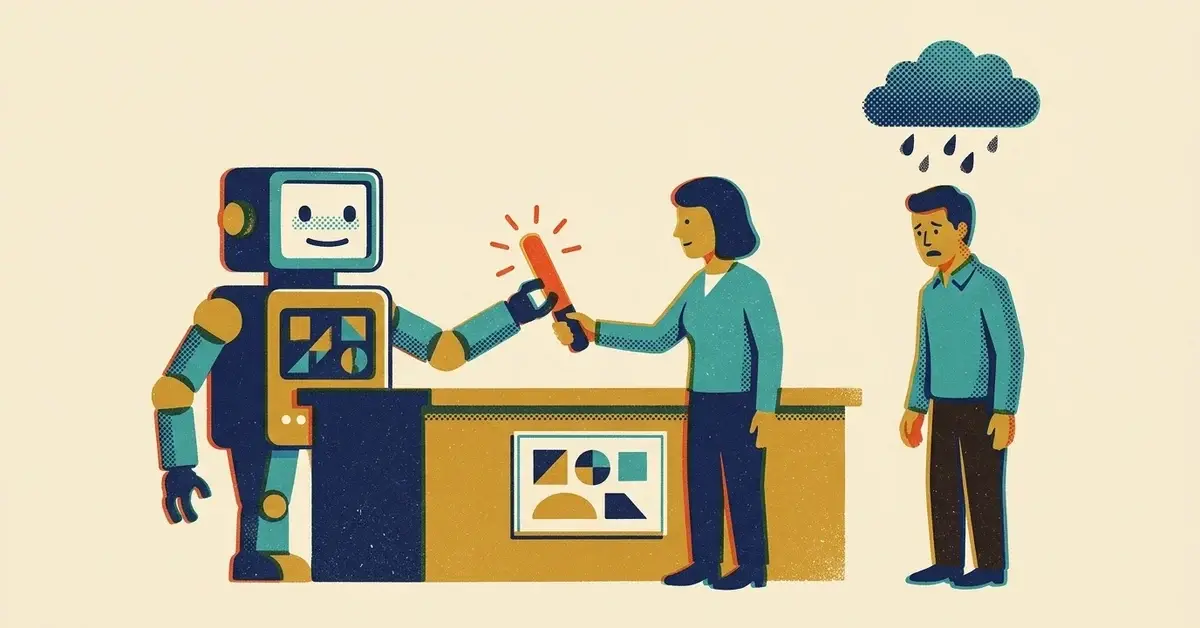
The chatbot handles "What are your hours?" beautifully.
Then a customer whose order is two weeks late types in capitals. The bot replies with a cheerful link to your FAQ.
Now they're angrier than when they started. And they're telling people about it.
AI support works for the easy questions. It goes wrong the moment someone is upset and the bot doesn't hand them to a person. The fix isn't to rip the bot out. It's to decide, in writing, when it steps aside.
This post is about that moment: the upset customer, the handoff and what your person does next. For setting up the bot itself, the answer sheet and after-hours cover, start with AI customer service without losing the human touch.
The quick answer
- Watch for the signs: the same question twice, capitals, "agent" or "person" typed, or words like refund, chargeback, damage, lawyer or review.
- Apologize, then hand off. The bot doesn't try to fix it.
- Never let the bot promise anything: no refunds, discounts, delivery dates or policy exceptions.
- A named person picks it up with the whole chat, and replies by a time you actually hit.
- Let that person fix it on the spot, within limits you set in advance. Then track what happened.
Where AI support falls flat
Hours, FAQs, booking and after-hours messages are fine for a bot (what ChatGPT handles well in customer service covers those). Here's where it struggles:
- Upset customers. A bot can spot that someone's angry. It can't fix the late order, bend a policy or make it right. A canned apology to a furious person reads as a brush-off.
- Problems that need judgment. A strange fault, a billing mix-up, an "it's complicated."
- Anything it doesn't know. A bot only knows what you've given it. If it isn't connected to your order system or customer history, it doesn't know this customer complained last week.
- Promises. This is the expensive one.
In February 2024, a British Columbia tribunal ordered Air Canada to compensate a customer after the chatbot on its website wrongly told him he could claim a bereavement fare after he'd flown. The airline argued it wasn't responsible for what the chatbot said. The tribunal disagreed (Moffatt v. Air Canada, 2024 BCCRT 149).
If your bot says it, customers will expect you to stand behind it.
Set your handoff rules
Write these down before the bot goes live. Most chatbot tools let you add instructions or rules; put them there.
Hand off to a human when the customer:
- Uses angry or upset language, or repeats the same question
- Mentions a complaint, refund, chargeback, cancellation or billing problem
- Mentions an injury, damage, a legal issue or a threat to leave a bad review
- Asks for a person, in any wording
- Asks something the bot can't answer from what you've given it
Signs a conversation is going sideways
Anger doesn't always arrive in capitals. Watch for:
- The same question asked twice, or reworded.
- "Agent", "human", "representative" or "real person", typed once or three times.
- Short replies: "No." "Wrong." "That's not what I asked."
- Time in the message: "third time", "two weeks", "still waiting".
Some tools catch part of this on their own. In Microsoft Copilot Studio, for example, a customer typing "talk to agent" partway through a chat is sent to its built-in Escalate topic automatically (Microsoft: hand off to a live agent). Most of the rest won't match a keyword rule, so spell the signs out in the bot's instructions in plain words, then test each one.
Copy-and-paste instructions for your bot
If the customer seems upset, mentions a complaint, refund, billing, cancellation, damage or a legal issue, or asks for a person: don't try to solve it. Say you're sorry for the trouble, say a team member will help, ask for their name and best phone number or email, and tell them when to expect a reply. Never promise refunds, discounts, delivery dates or exceptions to policy.
Copy-and-paste handoff message
I'm sorry about this. I'm passing you to someone on our team who can sort it out. What's the best number or email to reach you? We'll reply by [a time you can actually meet].
Only put a reply time in there that your team really hits. A broken promise on top of a complaint is worse than no promise.
Two more versions
After hours:
I'm sorry about this. Nobody's in until [time], so I've passed your message to [name or "our team"] and they'll reply by [time]. If it's urgent, call [number].
Damage, safety or a missed appointment:
I'm sorry. That needs a person, not me. I've flagged it as urgent for [name]. What's the best number to reach you in the next [hour / two hours]?
Leave out "I understand your frustration" and "We value your business." From a bot, both read like a script, because they are.
What the person says first
The bot's job ends at the handoff. Yours starts with the first human message, and it has three parts: own it, show you've read the chat, say what happens next.
Chat or text:
Hi [name], it's [your name] at [business]. I've read the whole conversation, so no need to repeat anything. I'm sorry your [order / appointment] went this way. Here's what I can do: [fix]. Does that work, or would you rather I call you?
Phone:
This is [your name] from [business]. I've got your chat in front of me. I'm sorry about [the problem in their words]. I'd like to fix it today. Can I tell you what I can do?
Use their words for the problem, not your internal ones. "Your floor" lands better than "the incident."
Don't blame the bot either. "Sorry, our assistant got that wrong" is fine once. A paragraph about the software isn't.
Make the human side work
The handoff is only as good as what happens next.
- Pick one owner. Who gets the handoff? By name.
- Pass the whole conversation. The customer shouldn't have to repeat themselves.
- Set a reply target for handoffs, and check it's met.
- Give the person room to fix it. If they can't offer a refund or a redo without three approvals, the handoff just moves the frustration.
Write that room down as a short fix list: the three or four things the person can offer on the spot without asking (a redo, a credit up to an amount you pick, a waived fee, a rush on the order). Anything bigger, they call you the same day. A fix list also keeps the bot honest: it's the list of things the bot must never offer, because a person does.
Keep it working
A simple weekly review, 20 minutes:
- Read 10 transcripts, including every handoff.
- Note any wrong answers, and any upset customer the bot didn't hand off.
- Fix the answer or add the trigger.
- Check handoff reply times.
Keep a short spreadsheet with columns for: date, what the customer asked, what the bot said, what went wrong, what you changed, handed off (yes or no), minutes to a human reply, and how it ended. After a month you'll see the patterns.
What to measure after a handoff
The weekly read tells you what went wrong. These five numbers tell you whether the handoff is working. Count them from the transcripts and your review log once a month:
- Missed handoffs. Upset customers the bot kept talking to. This should be zero. Every one is a trigger to add.
- Time to a human reply, from the handoff to the first message from a person, against the time the bot promised.
- Quiet exits. Chats where frustration showed and then the customer just left. Copilot Studio calls a session that ends after 60 minutes of inactivity, without being resolved or escalated, abandoned, and describes the abandon rate as "your fail-quietly signal" (Microsoft: agent metrics reference).
- Came back. The same customer contacting you again about the same problem within a week. Microsoft's definition of first-contact resolution uses the same seven-day window (Microsoft: agent metrics reference).
- How it ended. Fixed, refunded, lost, or a bad review. That's the number that costs money.
If your tool shows a sentiment score or thumbs-up and thumbs-down reactions, use them as a pointer to which chats to read, not as the answer. In Copilot Studio, reactions and comments are kept for 28 days (Microsoft), so look at them at least monthly.
When to get help
- You can't tell from your chatbot tool which conversations were handed off or how long they waited.
- The bot keeps answering things you never gave it.
- You want it connected to your booking or order system and aren't sure how to do that safely.
If you'd like help setting it up, get in touch.
Related reading
- AI customer service without losing the human touch: how to set it up
- AI made your customer reply sound rude? How to fix it
- AI promised a refund you never offered? What to do
Originally published August 2025. Updated November 2026.





No comments yet