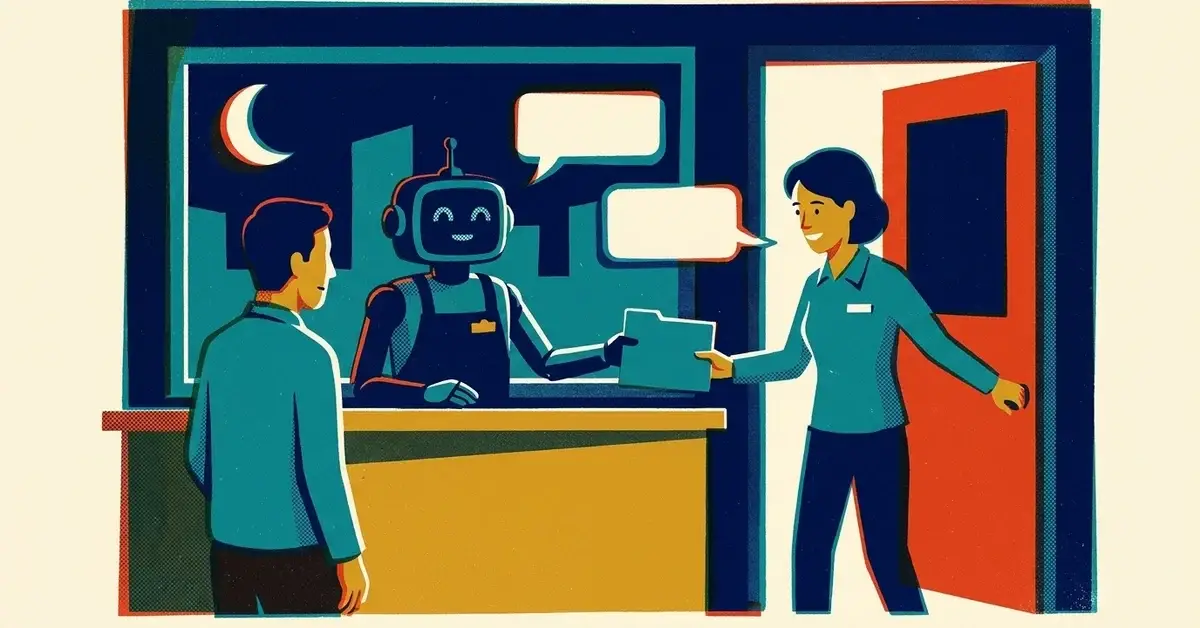
Questions come in when nobody's there to answer them: at 9 p.m., on Saturdays, while you're on a job. So you're looking at a chatbot for the website, or an AI that answers texts after hours.
You also don't want to be the business whose bot traps a customer in a loop of "Sorry, I didn't understand that."
Both are fair. The answer isn't AI or people. It's deciding which questions the AI is allowed to answer, and making it easy to reach a person for everything else.
The quick answer
- Let AI answer the repeat, factual questions: hours, location, services, how to book, appointment or order status.
- Hand off to a person for anything about money, complaints or cancellations, and for any question the bot gets wrong twice.
- Make the way to a person obvious. A "talk to a person" option on every screen, and typing "human" works.
- Say it's an AI up front. After hours, give a real time someone will reply.
- Read a handful of transcripts every week and fix the answers that went wrong.
What customers are actually worried about
It isn't AI itself. It's getting stuck with it.
Gartner surveyed 5,728 customers in December 2023. 64% said they'd prefer companies didn't use AI for customer service, and 53% said they'd consider switching to a competitor if they found out a company was going to. The top concern was that it would get harder to reach a person (Gartner press release, July 2024).
So that's the thing to design against. A fast answer to "Are you open Saturday?" is a win. A bot standing between an upset customer and you is a lost customer.
How to tell if your setup is losing the human touch
Use your own chat or text line as a customer would. Try a simple question, then a messy one. Watch for these:
- No way out. You can't find a person within two tries.
- Confident and wrong. It answers a refund, warranty or pricing question with a policy you don't have.
- Paperwork first. It wants name, email and phone before it'll say whether you're open Saturday.
- Empty promises after hours. "Someone will be with you shortly" when nobody's back until Monday.
- Starting over. The customer has to repeat everything to the person because the chat didn't come with them.
- The transcripts tell you. Conversations end with "agent", "human" or "representative" typed three times.
Any one of these is fixable. Here's how.
Setting it up, easiest first
1. Write the answer list before you pick the tool
Go through the last 30 days of emails, texts, calls and website messages. Pull out every question that came up more than once.
Put them in a spreadsheet with these columns:
- Question: in the customer's words ("Do you do same-day?").
- Approved answer: short, true today.
- Source: the page or policy it comes from.
- Bot or person: whether the bot answers it or hands it off.
- Last checked: a date.
That sheet is your bot's brain. How to turn customer questions into a FAQ library goes deeper on building it.
2. Keep the bot to that list
Most chatbot tools let you choose what the AI reads: specific pages, documents or a FAQ. Point it at your approved answers and your public website, nothing else.
Picking that tool, and testing it before customers see it, is its own job: what to check before you turn on a website chatbot.
Then put the limits in its instructions. Something like:
Answer only from the approved information provided. If the answer isn't there, or the question is about refunds, credits, prices that aren't listed, cancellations, complaints, or anything legal or medical, say a person will help and offer the handoff. Never promise refunds, discounts, delivery dates or outcomes.
This matters because a business owns what its bot says. In February 2024, a British Columbia tribunal ordered Air Canada to pay a customer after the chatbot on its website wrongly told him he could claim a bereavement discount after he'd already flown, and rejected the argument that the airline wasn't responsible for its chatbot (Moffatt v. Air Canada, 2024 BCCRT 149).
3. Build the handoff
Three triggers cover most of it: the customer asks for a person in any wording, the bot fails to answer twice in a row, or the topic is money, a complaint or an exception to a policy.
Upset customers need their own triggers and an apology-first message. AI customer support and angry customers has the full list.
During business hours, the conversation goes to a named person or a shared inbox, with the chat history attached so nobody starts over.
After hours, the bot collects a name and the best way to reach them, gives a real reply time and sends the transcript to the same inbox.
A handoff message you can copy:
I'm the virtual assistant, so I'll get a person on this. [During hours:] Connecting you now. They'll see this conversation, so you won't have to repeat yourself. [After hours:] Our team is back at [time]. Leave your name and the best number or email, and we'll reply by [time].
Only promise a time you'll actually hit.
4. Say it's an AI
Call it "Virtual assistant" or "[Business] assistant." Not a made-up person's name with a stock photo.
People are more patient with a bot when they know it's a bot. And in some places it's the law: since July 1, 2019, California has barred using a bot to talk with people in California online while misleading them about its artificial identity in order to encourage a sale. A clear, conspicuous disclosure that it's a bot takes you out of that (Cal. Bus. & Prof. Code § 17941). Saying so in the first message is the simple habit.
5. Read transcripts every week
Fifteen minutes. Read ten conversations, starting with the ones that ended in a handoff or with no reply at all.
For each wrong or weak answer, fix the line in the answer sheet and update the "last checked" date. That's the whole maintenance plan.
Designing the handoff: what the person gets and how fast
The handoff is where most setups lose the human touch, so it's worth deciding three things on paper: what the person receives, where it lands, and how fast you'll reply.
What the person should receive
Not just "new chat." A short note, so whoever picks it up can reply in one message:
- Who: name and the best way to reach them.
- What: the question, in the customer's own words.
- Why it came to you: asked for a person, couldn't answer, money or a complaint.
- What the bot already said, including any link or answer it gave.
- What we told them about timing: the reply time the bot quoted.
If your tool lets the bot write a summary at the handoff, give it this instruction:
When you hand off, write a note for our team with: the customer's name and contact details, their question in their own words, why you're handing off, what you already told them, and the reply time you gave. Don't add advice or promises.
How the note travels depends on the tool. In Microsoft Copilot Studio, for example, a Transfer conversation node can pass the full conversation and its variables to a connected live-agent system, with an optional private message for the person picking it up. Agents built in Copilot Studio don't have that node in the Escalate topic by default, and without a connected live-agent system Escalate just shows the customer a message (Microsoft: hand off to a live agent). Simpler chat tools usually send handed-off chats to an email inbox or a phone app instead. Either is fine. Find out which yours does during the demo, not after launch.
If you're on one of the big help desk tools, here's where the hand-off settings live, as of November 2026:
- HubSpot Customer Agent (Professional or Enterprise plans, and it uses HubSpot Credits): go to Service > Customer Agent, then Train > Human handoff. By default it hands off when it can't answer, when the visitor asks for a person, or when the agent is paused, and Create guidelines adds your own triggers, such as "refund" or "cancellation". Under Edit handoff process, chat and email are set separately: Live handoff (the next available person, now), Async handoff (assigned to someone to follow up later) or Don't handoff to anyone (HubSpot: customer agent handoff).
- Intercom Fin: Fin AI Agent > Deploy > Chat, then the If Fin can't resolve the conversation step, sets which team or teammate Fin hands over to. Fin AI Agent > Train > Escalation sets when it escalates, for example when a customer asks the same question twice, uses a keyword or sounds frustrated. There's also a toggle to have Fin ask for more details before it hands over (Intercom: deploy Fin over chat).
- Zendesk AI agents: in the AI agents workspace, open the agent, then Launch > Integrations > CRM integration > Messaging settings, and pick the Transfer group that gets escalated conversations (Zendesk: messaging settings). Zendesk's own recipe uses your business hours to hand off to a live agent during hours and to create an email ticket after hours (Zendesk: escalate to a human agent).
Where it lands
- One place. A shared inbox or the chat tool's app, not someone's personal email.
- One owner per day, by name, with a backup for days off.
- Alerts on a phone for whoever's on, during the hours you promise replies.
- An end-of-day check for any handoff with no reply yet.
Reply times you can keep
Pick a time for each case and put the same time in the bot's handoff message:
- During hours: a person joins, or the bot says honestly when they will ("Our team is with other customers. We'll reply by 3:30.").
- After hours: a specific time the next business day, not "shortly."
- Urgent (damage, safety, someone waiting on site): a phone number in the message, not a promise to reply.
Choose a time you hit nearly every time, then track it in the weekly read. A slower promise you keep beats a fast one you miss.
Test the handoff, not just the bot
Once a month, from your own phone, type "can I talk to someone" once during hours and once after. Time how long a person takes to reply, and check the note arrived with everything on the list above.
Why bots lose the human touch
Three reasons, mostly.
They're built to answer, not to say "I don't know." OpenAI's own researchers have written that the way language models are trained rewards a confident guess over admitting uncertainty (OpenAI: Why language models hallucinate). A customer can't tell a confident guess from a real policy.
Nobody owns the answers. Hours change, prices change, the bot doesn't hear about it.
The goal drifts. "Help customers faster" turns into "keep tickets away from staff," and the handoff gets buried.
Tone is the fourth. AI tends to mirror the customer's energy, which goes badly with an angry message. AI copied your client's tone and now you sound rude covers that one.
If the bot already got something wrong
Narrow or switch off the topic it got wrong, contact the customer yourself, and let a person decide whether to honor anything it promised. Then fix the line in the answer sheet.
My AI sent the wrong info to a client. Now what? has the full cleanup sequence and message templates.
Keeping it human in a business
- One owner for the answer sheet and the handoff inbox. Their name is on both.
- The bot answers, people decide. Refunds, credits, prices, exceptions and complaints always go to a person. It's the same line we draw in What AI tasks should I never automate in a small business?: AI can draft and answer the routine, but anything that commits money or makes a promise has a person behind it.
When to get help
- You want the bot connected to your booking system, help desk or CRM so handoffs carry the conversation with them.
- You're not sure what the chatbot vendor does with your customers' messages. The AI vendor checklist has the questions to ask.
- Handoffs keep waiting longer than the reply time the bot promises, and you can't see why.
That's the kind of setup we help with. Talk to us if it's on your list.
Related reading
- What AI tasks should I never automate in a small business?
- How do I use AI to turn customer questions into a sales-saving FAQ library?
- AI copied your client's tone and now you sound rude
Originally published September 2024. Updated November 2026.




No comments yet