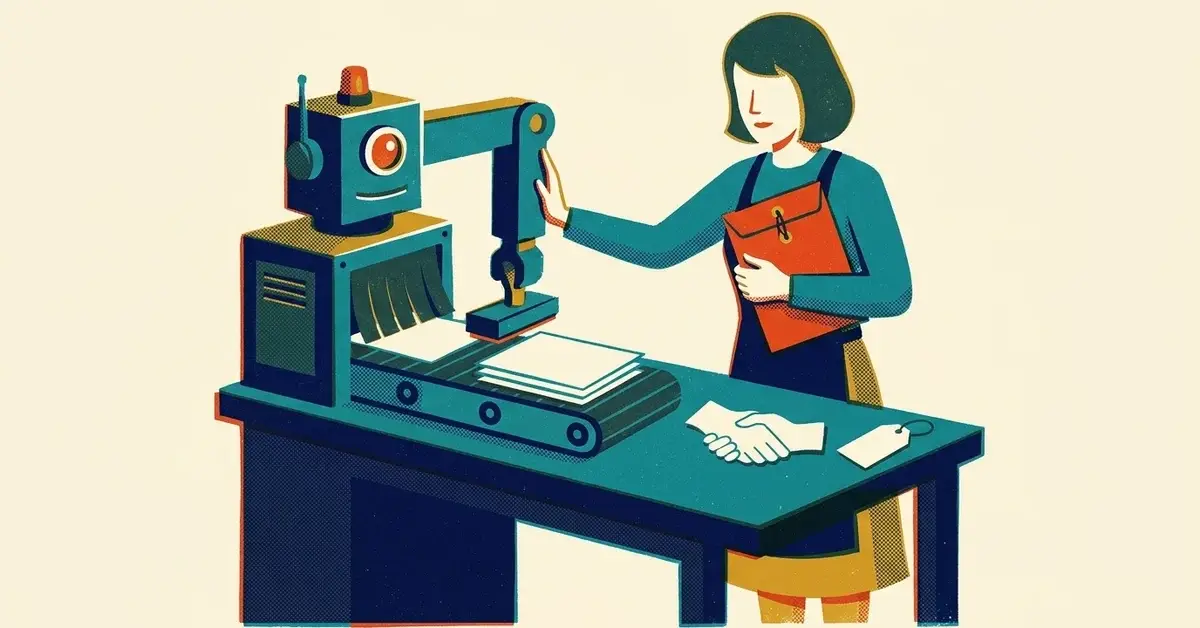
You've got AI drafting emails and summarizing threads, and it's saving real time. Now you're eyeing the next step: let it answer customers on its own, build the quotes, tidy up the contracts, approve the new app someone wants to connect.
Some of that is fine. Some of it is how a single wrong sentence turns into a refund you never agreed to, a price that loses money, or a dispute you can't take back.
The quick answer
- Let AI draft, summarize and format almost anything.
- Never let it decide or send anything that commits money, changes legal meaning, judges a person, or grants access.
- For those tasks, AI writes the first draft and a named person approves the final version.
- Before anything AI-drafted leaves the building, run the four checks below: names, numbers, sources, scope.
How to tell if a task belongs on the "never automate" list
Ask one question about the task: what happens if the AI gets it wrong and nobody looks?
If the answer is "I fix a typo," automate away. If the answer is any of these, a human stays in charge:
- It costs money. A refund, a discount, a price, a credit.
- It becomes a promise. The customer can screenshot it and hold you to it.
- It changes meaning. Contracts, policies, warranties, terms.
- It's about a person. Hiring, discipline, performance, firing.
- It opens a door. Logins, app permissions, security settings.
- It's heated. An angry customer or a public complaint.
It's the same line we draw in Should you let AI actually do things in your business, or just draft them?: anything that sends, spends, publishes, deletes or commits you to something is a different risk from anything that reads, summarizes or drafts. This post is the list of tasks that sit on the risky side of that line, and what to do instead.
The never-automate list, and what to do instead
1. Refunds, credits and "we'll make it right" promises
This is the fastest way to give money away by accident.
AI is tuned to sound helpful, and helpful turns into "we'll refund you," "full credit" or "we guarantee it" very quickly. The customer reads that as your answer, not the software's.
That's not just a theory. In February 2024, British Columbia's Civil Resolution Tribunal ordered Air Canada to pay a customer after the chatbot on its website wrongly told him he could claim a bereavement discount after he'd already flown. The tribunal rejected the airline's argument that it wasn't responsible for what its chatbot said (Moffatt v. Air Canada, 2024 BCCRT 149).
Instead: let AI draft the calm, apologetic part. A person decides the remedy and types in the terms.
The rule: AI can write empathy. A person approves refunds and guarantees.
2. Pricing math, totals and margins
AI can lay out a quote beautifully. It shouldn't do the arithmetic or pick the number.
That covers adding fees, totals, discounts, sales tax, labor hours and comparing packages. Language models are built to give a confident answer, and OpenAI's own researchers have written that the way these models are trained rewards a confident guess over admitting uncertainty (OpenAI: Why language models hallucinate). A total that's off by one forgotten line item looks exactly as confident as a correct one.
Instead: your spreadsheet or quoting tool is the source of truth. AI turns the final numbers into customer-friendly wording. Numbers in the spreadsheet, words in the AI. The full setup is in why ChatGPT shouldn't set your rates.
3. Contract edits and policy rewrites
Ask AI to "make this clearer" and it will. It may also change what the document means.
Small swaps do the damage:
- "may" becomes "will"
- "estimated" becomes "guaranteed"
- an exclusion gets softened or dropped
- who's responsible for what gets blurry
Instead: use AI for a clarity pass, not a rewrite. Ask it to suggest plain-English wording, list every change it made, and flag the risky sections (scope, warranty, cancellation, liability). Your approved template stays the master copy, and anything that changes legal meaning goes past whoever reviews your contracts. More on this in AI is editing your contracts wrong.
4. HR messages and employee records
Rejection emails, performance notes, written warnings, termination messages.
AI can make these harsher than you meant, inconsistent from one employee to the next, or worded in a way that reads like an admission. And these are the documents that come back out if there's ever a complaint.
Instead: AI can help you organize your notes into a structure. You, or an HR or employment advisor, write and sign the final version, and you use the same template for everyone in the same situation.
The rule: AI drafts, people sign.
5. Angry customers and disputes
When someone's upset, tone matters more than speed.
AI tends to mirror the energy it's given. With perfect grammar, it can still come across as cold, defensive or scripted, and that turns a fixable complaint into a public one. We covered the tone side in AI copied your client's tone and now you sound rude.
Instead: let AI draft, then rewrite the first and last sentence yourself and send it from a person. A prompt you can copy:
Draft a calm reply to the message below. Acknowledge the frustration in one sentence, state the facts briefly, offer two options, and end with one clear question. No refunds, credits or promises. No sarcasm, no defensiveness. Message: [paste]
6. Logins, app permissions and security approvals
This is where automation turns into a breach.
Don't let AI, or an AI agent with access to your accounts:
- reset passwords or change sign-in settings
- approve a new app or integration asking for access to your email or files
- decide which permissions are "probably fine"
- install or approve browser extensions
- change security settings based on a guess
Scammers also dress up fake AI tools and extensions to get exactly this kind of access (AI tools are becoming the new phishing trap).
Instead: one person approves new apps, and everyone else asks. In Microsoft 365 you can make that the default: in the Microsoft Entra admin center, go to Identity > Applications > Enterprise apps > Consent and permissions > User consent settings and choose Do not allow user consent, then turn on the admin consent workflow so staff can request an app instead of getting stuck (Microsoft Learn: Configure how users consent to applications, Configure the admin consent workflow You need a Global Administrator account to change it. If blocking everything is too strict for your team, Microsoft's recommended middle option is to allow user consent only for apps from verified publishers, and only for permissions you've classified as low impact. Changing the setting doesn't remove apps people already approved, so review those too.
7. Compliance claims and "official" statements
Even outside regulated industries, AI will happily write lines like:
- "We're fully compliant."
- "This meets all legal requirements."
- "Your data is 100% secure."
It sounds authoritative. It may not be true for your business, and once it's on your website or in a proposal, it's your claim.
Instead: only claim what you can point to: a policy you actually have, a certification you actually hold, vendor documentation you've read. If you can't point to it, don't say it. The longer version is in Your AI is making promises you can't keep.
What AI is good at (automate these)
Plenty is safe to hand over:
- Drafting: first-draft emails, proposals built from your numbers, service descriptions, FAQs, checklists and SOP drafts.
- Summarizing: action items from a long thread, a summary of a document you give it, the questions to ask a new client.
- Consistency: rewriting in your brand voice, shortening for a text message, turning rough notes into a template.
The common thread: a person reads the result before it reaches a customer.
The four checks before anything goes out
One guardrail that works for every business:
- Names. Are the client's name, address and project details right?
- Numbers. Do prices, dates and quantities match your real source?
- Sources. Can you point to where every fact came from?
- Scope. Did the AI quietly promise more than you offer?
Most expensive AI mistakes fail at least one of those.
If it already went wrong
- Stop the automation first. Pause the workflow or turn off auto-send so it doesn't happen again while you clean up.
- Get the facts straight before you contact anyone: what was sent, to whom, and what's actually true.
- Correct it quickly and plainly. "We sent you incorrect information earlier. Here's the correct version." Short and honest beats a long explanation.
- Decide the remedy as a person. If AI promised a refund or price you can't honor, decide whether to honor it this once. Either way, fix the cause.
- Fix the prompt, template or setting that produced it, not just the one message.
My AI sent the wrong info to a client. Now what? has the full cleanup sequence and message templates.
A one-page AI policy your team will follow
If you have staff, put this on one page and share it. It shows which tasks go in which lane:
Lane | Tasks | Rule |
|---|---|---|
Allowed | Drafting, rewriting, summarizing, templates, marketing content | Read it before you use it |
Allowed with review | Quotes, proposals, review replies, scheduling confirmations | A second person or the owner checks it first |
Not allowed | Refund decisions, pricing math, contract rewrites, HR records, security approvals, angry disputes | A person decides; AI may draft only |
Add one more line at the bottom: If you're not sure which lane it's in, ask first.
Two more habits that keep it working:
- Every automated workflow has a named owner. "The system does that" is how a broken process runs for months unnoticed.
- Nobody is the only reviewer of their own automation. Someone else glances at the output once a week.
When to get help
- Staff are using AI tools you didn't pick, with customer data you can't track.
- An AI tool or agent has access to your email, files or accounts and you're not sure what it can do with it.
- You want the approval steps built into your systems instead of relying on people remembering.
That's the kind of setup we help with. Talk to us if it's on your list.
Related reading
- Should you let AI actually do things in your business, or just draft them?
- Your AI is making promises you can't keep: the liability trap in emails and proposals
- My AI sent the wrong info to a client. Now what?
Originally published March 2026. Updated November 2026.



No comments yet