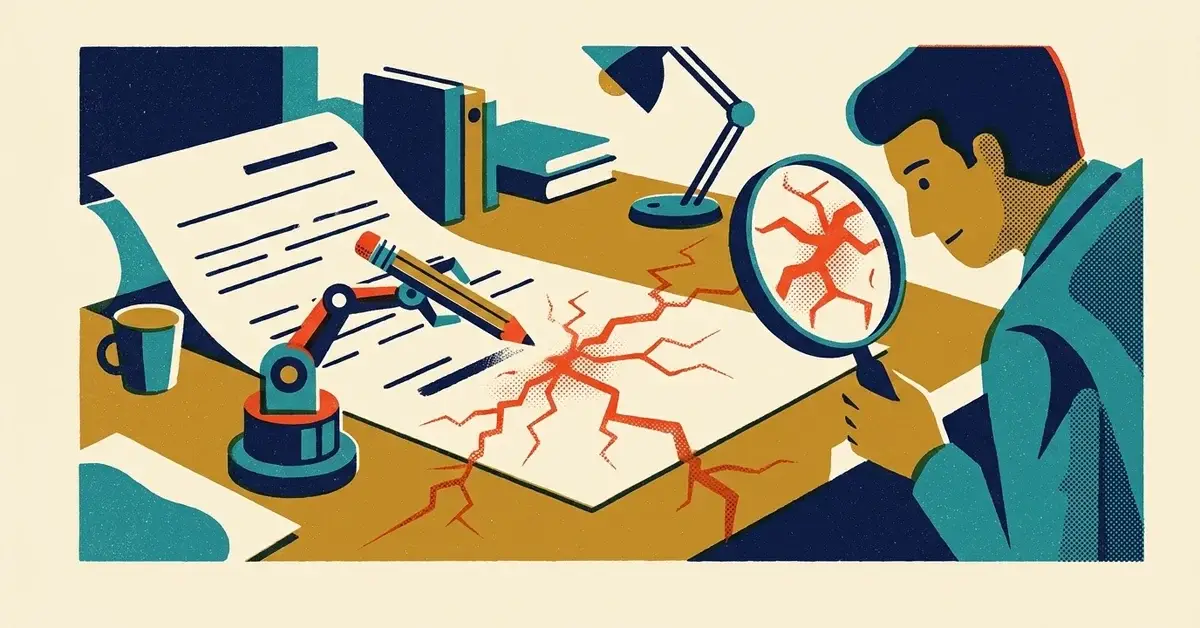
You pasted a clause from your service agreement into ChatGPT or Copilot and asked it to "make this sound more professional." It came back cleaner and more confident. You dropped it into the contract.
Now read it next to the old version. "Estimated" may have become "guaranteed." An exclusion may be gone. Polished text can quietly mean something different, and you're the one who signs it.
This post is about catching that before it goes out. It isn't legal advice. Any change to what a contract actually says should be reviewed by your attorney.
The quick answer
- Don't ask AI to rewrite a contract. Ask it for suggestions, as a list, with meaning unchanged.
- Compare the old and new versions word for word with Word's Compare tool or Google Docs' Compare documents. Don't trust your eyes or the AI's summary.
- Read every change to scope, warranties, cancellation, liability and payment slowly, out loud if it helps.
- If a change alters what you or your client must do, it goes to your attorney before it goes to a client.
- Keep client names, addresses and prices out of the prompt. Use placeholders.
How to tell AI changed the meaning
AI tools are built to make text read better. Keeping your legal intent intact isn't what they're optimized for, and they won't always tell you what they changed.
Look for these swaps. Each one is small. Each one can change who owes what:
- "may" became "will"
- "estimated" became "guaranteed" or just disappeared
- "up to 10 hours" became "10 hours"
- "typically" or "unless otherwise agreed" got cut
- "Client is responsible for providing access" became "We will coordinate access"
- "not included" became "available on request"
- "not responsible for hidden or preexisting damage" got dropped because it sounded harsh
- defined terms ("the Services", "the Site") got swapped for synonyms, or section numbers in cross-references stopped matching
If you can't say exactly what changed between the two versions, you don't know yet. That's what the next step is for.
Fixes, easiest first
1. Run a real comparison
Don't eyeball it. Let the software mark every difference.
Word (Microsoft 365, 2024, 2021, 2019, 2016): open Word, then Review > Compare > Compare two versions of a document (legal blackline). Pick the original under Original document and the AI-edited one under Revised document, then OK. Word builds a third document showing every insertion and deletion and leaves both files alone (Microsoft Support: legal blackline).
Google Docs: open the original, then Tools > Compare documents, choose the edited version and click Compare. You need edit access to the document. The result opens as a new doc with the differences shown as suggested edits (Google Workspace Updates). You can also compare against a Word (.docx) file if it's stored in Google Drive, so there's no need to convert it first (Google Docs Editors Help: Compare documents).
Go through the comparison line by line. Every red mark gets a yes or a no from a person.
2. Change how you prompt
Ask for an editor, not an author. Copy this:
Suggest clarity improvements to the clause below without changing its meaning. Keep the legal intent the same. Do not add guarantees, promises, deadlines or new obligations. Do not remove exclusions, limits or conditions. Return your suggestions as a numbered list. Do not return a rewritten version.
Then make it show its work:
List every sentence you would change. For each one, quote the original, quote your version, and explain any difference in meaning. If you are not sure whether the meaning changes, say so.
And a risk check before anything goes out:
Compare these two versions. Flag every change that affects scope, warranties, cancellation or refunds, liability, payment, deadlines or who is responsible for what. If unsure, flag it.
Treat the AI's answer as a lead, not a clearance. It can miss a change or describe one wrongly. AI models are known to give confident answers when they aren't sure; OpenAI's own researchers wrote about why in 2025 (OpenAI: Why language models hallucinate). The document comparison in step 1 is the check you rely on.
3. Strip client details before you paste
Contracts carry names, addresses, prices and terms. Replace them before they go into any AI tool:
Real detail | Placeholder |
|---|---|
Client name | Client A |
Job address | Address A |
Price or deposit | [AMOUNT] |
Project name | Project X |
What happens to what you paste depends on the tool and the plan. Microsoft says prompts and responses in Microsoft Copilot and Copilot Chat, used with a work account, aren't used to train its foundation models (Microsoft Learn: Data, privacy and security for Microsoft Copilot). OpenAI says ChatGPT Business and Enterprise workspace content isn't used for training by default, while personal accounts have their own data controls to check (OpenAI Help Center: Data controls). Placeholders are still the safer habit on any plan.
The five clauses to treat like a hot stove
These are the places a "small" edit costs the most.
Scope of work. AI likes scope that sounds complete. It may broaden the service, drop exclusions or make optional items sound included. A vague scope gets filled in by whoever benefits from the gap.
Warranties and guarantees. Confident wording reads well in marketing. In a contract, an added or strengthened guarantee can become a promise you never meant to make.
Cancellation and refunds. "Non-refundable deposit" can turn into "deposit applied to future work." That's a new policy, whether you wanted one or not.
Liability and limitation language. This is often the part that sounds harshest, so AI softens or removes it. It's also often the part that protects you.
Payment terms and late fees. Due dates, late fees and what happens when a client doesn't pay can shift in small ways that change what you can collect.
How any of these is read in a dispute depends on your state, your industry and the rest of the contract. That's a question for your attorney, not for a chatbot or a blog post.
Why AI does this
It's doing what you asked. "Make it more professional" means smoother and more confident, and contract language is deliberately cautious. Hedges like "up to", "estimated" and "unless otherwise agreed" look like clutter to a tool tuned for readability.
It also doesn't know which words carry weight in your agreement. Defined terms, cross-references and exclusions all depend on the rest of the document, and a tool editing one paragraph at a time can't see that.
If an AI-edited contract already went out
- Find both versions and run the comparison above so you know exactly what changed.
- If it isn't signed yet, send the corrected version with a short note: you found an error in the draft and here's the right one.
- If it's signed, don't try to fix it with an email or a quiet re-send. Call your attorney before you talk to the client about it.
- Find the prompt or template that caused it and fix that, so the next contract doesn't repeat it.
Preventing it in a business
- One approved template. Keep your core agreement stable and attorney-reviewed. Change it rarely, and on purpose.
- Customize only the job-specific part, like a scope-of-work addendum, and run the comparison on that every time.
- A team rule: AI can suggest wording. It doesn't edit scope, warranties, cancellation, liability or payment, and nobody sends a contract they haven't compared against the template.
- Use a work AI account, not personal ones, so you know which data terms apply.
- Save the prompts above in a shared doc so everyone uses the same ones.
Some situations shouldn't involve AI rewriting at all. Get professional review first if:
- you're in an active dispute
- the contract is high-dollar or high-liability
- it involves an insurance claim
- it includes subcontractors
- it touches indemnification, warranty exclusions or limitation of liability
- it's a form required by your state or industry
When to get help
- You've found AI-edited contracts in circulation and don't know which version clients signed.
- Your team uses several AI tools and you don't know what's being pasted into them.
- You want templates locked down so only approved people can change the master copy.
The legal side belongs with your attorney. The tools side (which AI accounts your team uses, what they can see, how templates are stored) is the kind of thing we help with. Talk to us if that's on your list.
Related reading
- AI promised a refund you never offered? What to do
- AI sent the wrong info to a client? What to do now
- Who owns the data you put into AI tools?
Originally published February 2026. Updated November 2026.




No comments yet