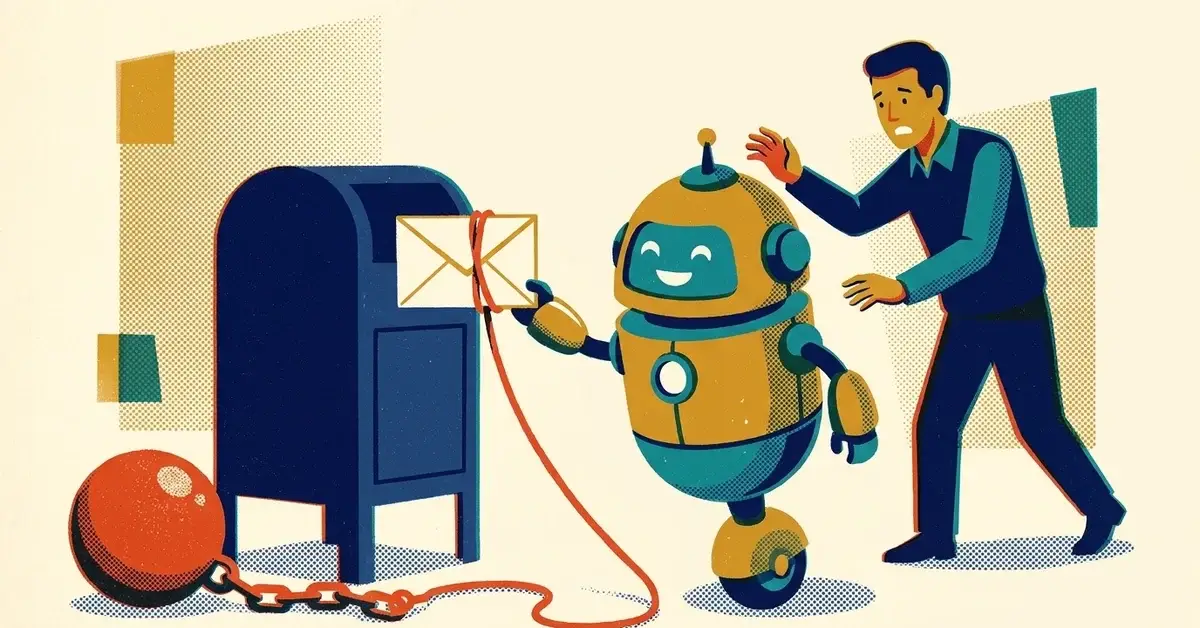
You asked AI to tidy up a quote email. It came back polished, friendly and confident. It also said "We'll have this done by Friday" and "Full refund if you're not satisfied."
You never offered either of those.
Here's the deal: the customer doesn't know which sentences you wrote and which ones the AI wrote. They read the email as your word. If it promises a date, a refund or "everything included," that's what they'll hold you to.
The quick answer
- Tell the AI up front: no dates, prices, guarantees or refunds unless you supply them.
- Before anything AI-drafted goes out, search it for promise words: "guarantee," "refund," "will," "always," "everything," "100%."
- Add an "assumptions and exclusions" section to every quote and proposal.
- Make one rule for the team: AI drafts the words, a person approves every commitment.
How to tell your AI is making promises
AI is trained to be helpful, and helpful often sounds like certainty. It doesn't know your schedule, your supplier or your refund policy, so it fills the gap with whatever sounds most reassuring.
Read the last few AI-assisted emails, quotes or review replies your business sent. Look for these:
- A firm date or time you didn't give it. "We'll be there Tuesday at 10."
- Scope that grew. "That's included." "This covers the full repair." "No hidden fees."
- Outcomes or guarantees. "You'll see results." "We'll make it right no matter what."
- Refunds or credits that aren't in your actual policy.
- Legal-sounding lines ("This warranty covers all defects") that don't match your contract, your insurer's terms or what you'd actually do.
If you find even one, the problem isn't that one email. It's the prompt, template or habit that produced it.
Where AI promises cost the most
Four places, in rough order of how expensive they get.
Timelines
Real jobs slip: weather, suppliers, a sick tech, a customer who reschedules. An AI-written "done by Friday" doesn't make you look efficient when Friday passes. It makes you look unreliable. When a job does slip, our guide to writing a client update without overpromising has a template for the delay email.
Price and scope
AI will turn "roughly $2,000 depending on what we find" into "$2,000 for the full job." Then the customer finds a second problem, and your own email says it was covered.
Guarantees and refunds
This is where disputes start. "Satisfaction guaranteed" sounds normal in an ad. In a one-to-one email about a specific job, it reads like a promise to that specific customer.
Policy and legal language
Owners often ask AI to "make it sound more professional." The AI's idea of professional is confident, official-sounding terms. Those terms may not match your real policy, and once they're in writing they're part of what the customer was told.
Yes, businesses get held to what their AI said
The best-known case is from Canada. In Moffatt v. Air Canada, 2024 BCCRT 149, decided on February 14, 2024, British Columbia's Civil Resolution Tribunal (a small-claims tribunal) dealt with a customer whose relative had died. Air Canada's website chatbot told him he could buy a full-price ticket and claim the cheaper bereavement fare afterward. The airline's actual policy didn't allow that.
Air Canada argued it wasn't responsible for what the chatbot said. The tribunal member called that "a remarkable submission," found the airline hadn't taken reasonable care to make sure its chatbot was accurate, and ordered it to pay the fare difference plus interest and fees, about C$812 in total (Kiplinger's report).
Two caveats, because that's the honest version. It's a Canadian small-claims decision, so it doesn't set the rules for a U.S. business. And it was a public chatbot, not an email. But the tribunal's basic reasoning is one most customers already share: if it came from your business, it's your business's statement. Nobody in that case accepted "the software said it, not us."
This isn't legal advice. If a customer is already pointing at an AI-written promise, or you're not sure what your quotes and warranties commit you to, ask your attorney.
Fixes, easiest first
1. Put the limits in the prompt
Instead of "Write a quote email," use something like this:
Draft a quote email in a calm, confident tone. Do not promise dates, guarantees, refunds or prices. Use only the prices and dates I give you. If something is missing, write [CHECK] instead of filling it in. Use wording like "estimated" and "based on." End with a short list of assumptions and exclusions.
The [CHECK] line matters. Without it, the AI tends to fill gaps with something that sounds plausible.
2. Save the limits so nobody has to remember them
In ChatGPT, open Settings > Personalization and add the rules to Custom instructions so they apply to every chat (OpenAI Help). On the phone app, it's under Settings > Customize ChatGPT. On a shared business account, put the prompt above in a shared doc everyone copies from.
3. Add assumptions and exclusions to every quote
Copy these and adjust them to your trade:
- "Timeline depends on scheduling and material availability."
- "This estimate is based on conditions visible at the time of inspection."
- "Additional issues found during the work will be quoted separately before we proceed."
- "Anything not listed above is not included."
It doesn't sound weak. It sounds like someone who's done this before.
4. Use ranges and options instead of certainty
- "We can usually schedule within 3 to 5 business days."
- "Most jobs like this take one to two days, depending on what we find."
- "Here are two options: a basic fix, or a longer-term solution."
Customers get a real picture, and you get room for the job to be a normal job.
5. Run a promise scan before you hit send
Press Ctrl+F (Windows) or Cmd+F (Mac) in the draft and search for each of these:
- guarantee
- promise
- refund
- will (followed by a date or an outcome)
- no matter what
- covers everything / everything included
- final price
- always / never
- 100%
Every hit gets a second look. Some will be fine. The ones that commit you to something you didn't decide get rewritten.
Swap list: confident without overpromising
Instead of | Try |
|---|---|
"We will finish by Friday" | "We're planning to finish by Friday, weather and materials permitting" |
"Guaranteed results" | "Our goal is..." / "Here's what we'll do and how we'll measure it" |
"This includes everything" | "This includes... It does not include..." |
"Full refund if you're not happy" | Your actual refund policy, word for word, or nothing |
If an AI-written promise already went out
- Find the exact wording. Pull up the sent email or message, not your memory of it.
- If the customer hasn't relied on it yet, correct it quickly and plainly: "I need to correct something in my last email. Our timeline is an estimate, not a fixed date. Here's what we can commit to."
- If they've already acted on it, decide whether to honor it this once. Often that's cheaper than the argument. Either way, write down what you decided and why.
- If it involves a contract, a warranty or a large amount, talk to your attorney before you reply.
- Fix the source: the prompt, the template or the auto-reply that wrote it.
For the broader cleanup after AI sends something wrong to a client, see My AI sent the wrong info to a client. Now what?
Preventing it in a business
- One team rule: AI drafts tone and structure. A person approves every date, price, scope line, guarantee and refund.
- Write down your real policies (refunds, warranties, rescheduling) in one short doc, and paste the relevant one into the prompt when it matters. The AI can't stick to a policy it's never seen.
- Turn off auto-send on any AI tool that replies to customers (review replies, chat widgets, email assistants) until you've checked what it says for a few weeks.
- Keep the promise scan list next to whoever sends quotes.
When to get help
- Several people use different AI tools to talk to customers, and you don't know what they're set up to say.
- You have a chatbot or auto-reply on your website and haven't tested what it promises.
- You want approval steps built into your email or quoting tools so nothing commits the business without a person signing off.
If that's where you are, we can help you set it up.
Related reading
- AI pricing mistakes: why ChatGPT shouldn't set your rates
- AI is editing your contracts wrong: the "small change" that creates big risk
- How do I stop AI from hallucinating in my business documents?
Originally published January 2026. Updated November 2026.



No comments yet