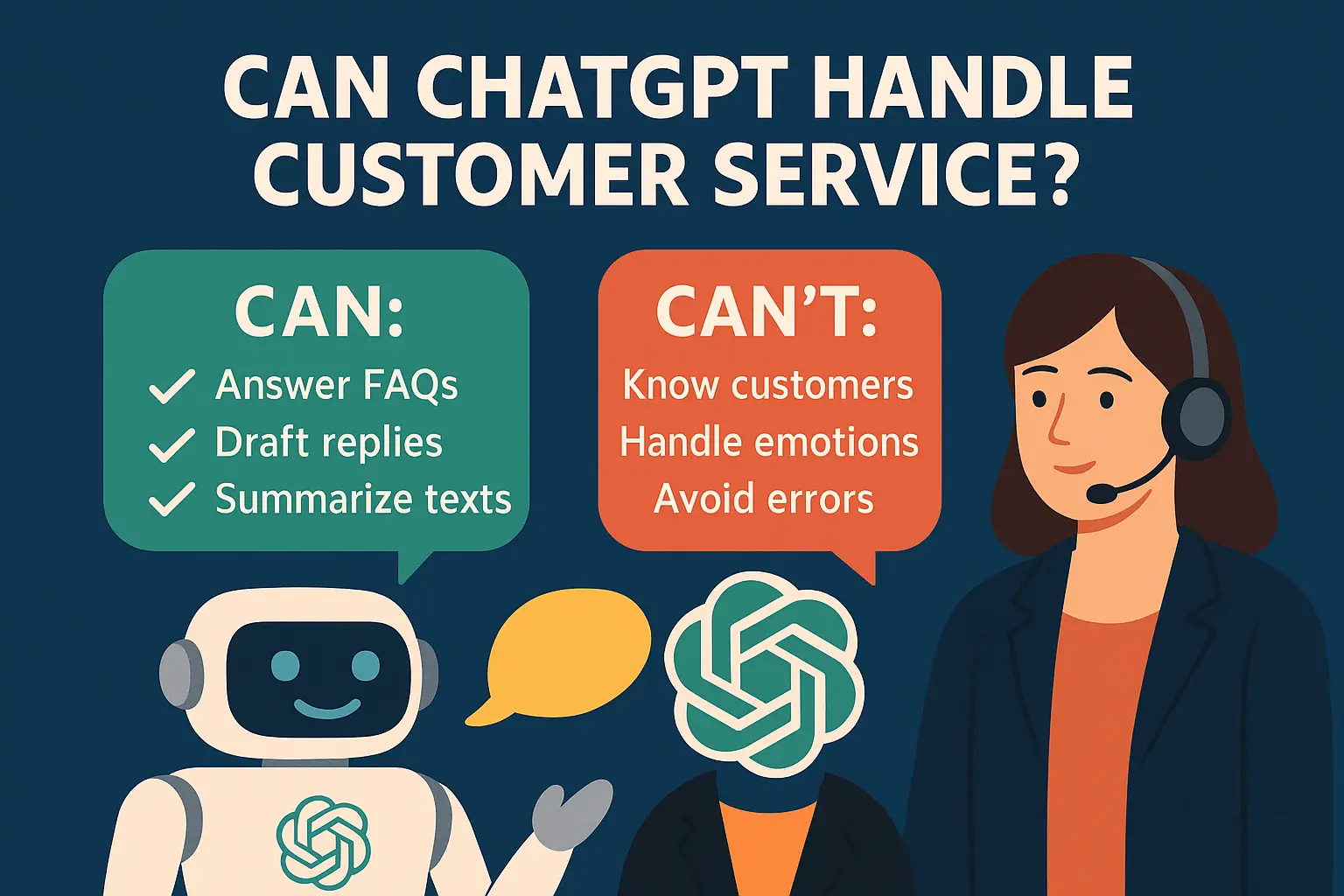
A customer message lands at 9:17 p.m. You're thinking about letting ChatGPT, or a chatbot built on it, answer for you.
It can do part of that job well. It can also make up a refund policy you don't have, with total confidence, in your company's name.
So the real question isn't "can it?" It's "which part of customer service can I hand it, and what stays with a person?"
The quick answer
- Use it now to draft replies, summarize long threads and answer the same factual questions you get every week.
- Don't let it send anything about money, refunds, complaints, cancellations or exceptions. A person writes or approves those.
- Give it your real answers. It only knows what you paste in or connect it to, not your customers or your policies.
- Start behind the scenes. It drafts, a person sends. Move to automatic replies only for questions it has answered correctly for weeks.
- Use a business plan before you paste customer messages into it.
What ChatGPT does well in customer service
Drafting replies
Paste in the customer's message and your notes, ask for a reply. It's quick at clear, polite, typo-free text, and good at apologizing without groveling. You still read it before it goes out.
Answering customer FAQs
Hours, service area, how to book, what to bring, where to park. If the answer is written down somewhere and true today, a chatbot can give it at 9 p.m. so you don't have to.
Summarizing long threads
A 14-message email chain about a delayed order becomes five lines: what they asked, what you promised, what's still open. ChatGPT, Claude and Gemini all do this well. Check the summary against the thread before you act on it.
Smoothing your tone
Written something short and frustrated at the end of a long day? Ask it to make the reply calmer without changing what it says.
Reading messages in another language
A customer writes in Spanish or Vietnamese and nobody on staff reads it well. It can tell you what they're asking and draft a reply in their language. Keep the reply short and plain, and have a fluent person check anything about money, safety or a commitment before it goes out. How to Talk With Staff or Customers Who Speak Another Language covers the built-in translate buttons in Gmail, Outlook and Teams.
What it can't do (yet)
It doesn't know your customers
It doesn't know this is the client who's paid late three times, or the one who refers half your business. Unless you've connected it to your CRM or inbox, it only knows what's in front of it. It can give the right answer in the wrong tone for that person.
It makes things up
The term is "hallucination." It means the AI states something false as if it were fact. OpenAI's own researchers say the way models are trained rewards a confident guess over admitting "I don't know" (OpenAI: Why language models hallucinate).
In customer service that looks like a policy you don't have, a price you don't charge or a promise you can't keep. And your business owns it. In February 2024 a British Columbia tribunal ordered Air Canada to pay a customer after its website chatbot wrongly told him he could claim a bereavement discount after he'd flown. The tribunal rejected the argument that the airline wasn't responsible for what its chatbot said (Moffatt v. Air Canada, 2024 BCCRT 149).
It can't read the room
An upset customer, a billing mistake, a missed appointment. These need judgment and sometimes a phone call. A model tends to mirror the customer's energy, which goes badly with an angry message. AI copied your client's tone and now you sound rude covers that one.
It can't make decisions
Whether to refund, waive a fee or make an exception is a business decision. A chatbot that "decides" is just guessing out loud.
How to tell which questions are safe to hand over
Go through your last 30 days of emails, texts and website messages. For each type of question, ask three things:
Question type | Same answer every time? | Money or a promise involved? | Who answers |
|---|---|---|---|
Hours, location, service area | Yes | No | AI |
How to book or what to bring | Yes | No | AI |
Order or appointment status | Yes, if it can see the system | No | AI, with a person as backup |
Quotes and prices | Sometimes | Yes | Person |
Refunds, credits, cancellations | No | Yes | Person |
Complaints | No | Often | Person |
If the answer changes case by case, or it commits you to money, it stays with a person.
Setting it up safely, easiest first
1. Draft only, a person sends
Start here. Staff paste the customer's message into ChatGPT, get a draft, edit, send. Nothing goes out without a human reading it. You learn quickly where it gets things wrong.
2. Give it your answers, not the internet's
Write a short sheet of approved answers: question, answer, where it comes from, last checked. Paste the relevant part in with each request, or upload it to a custom GPT or Project. Add an instruction like:
Answer only from the information provided. If the answer isn't there, or the question is about refunds, prices that aren't listed, cancellations or complaints, say a person will follow up. Never promise refunds, discounts or dates.
How to turn customer questions into a FAQ library goes deeper on building the sheet.
3. Teach it how you sound
Paste in three or four replies you were happy with and say "match this tone." That beats generic "friendly and professional" every time. More in Can you train AI to sound like you?
4. Only then, a customer-facing chatbot
If drafts have been right for weeks, a website chatbot can take the repeat questions directly. Name it "virtual assistant," not a made-up person, and give it an obvious way to reach a human. California, for one, bars using a bot online to mislead people about its artificial identity to encourage a sale, unless you clearly disclose it's a bot (Cal. Bus. & Prof. Code § 17941). AI customer service without losing the human touch has the full setup: handoff rules, after-hours messages and the weekly transcript check. Our checklist for a website AI chatbot covers what to test before you turn one on.
5. Check the plan before you paste customer data
Personal ChatGPT accounts can use your chats for training unless Settings > Data controls > Improve the model for everyone is off. Business plans don't train on your data by default. Who owns the data I feed into AI? has the details for ChatGPT, Claude, Gemini and Copilot.
If it already sent something wrong
- Stop that topic. Take it out of the chatbot's scope, or go back to draft-only.
- Correct it as a person. "Our assistant gave you incorrect information earlier. Here's the right answer." Short and honest.
- Decide the remedy yourself. If it promised a refund or a price, a person decides whether to honor it.
- Fix the source: the answer sheet, the instruction or the page it read.
My AI sent the wrong info to a client. Now what? has the full cleanup sequence.
Keeping it in its lane
- One person owns the answer sheet. Their name is on it, and it has a "last checked" date.
- AI answers, people decide. Money, exceptions and complaints always go to a person.
- Fifteen minutes a week. Read ten conversations or drafts. Fix the answers that went wrong.
- One staff rule: if it involves money or someone's upset, a person writes the reply.
When to get help
- You want the chatbot connected to your booking system, help desk or CRM.
- You're not sure what a chatbot vendor does with your customers' messages. The AI vendor checklist has the questions to ask.
- Customers are mentioning the bot when they complain.
If that's where you are, we can help set it up.



No comments yet