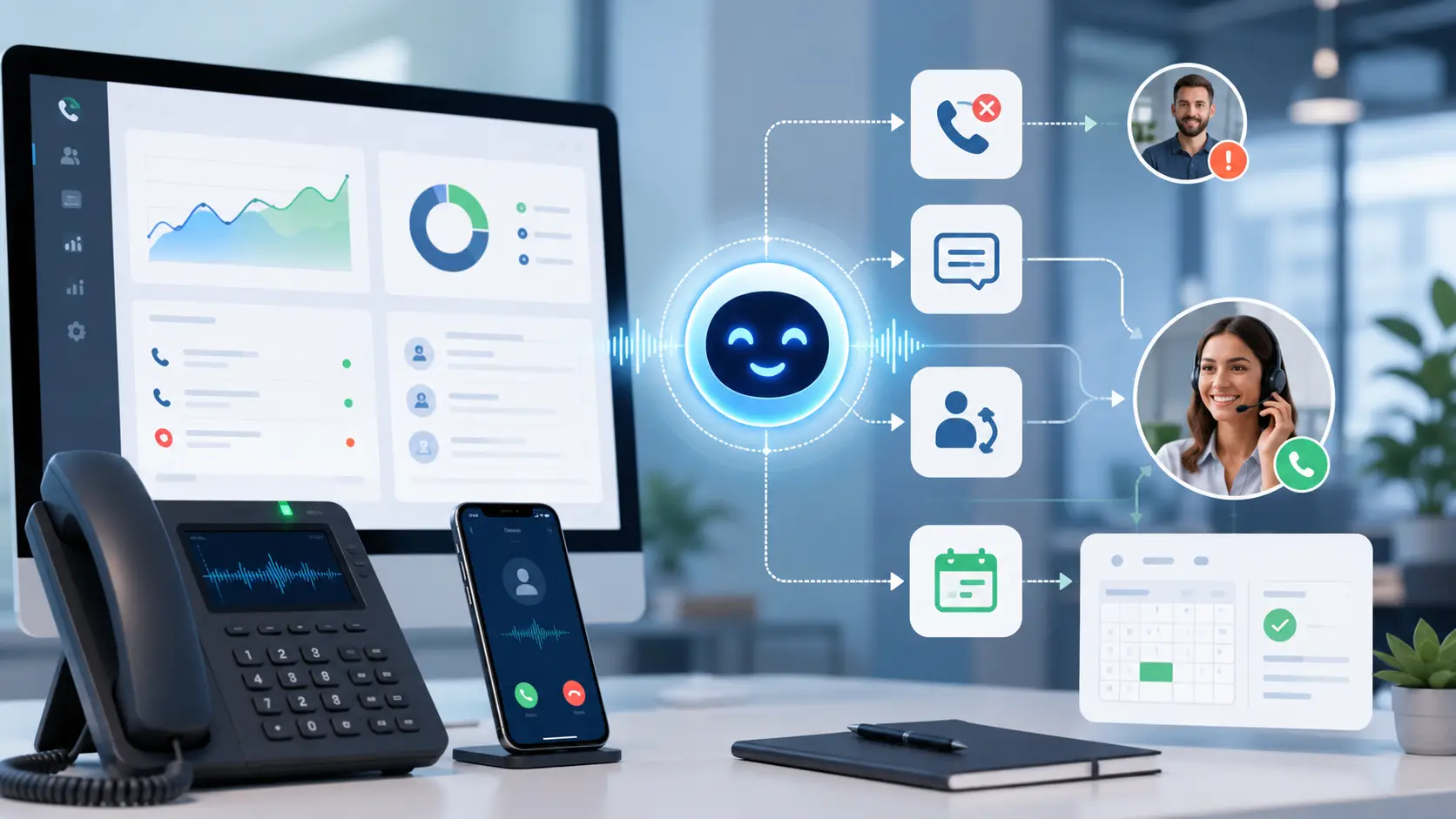
You're on a job, driving or with another customer. The phone rings. You can't pick up. By the time you call back, they've booked someone else.
So you're looking at an AI phone assistant: something that answers when you can't, takes the details and texts the caller back. Fair. The worry is just as fair: a robot that annoys people and loses the job anyway.
It can work. Here's how to set it up so it catches calls instead of driving them off.
The quick answer
- Let a person answer first. AI picks up only when nobody can: missed calls, busy lines, after hours.
- Keep its job small: who's calling, what they need, where, how urgent, best callback number.
- Say it's an AI in the first sentence, and let callers reach a person or leave a message at any point.
- Send urgent calls to a human (a phone number that rings, not an inbox).
- A person reads every summary and calls back. Promise only the callback time you can actually hit.
Is AI answering the phone right for you?
It usually helps when:
- You miss calls because you're on site, driving or with clients, and there's no front desk.
- Most calls start the same way: "Do you serve my area?", "Can you come out this week?", "How much for...?"
- Your voicemail is full of "Hi, call me back" with no details.
It usually doesn't help when:
- Most calls are long, emotional or complicated from the first sentence.
- You can't commit to reading the summaries and calling back the same day.
- Your callers are mostly existing clients who expect to reach you directly.
Not sure how many calls you miss? Your phone system's call log will tell you. Call tracking for small businesses shows how to see which calls you're losing and where they come from.
What an AI phone assistant can do
Depending on the tool and plan, it can:
- answer basic questions from a script you approve (hours, service area, what you do)
- collect the caller's name, number, address or ZIP code and what they need
- flag urgency and route urgent calls to a person
- send a text back after a missed call
- transcribe and summarize the call
- offer appointment times, if it's connected to a real calendar
- log the call in your CRM or inbox
Check which of these your provider actually includes before you buy. Features vary a lot by plan. We compared what the AI receptionists in Jobber, CallRail and Aircall actually do.
Setting it up, easiest first
1. Missed-call text-back (no AI voice needed)
The simplest version. If nobody answers, the caller gets a text within a minute:
Thanks for calling [Business]. We're with another customer right now. Reply with your name, what you need and your ZIP code, and we'll call you back by [time].
That one text tells them they weren't ignored, and gets you the details before you call back. Many business phone systems and VoIP providers offer it. In the U.S., business texting from a regular 10-digit phone number has to be registered with the carriers (it's called A2P 10DLC registration). Your phone or texting provider handles that, so ask them before you switch it on.
2. Summaries instead of voicemails
Turn on transcription and summaries, so instead of five voicemails you read five lines like:
Caller needs a quote for a water heater replacement. In Evans, GA. Not urgent. Prefers a callback tomorrow morning at the number she called from.
That's something you can act on between jobs. Check names, numbers and addresses against the recording when they matter. Transcription gets them wrong more than anything else.
3. AI answers the overflow
Now the AI picks up when you can't. Set it to:
- Introduce itself honestly: "Hi, you've reached [Business]. I'm the virtual assistant. I can take your details so [Name] can call you back, or connect you to a person if it's urgent."
- Ask the same five questions every time: name, callback number, what they need, where, how urgent.
- Answer only from your approved script. No prices it can't back up, no promised arrival times.
- Hand off on request. "Person," "human," "representative" or pressing 0 gets them to a real person, or to a message if nobody's available.
Saying it's an AI isn't just polite. California's bot disclosure law already covers online chat: a bot used to encourage a sale can't mislead people about being a bot unless it clearly says so (Cal. Bus. & Prof. Code § 17941). That law is written for online bots, but the habit carries over: say it in the greeting. Our guide to telling customers you use AI has wording for chatbots, note-takers and more.
4. Route urgent calls to a person
Decide what counts as urgent before you turn it on: a leak, no heat, a locked-out customer, a client in the middle of a job. Those calls go to a phone that rings, with a backup person if you're unavailable. Everything else becomes a summary and a callback.
5. Booking, last
Only let it book appointments if it's connected to the calendar you actually use, and only for simple, fixed-length jobs. Have it offer two options and send a confirmation with the day, time, address and service. AI booked the wrong appointment? covers the confirmation step that prevents most scheduling mistakes.
Where a person still has to take over
- Upset or stressed callers. AI collects the basics and hands off. It shouldn't try to calm someone down.
- Prices and quotes. It can explain what affects the price. It shouldn't quote one unless your pricing is fixed and written into the script.
- Anything sensitive. Health, legal or payment details don't belong in a call summary. Never let it take card numbers.
- Your best clients. Give them a direct number that skips the AI.
Recording and privacy
AI phone assistants work by recording and transcribing calls. Some states, California among them, require consent from everyone on the call before it's recorded (Justia: 50-state survey of call recording laws). The usual fix is a line in the greeting: "This call is recorded and transcribed." Ask your provider whether its greeting includes one, and add it if not.
Then check where the recordings go, who can listen to them and how long they're kept. The AI vendor checklist has the questions to ask.
Why AI phone systems annoy people
Mostly the same few reasons:
- No way out. Callers can't reach a person or leave a message.
- Repeating everything. The summary didn't reach whoever called back, so the caller starts over.
- Empty promises. "Someone will call you in 10 minutes," and nobody does.
- Pretending to be human. People forgive a bot. They don't forgive feeling tricked.
- Collecting too much. Only ask for what you need to call back.
If it's already annoying customers
- Read the last 20 summaries (or listen to the recordings) and find where callers hung up or got frustrated.
- Shorten the script. Fewer questions, sooner handoff.
- Call back anyone it fumbled, as a person: "Sorry about our phone system earlier. How can I help?"
- Fix the promise. If you can't hit the callback time it gives, change the time.
Measure it
After a month, look at:
What to check | Where to find it |
|---|---|
Missed calls captured | Phone system call log vs. AI summaries |
Callbacks made the same day | Your CRM or a simple spreadsheet |
Jobs booked from recovered calls | CRM or calendar |
Complaints about the phone system | Reviews, emails, what staff hear |
If it catches calls but annoys people, it isn't working. If it catches calls and you call back faster, keep it.
Keeping it working in a business
- One owner for the script and the urgent-call list.
- Same-day callbacks. Put a recurring 15-minute block on the calendar to clear summaries.
- Test it monthly. Call your own number with an awkward question and see what happens.
- One staff rule: every summary gets a human callback.
When to get help
- You want the phone system, texting, calendar and CRM connected so details flow without retyping.
- You're switching phone providers to get these features and want to keep your number.
- You're not sure the recording setup is right for where your callers are.
If it's on your list, talk to us.



No comments yet