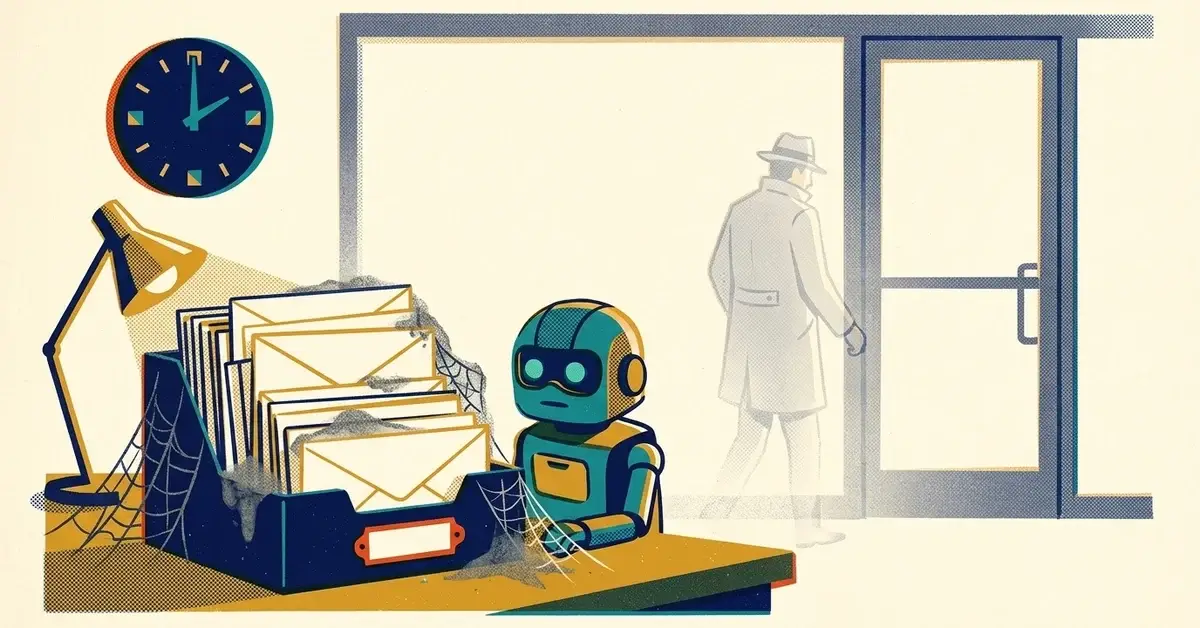
A lead came in. A form fill, a missed call, a DM, an email asking for a quote.
You had AI draft a reply in twenty seconds. It was polite and clear.
And the lead went quiet anyway.
Not because the reply was bad. Because nobody sent it, or nobody followed up after it, or nobody remembered the lead existed by Thursday. The AI wrote a draft. The business never finished the job.
That's the follow-up gap. It costs you jobs you already paid to attract.
The quick answer
- Give every lead a status: New, Contacted, Quoted, Follow-up, Won or Lost.
- Give every lead one owner and one next action with a date on it.
- Spend ten minutes at the end of each day moving leads forward.
- Follow up three times, then close it out. Use Schedule send so the follow-ups go out without you remembering.
- Treat an AI draft as unfinished until it's sent, scheduled or deleted.
How to tell you have a follow-up gap
Run this check on your last ten leads. If you can't answer a question for a lead, that's where the leak is.
- Who owns it? If the answer is "whoever sees it first," nobody owns it.
- What's the next step? A quote with no next step is a quote waiting to be forgotten.
- When is that next step? "I'll check in later" isn't a date.
- What status is it in? If you can't say whether it's quoted, waiting or lost, you're treating every lead the same.
- Where did the reply go? Check your Drafts folder. If there are AI-written replies sitting in it, you found the leak.
You'll usually find leads stuck in boring places: a cluttered inbox, a voicemail you meant to return, a DM thread on a phone, a quote sent with no next step.
If you've ever said "I swear I replied to them," this is for you.
Fix 1: put every lead in one tracker
You don't need a CRM to start. A shared spreadsheet works for a team of one to five. These are the columns:
Column | What goes in it |
|---|---|
Date in | The day the lead arrived |
Name and contact | Name, phone, email, and where they came from (form, call, DM) |
What they want | One sentence, in plain words |
Owner | One person's name. Not "team" |
Status | New, Contacted, Quoted, Follow-up, Won or Lost |
Next action | The single next thing that happens |
Next date | When it happens |
Here's what each status means:
- New: came in, nobody has replied yet.
- Contacted: a real reply was sent. Drafted doesn't count.
- Quoted: a price or estimate went out, with what it includes.
- Follow-up: a follow-up is scheduled. Not remembered. Scheduled.
- Won or Lost: they booked, or they didn't.
If you have a team, keep the sheet somewhere everyone can open it. One tracker beats three inboxes and a sticky note.
Fix 2: the ten-minute closeout
This is the habit that makes the AI drafts worth anything. Every day, before you stop work:
- Clear New. No lead stays New overnight unless it arrived after hours.
- Date everything in Quoted. Every quoted lead gets a follow-up date in the Next date column.
- Close loops. Booked? Mark it Won. Said no, or went silent after the last follow-up? Mark it Lost.
Ten minutes. It's the difference between "using AI" and actually answering people.
Fix 3: a follow-up ladder that isn't pushy
Most small businesses follow up too little, or once, awkwardly. Three steps is enough:
- Day 1-2: Confirm they got it and offer two next steps.
- Day 3-5: Add something useful. Answer a question people usually ask about this job, or offer a quick call.
- Day 7-10: Close the loop politely and give them an easy out.
No reply after the third? Mark it Lost and move on. Weirdly, the easy-out message is often the one that gets a reply.
These timings are a starting point, not a rule. A same-day emergency job needs faster follow-up than a kitchen remodel.
Schedule the follow-ups instead of remembering them
Write all three follow-ups when you send the quote, then schedule them.
- Gmail: in the message, click the down arrow next to Send > Schedule send, then pick a time (Google: Schedule emails to be sent). Gmail allows up to 100 scheduled emails at once.
- New Outlook and Outlook on the web: click the arrow next to Send > Schedule send, then choose a suggested time or Custom time (Microsoft Support: Schedule the delivery of email). Classic Outlook for Windows uses Options > Delay Delivery instead.
One catch: a scheduled email sends whether or not they replied. When someone answers, open your scheduled messages and cancel the rest.
Gmail can also catch the follow-ups you forgot to schedule. As of November 2026, Google's Gmail Help says nudges can surface sent emails that may need a follow-up at the top of your inbox. Turn it on in Settings > See all settings > General > Nudges > Suggest emails to follow up on, then save. It's a reminder, not a sender, and it needs conversation view on.
Fix 4: prompts that produce next steps, not just nice emails
Use AI to run the process, not only to write the words. Copy these and fill in the brackets.
Turn a lead into a tracker row
Read this lead message and give me: a one-sentence summary, the status it belongs in (New, Contacted, Quoted, Follow-up, Won or Lost), the next action, a suggested follow-up date, and two questions I should ask to qualify it. Do not invent facts that aren't in the message. Message: [paste]
A follow-up that moves things forward
Write a short follow-up email about [service]. Include one sentence reminding them what this is about, one helpful detail that makes the decision easier, and two next-step options. Calm, direct, human. No filler phrases. Don't add prices or promises I haven't given you.
The two-option close
Draft a short message that offers two options: A, book a 10-minute call, or B, confirm they want to go ahead. End with one clear question.
The close-the-loop message
Draft a polite closeout message that gives them an easy out with no guilt, and asks whether they'd like me to keep the quote open or close it for now.
Make it sound like you
AI follow-ups lose people when they sound fake-friendly. Cut these:
- "Hope this email finds you well"
- "Just checking in"
- "I wanted to touch base"
- "Circling back"
Use plain lines instead:
- "Quick follow-up on the quote for [service]."
- "Do you want to book this week, or should I hold it for next week?"
- "If the timing changed, no problem. Want me to close this out for now?"
Clear beats polite.
Why it happens
AI gives you a hit of productivity. You see a clean draft and it feels done.
But the customer never sees the draft. They see whether you replied, whether the next step was easy, and whether you followed up when they got busy.
Most "AI automation" in a small business is really AI-assisted typing. The drafting got faster. The sending, the tracking and the remembering stayed manual, and that's where leads go missing.
A pipeline exists whether you track it or not. Untracked, it's just a leak.
If leads have already gone cold
Don't let them sit. Go back through the last 60 days of inquiries, add each one to the tracker, and send one short message:
Hi [name], you asked about [service] back in [month] and I don't think we ever closed the loop on my end. Is this still something you need? If so, I can [next step]. If not, no problem, I'll close it out.
Own the delay in one line. Don't over-apologize. Then mark each one Follow-up or Lost based on the reply.
Preventing it in a business
- One tracker, one place, everyone can see it.
- One owner per lead. Written in the sheet, not assumed.
- A team rule: a draft isn't a task. A sent or scheduled message is. Every draft gets sent, scheduled or deleted the same day.
- Every quote goes out with a next step and a scheduled first follow-up.
- Shared prompts in one doc, so everyone's follow-ups sound like the business, not like five different chatbots.
- The ten-minute closeout on the calendar as a recurring event, so it actually happens.
When to get help
- Leads come in through more channels than one person can watch (web form, phone, Facebook, Google, email).
- You've outgrown the spreadsheet and want leads to land in a CRM automatically, with reminders.
- You want AI connected to your inbox or CRM and aren't sure what it should be allowed to read or send.
That's the kind of setup we help with. Talk to us if it's on your list.
Related reading
- AI spam leads are exploding: how to stop fake form fills and bot calls
- The welcome email sequence: what to send after someone downloads your lead magnet
- "Search my inbox" without the chaos: how AI can turn emails into tasks
Originally published February 2026. Updated November 2026.


No comments yet