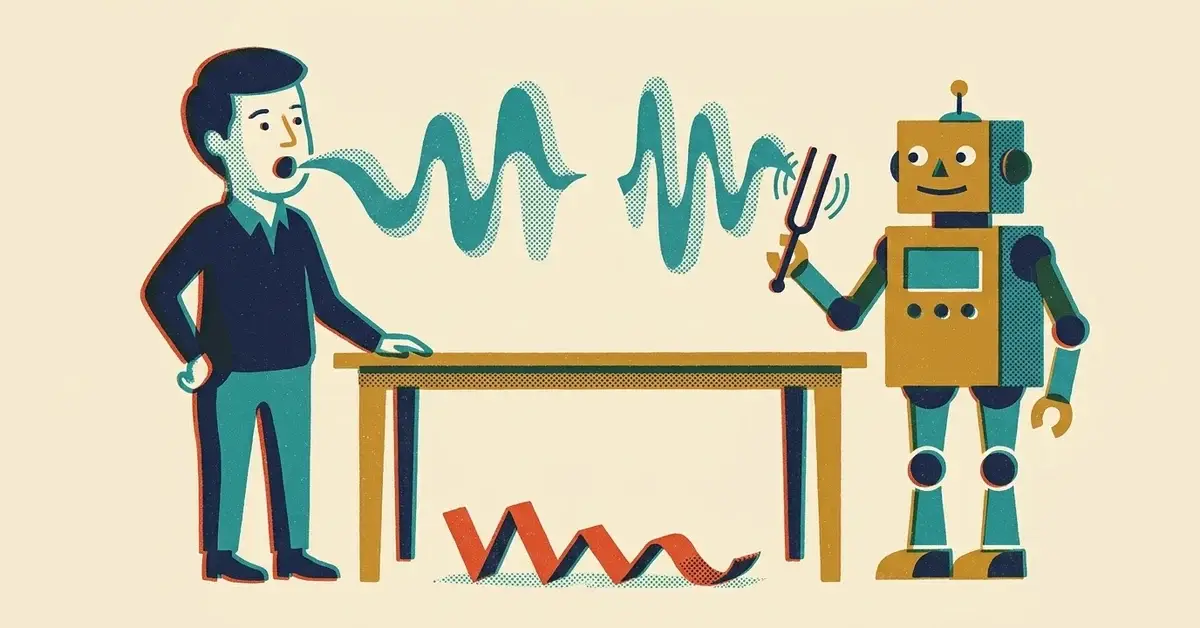
You asked AI to draft a reply to a customer. It came back with "Greetings!" and "I hope this message finds you well." You'd never say either.
It's not wrong, exactly. It just doesn't sound like you. And customers who know you notice.
Yes, you can get AI to sound much more like you. Not by changing the AI itself, but by giving it the right material every time it writes.
The quick answer
- Collect 5-10 real messages you've sent and liked: a quote follow-up, a booking confirmation, an apology, a polite no.
- Write 5-7 bullets on how you sound, plus a short "never say" list.
- Save both where the AI reads them automatically: Custom Instructions or a Project in ChatGPT, Instructions or a Project in Claude, a Gem in Gemini.
- Test it on three real situations and fix the rule, not just the message.
- Read every draft before it goes out. You're still the one sending it.
What "training" actually means here
When people say they trained AI on their voice, they almost never mean they changed the model. That's a developer job (it's called fine-tuning), and a small business doesn't need it for emails.
What they mean is saved context. Instructions and writing samples the tool reads at the start of every chat, so you don't have to paste them in each time.
That matters for two reasons.
The AI only knows what's in front of it. If your rules aren't saved, a correction you made yesterday is gone today.
And whatever you save is data you've handed to the vendor. On free and personal plans, chats can be used to improve the vendor's models unless you turn that off. More on that in who owns the data you feed into AI.
How to tell what's off
Before you fix the voice, work out which part is wrong. Put three AI drafts next to three messages you wrote yourself.
- Greeting and sign-off. "Dear valued customer" vs. "Hi Sam." This is the fastest giveaway.
- Length. AI drafts tend to run long. If yours are three sentences, say so.
- Energy. Too many exclamation marks, "thrilled," "amazing opportunity."
- Filler. "I wanted to reach out," "please don't hesitate to contact us."
- Made-up promises. A "24-hour response time" or a "satisfaction guarantee" you never offered. AI fills gaps with things that sound like what businesses say.
The last one isn't a tone problem. It's a liability problem. Only put promises in your rules that you actually keep.
Step-by-step: teach it your voice
1. Pull your best real messages
Open Sent Items in Outlook or Sent in Gmail and pick 5-10 messages that sound like you on a good day. Get a mix:
- a quote or estimate follow-up
- a scheduling confirmation
- an apology for something that went wrong
- a "no" or "that's not included"
- a thank-you after a job
Then clean them. Swap client names for "Client A." Delete phone numbers, addresses, account numbers and anything a client told you in confidence. The AI needs your rhythm, not their details.
2. Write your voice card
Keep it short. Something like:
- How we sound: friendly, direct, plain English. Short sentences. First names. No jargon.
- Length: 2-4 sentences for routine replies.
- Always: end with one clear next step or question.
- Never: "I hope this finds you well," "valued customer," more than one exclamation mark, emojis in email.
- Don't promise: response times, discounts or guarantees unless I've put them in the request.
- If a detail is missing: ask me instead of guessing.
If you want a fuller version with tone scales and a banned-phrase list, our post on AI tone drift walks through building a one-page voice guide in about 30 minutes. This card is the short form of that guide.
3. Save it where the AI reads it every time
Pick the tool you actually use. Paths as of October 2026.
ChatGPT (any plan): Settings > Personalization > Custom Instructions, then make sure Enable customization is on. On the phone app it's Settings > Customize ChatGPT. OpenAI says custom instructions are available on all plans and apply across your chats (OpenAI Help: custom instructions). Paste your voice card there.
Custom instructions are one box for everything you do in ChatGPT. If you also use it for spreadsheets and research, put the voice card in a Project for customer messages instead, and add your cleaned samples as project files. The tone drift post has the exact project setup.
One thing not to build on: custom GPTs. OpenAI's help center says personal plans can no longer create new GPTs and that it plans to retire custom GPTs (OpenAI Help: creating a GPT).
Claude: click your initials in the lower left, choose Settings, and paste your voice card under Instructions for Claude. Those apply to every chat. For customer messages only, create a Project instead, put the voice card in its project instructions and add your cleaned samples to the project. Anthropic says Projects are available on every plan, with up to five on a free account (Claude Help: personalization features).
Gemini: on a computer, go to gemini.google.com, open the sidebar and click Gems > New Gem. Name it "Customer replies," paste your voice card as the instructions, then under Knowledge click Add files to add your samples. Click Save (Google: use Gems in Gemini Apps). Gems are created on the web and then show up in the mobile app too. Heads-up: Google says Gems on personal Google accounts start moving to a new feature called skills in November 2026, so expect that menu to change.
Anything else: keep the voice card and samples at the top of a shared doc called "Customer message prompts" and paste them in at the start of each chat. Clunkier, same result.
4. Test it on three real situations
Don't test with "write a friendly email." Test with what actually lands in your inbox:
- A customer asking for a quote on something you do every week.
- A customer upset that you're late.
- A request for something you don't offer.
For each one, ask: would I send this with only small edits?
If not, find the rule that's missing and add it to the voice card. "Too long" becomes "3 sentences max." "Too apologetic" becomes "apologize once, then give the fix." Fix the rule once and every future draft gets better.
5. Use a starter prompt for each message
Even with everything saved, a good request helps. Copy and edit:
Reply to the message below in my saved voice. Keep it under 4 sentences. Key facts: [what's true: date, price, what's included]. Next step I want: [book a call / confirm Tuesday / approve the quote]. Don't add anything I haven't listed here.
That last line is what stops the made-up promises.
Why AI sounds generic in the first place
These tools learned to write from an enormous mix of text, so their default is the average of everyone. Polite, safe, a bit stiff.
They also mirror what you give them. Paste in a formal email from a customer and the reply drifts formal. Paste in an angry one and it can come back defensive. That's its own problem, covered in AI copied your client's tone and now you sound rude.
Your samples and voice card pull it off the average and toward you.
If an off-brand message already went out
If it was just stiff, don't apologize for tone. Send the next message in your real voice and move on.
If it promised something you can't deliver, or got a fact wrong, correct it quickly and plainly. My AI sent the wrong info to a client has the steps and wording.
Then find which rule was missing and add it.
Making it stick in a business
- One owner for the voice card. One person updates it. Everyone else uses it.
- One tool for customer messages. Three tools means three copies of your rules drifting apart.
- Business plan for client work. If drafts include client details, use a business account, where the vendor doesn't train on your data by default. The data ownership post has the plan-by-plan breakdown.
- Back it up. Keep the voice card and samples in a shared doc too, so they survive a tool change or a staff change. More in how to back up prompts and workflows.
- Review twice a year, or whenever you add a service, change prices or switch tools.
One-line staff rule: "Customer replies come from the saved voice, and a person reads them before they're sent."
When to get help
- Several people write customer messages in different tools and you can't see what's going out.
- You want your voice built into your CRM, help desk or website chat, not just someone's ChatGPT account.
- Drafts include client data and you're not sure which accounts your team is signed in to.
If that sounds like your office, we can help set it up.
Related reading
- AI is breaking your brand voice: the copy-paste tone drift that confuses customers
- Why your AI assistant keeps getting it wrong (and how to fix it)
- Who owns the data you feed into AI?
Originally published August 2025. Updated November 2026.




No comments yet