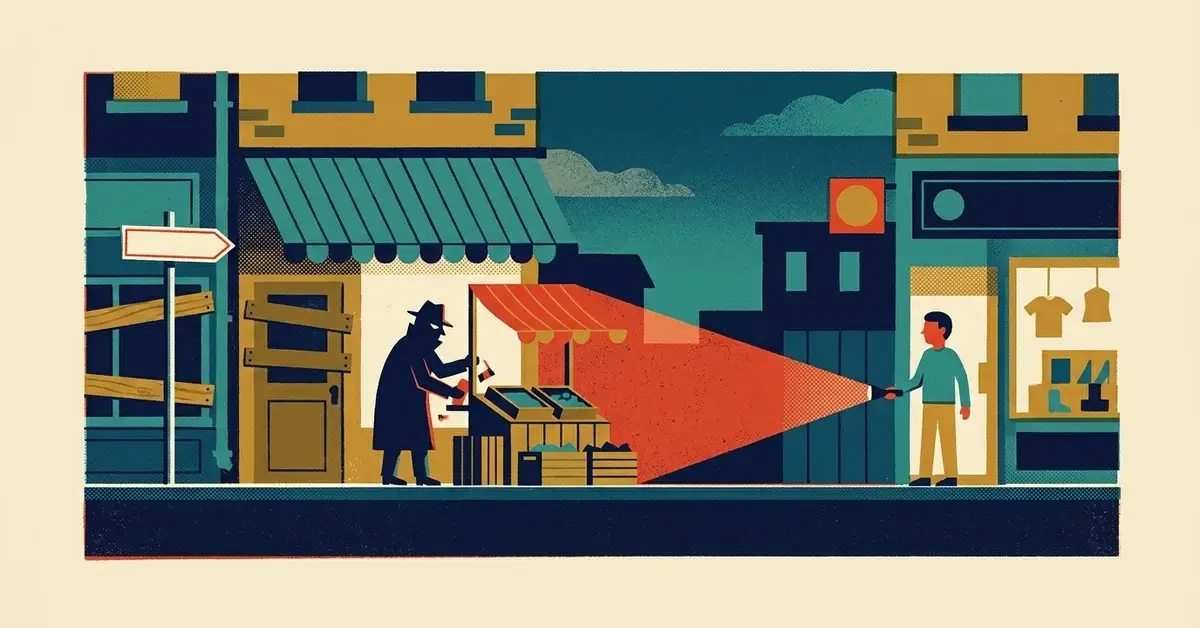
Years ago, someone set up a test site or a landing page on a cloud service and pointed a piece of your domain at it, something like promo.yourbusiness.com. Later the project ended and the cloud app got deleted. The DNS record pointing at it didn't.
That leftover record is called a dangling DNS record. If someone else can claim the name it points to, they get a working page on your domain, with your name in the address bar. That's a subdomain takeover, and in February 2025 it happened to the Centers for Disease Control and Prevention.
Here's what happened, how to check your domain in about half an hour, and how to keep it from happening next time.
The quick answer
- List your DNS records at your registrar or DNS host (wherever you manage your domain's settings).
- For each CNAME and A record, confirm the thing it points to still exists and is yours. If it doesn't, delete the record.
- When you shut down a cloud service, delete the DNS record first, then the service. Not the other way around.
- Search Google for
site:yourdomain.comand look for pages or subdomains you didn't create. - Lock down the account at your registrar with two-step sign-in, so nobody can change your records directly.
What happened at the CDC
By February 16, 2025, the day Liverpool played Wolverhampton in the Premier League, people searching for the match were seeing search results and ads promising a live stream from ahbazuretestapp.cdc.gov. A government health agency, apparently streaming soccer.
Here's the deal. That CDC subdomain had a CNAME record (a DNS entry that says "this name is really over there") pointing to ahbdotnetappwithsqldb.azurewebsites.net, a Microsoft Azure web app. According to Infoblox's first report on March 10, 2025, the CDC "had abandoned" that Azure service. The app was gone. The CNAME record was still there.
So a scammer created their own Azure web app with the same name. Infoblox's verdict: "Hijacking was as easy as creating an Azure account and a site with the same name." From then on, anyone visiting the CDC subdomain got the scammer's content.
Search engines indexed hundreds of URLs on it. Infoblox's fuller report on May 20, 2025 describes what those pages served:
- Fake video pages (one template was copied from pbs.org) and porn-video lures
- Football stream ads
- Redirects through Blogspot and an ad traffic system to other scam pages
- Browser push-notification spam
- Fake "your laptop is hacked" alerts leading to tech-support and antivirus scams
- Gift-card scams and fake dating sites
Security journalist Brian Krebs spotted it and tipped off Infoblox. The May report named the group behind it "Hazy Hawk" and found the same actor had been taking over forgotten subdomains on other government domains since at least December 2023, including alabama.gov, ca.gov, kingcounty.gov and the UK's civilservice.gov.uk (The Hacker News summary). Same campaign, separate incidents.
As of this update, we haven't found any public statement from the CDC about when or how it was fixed.
The name ahbazuretestapp looks like a test app: built, finished with, deleted. Completely normal. The missing step was one line in the DNS settings.
Subdomain takeover vs. DNS hijacking
The original version of this post called this DNS hijacking. It isn't, and the difference matters because the fix is different.
- DNS hijacking: someone gets into your registrar or DNS account (or your provider) and changes your records, so your main website or email goes somewhere else.
- Subdomain takeover: nobody touches your DNS at all. Your own record points at a cloud name you gave up, and someone else claims that name. The CDC's DNS was never altered by an attacker.
For hijacking, the protection is your registrar account: two-step sign-in, a transfer lock, and a short list of people with access. Our DNS filtering and registrar post covers that in five minutes. The rest of this post is about the leftover records, because that's the one that catches careful people.
How to check your domain for dangling records
Set aside 30 minutes. You need the login for wherever your domain's DNS lives. That's usually your registrar (GoDaddy, Namecheap and so on), but it can be Cloudflare, Microsoft 365 or your web host. If you're not sure, the Google Admin Toolbox Dig tool will show you your domain's NS (name server) records, which tell you who hosts your DNS.
1. Export or screenshot the full list
Open the DNS settings for your domain and get every record in one place. A spreadsheet with four columns works well: Name, Type, Points to, What it's for.
2. Focus on CNAME and A records
Skip the MX, TXT and similar email records for now. Look at each CNAME (points a name at another name) and A record (points a name at a numeric IP address).
Fill in "What it's for" for each one. The ones that matter are the records pointing at a cloud service. The endings give them away, like azurewebsites.net, cloudapp.azure.com or blob.core.windows.net for Azure. Microsoft keeps a reference list of Azure domains, and other providers have their own (AWS, Google Cloud, website builders, email marketing tools).
3. Check each one is live and yours
For every cloud record, ask two questions. Microsoft's dangling DNS guidance puts it as: does the resource exist, and do you own it?
- Visit the subdomain in a browser. An error page from the provider saying the app or site doesn't exist is a red flag.
- Log in to the cloud account and confirm there's an app, site or storage space with exactly that name, in your account.
- A page you don't recognize on that subdomain is worse than a red flag. Jump to "If it's already happened" below.
4. Delete what's dead
Nobody can name a use for the record and the service behind it is gone? Delete the record. A deleted record can't be taken over.
If you're on Azure and want help at scale, Microsoft publishes a free PowerShell tool, Get-DanglingDnsRecords, that lists CNAMEs pointing at Azure resources. That one is for your IT person.
The order matters when you shut something down
This is the step the CDC missed, and it's the one to put on a checklist.
Delete or change the DNS record first. Then delete the cloud service.
Microsoft's App Service guidance says DNS records "should be updated before the site deletion to ensure bad actors can't take over the domain between the period of deletion and re-creation." Its broader guide suggests putting "Remove DNS entry" on the list of required checks whenever a service is decommissioned.
A one-line staff rule covers it: nobody deletes a cloud app, site or storage account until the DNS record pointing at it is gone.
Extra protection if you use Azure App Service
If you or your developer host anything on Azure App Service, Microsoft offers two protections (Microsoft Learn):
- Domain verification TXT record. When you connect a custom domain, create an
asuid.{subdomain}TXT record with your app's domain verification ID. With that record in place, no other Azure subscription can validate your custom domain or take it over. - Secure unique default hostnames. As of October 2026, new apps created in the Azure portal get a default address with a random hash in it, like
contoso-a6gqaeashthkhkeu.eastus-01.azurewebsites.net, which nobody outside your organization can recreate. It only applies to apps created with it turned on. Older apps keep the guessableappname.azurewebsites.netaddress, so the checks above still matter for anything set up before.
Azure also gives you a grace period: right after an App Service app is deleted, only subscriptions in the same organization's Microsoft tenant can reuse its name (Microsoft Learn). Microsoft doesn't say how long that lasts, so treat it as a safety net, not a reason to skip the DNS step.
Signs someone is already using your domain
Takeovers are quiet: your main website keeps working. Check these every few months:
- Google: search for
site:yourdomain.comand scroll. Google's site: operator includes subdomains. Adding-site:www.yourdomain.comhides your main site so strangers stand out. Look for subdomains you don't recognize, foreign-language pages, streaming, adult or "prize" pages. - Search Console: if you've verified your domain as a Domain property, it covers every subdomain (Google). Open Indexing > Pages and look through the indexed list for URLs you didn't create.
- Security issues report: Search Console's Security issues report lists hacked or deceptive pages Google has found. Google says affected pages can get a warning label in search results or a warning page in the browser, which is not where you want your brand.
- Customers or staff mentioning odd pop-ups or pages "on your site" that you've never seen.
If it's already happened
- Delete the DNS record for the affected subdomain. That cuts your domain off from the scammer's site (the change can take a little while to reach everyone).
- Check every other record using the steps above. If one was missed, others may have been too.
- Ask Google to drop the pages. In Search Console, use Indexing > Removals to temporarily hide the bad URLs while they drop out of the index.
- Check the Security issues report and request a review once the pages are gone, if Google flagged anything.
- Think about what the subdomain could reach. Microsoft notes that a taken-over subdomain can be used to harvest cookies from your main site or run phishing. If you have a customer login or app on your domain, have whoever runs it check what's shared across subdomains.
When to get help
Get a second pair of eyes if your DNS list has records nobody can explain, if a developer or past agency set up cloud services you can't log in to, or if you've found pages on your domain you didn't create. If you'd like us to look through it with you, get in touch.
Related reading
- The Hidden SEO Risk: How DNS Can Sabotage Your Rankings
- Hackers Love Your Forgotten Cloud Storage: Here's How They're Cashing In
- How to Block Malicious Websites for Your Whole Office (Free DNS Filtering)
Originally published April 2025. Updated October 2026.




No comments yet