Most past customers don't leave because they were unhappy.
They forget. The annual service, the renewal, the checkup they said they'd book "later." Then something breaks, they search Google, and they call whoever shows up first.
That's repeat business you already earned, going to someone else.
A reminder system fixes that. AI makes it fast to build: it writes the messages, you decide who gets them and when.
The quick answer
- Pick your triggers: the reasons a customer should hear from you (a season, a renewal date, a finished job, an open quote).
- Sort customers into a few groups in a spreadsheet: past customers, open quotes, renewals, referral partners.
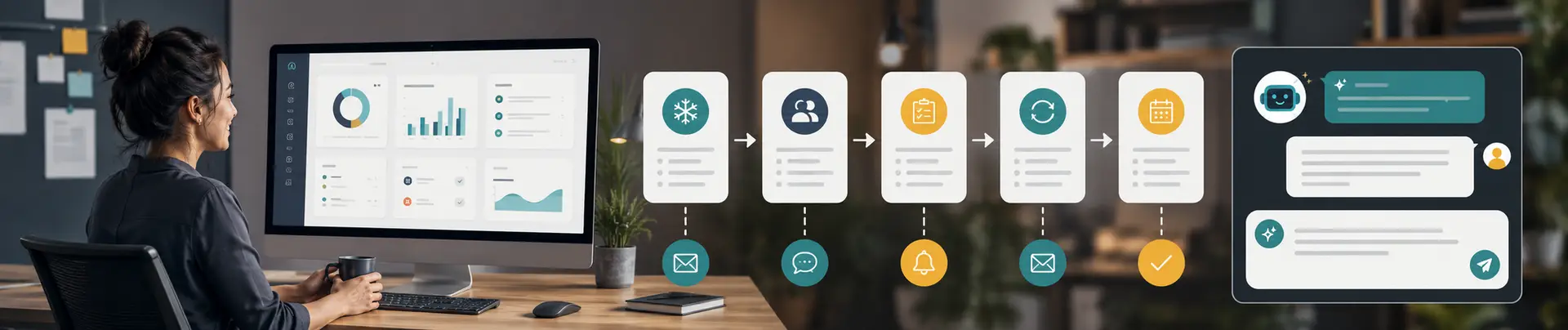
- Have AI draft a three-message sequence for each group: a helpful reminder, a simple nudge, a polite close-out.
- Track every send in the same spreadsheet so nothing depends on your memory.
- Read every message before it goes out.
That's the whole system. The rest of this post is how to set it up in an afternoon.
Why your reminders aren't working now
If you send reminders already and they don't get replies, it's usually one of these:
- No reason. "Just checking in to see if you need anything" makes the customer do all the work. They have to remember what you do, decide if they need it, and work out the next step.
- Wrong timing. A gutter reminder in July. A tax-prep nudge in May.
- Too many asks. Three links and two questions. Pick one.
- Nobody follows up. One message gets lost. Most people need more than one.
A reminder that works does three things: names the reason, says why it matters now, and gives one easy next step.
Step 1: Pick your triggers
A trigger is the reason the message exists. Four kinds cover most small businesses:
- Seasonal: storm season, winter prep, spring cleanup, year-end planning, tax season.
- Time since last job: 90 days, 6 months, one year.
- Service cycle: annual inspection, quarterly review, license or warranty renewal, policy review.
- Something the customer did: asked for a quote but didn't book, finished a project, left a review, mentioned a future job.
The last kind feels the most personal, because it is. It's tied to something they actually said or did.
Pick two or three triggers to start. You can add more later.
Step 2: Sort customers into groups
Don't build one giant list. Five groups work for most businesses:
- Past customers: bring them back for repeat work, seasonal service or a review.
- Open quotes: help them decide without sounding desperate.
- Renewal or maintenance customers: make the next service easy to book.
- Referral sources: realtors, partners and vendors who send you work. Stay top of mind.
- Your best customers: fewer, more personal messages.
A customer can sit in more than one group. Pick the one that matters most right now.
Step 3: Have AI draft the messages
AI is good at first drafts. Give it the reason, the audience and the tone, and tell it what to avoid.
Copy and paste this into ChatGPT, Copilot or Gemini:
Write a friendly reminder message for a small [type of business]. Audience: [past customer / open quote / renewal customer / referral partner]. Reason: [the trigger]. Tone: helpful, not pushy. Include why I'm reaching out, why it matters now, and one simple next step. Don't use "just checking in." Don't promise prices, dates or results.
Leave customer names, addresses and account details out of the prompt. Use placeholders like [Name] and fill them in yourself. More on why in Who Owns the Data I Feed into AI?.
Step 4: Use a three-message sequence
One message is easy to miss. Three is usually enough. You don't need a complicated funnel.
Message 1: The helpful reminder
"Hi [Name], quick seasonal reminder: this is a good time to look at [service] before [season or event]. If it helps, I can send two options."
Message 2: The easy nudge (about a week later)
"Following up on [service]. I can do [option A] or [option B]. Which works better?"
Message 3: The close-out (about a week after that)
"No problem if now isn't the right time. Want me to close this out, or check back around [month or season]?"
The last one works because it hands the customer control. Easy exits get more honest replies.
Space them out to fit your business. A week apart is a reasonable start. Adjust once you see what gets answers.
Step 5: Add one useful tip
A reminder with a tip in it reads like service, not marketing. Some examples:
- Home services: "After heavy rain, check around windows, ceilings and crawl spaces for new stains or musty smells."
- Insurance: "If you've bought equipment, added a vehicle or hired help this year, your coverage may need a look."
- Real estate: "Year one in a new home is a good time to deal with the repairs you put off during the move."
- IT: "If you've added staff or apps lately, it's a good time to review who has access to what and check two-step sign-in is on."
- Consulting: "If priorities shifted this quarter, a short review now saves a messy catch-up later."
Ask AI for five tips for your trade, then keep the ones that are actually true for your customers.
Step 6: Turn one message into every format
Once Message 1 is right, let AI adapt it:
Turn this reminder into: (1) a short email, (2) a text of one or two short sentences, (3) a Google Business Profile post, (4) a 30-second phone script. Keep it helpful, not pushy.
Then trim the text version yourself. If it doesn't fit on a phone's lock screen, it's too long.
Step 7: Track it in a spreadsheet
The tracking is what turns a few messages into a system. A CRM is great if you have one. A spreadsheet is fine if you don't.
Here's a layout to copy, one row per customer:
Column | What goes in it |
|---|---|
Name | Customer or business name |
Group | Past customer, open quote, renewal, referral, best customer |
Last job date | When you last did work for them |
Trigger | Why they're getting a reminder |
Message 1 / 2 / 3 sent | The date each one went out |
Result | Booked, replied, no response, check back later |
Next date | When they come up again |
Sort by Next date every Monday. That's your list for the week.
Why this works
People are busy, not ignoring you. A reminder with a real reason, at the right time, with one easy step, removes the friction between "I should deal with that" and actually booking.
It also cuts down on emergencies. A furnace check in October beats a no-heat call in January, for you and for them.
If customers are getting annoyed
Signs you've overdone it: unsubscribes, "please stop" replies, or no replies at all after a few rounds.
- Cut the frequency. Fewer, better-timed messages beat more messages.
- Drop the robot phrasing. "We noticed you haven't booked in 187 days" is creepy. "It's been a while since we helped with [service]" isn't.
- Remove anyone who asks. Immediately, from every list, and note it in the spreadsheet.
- Check what AI wrote. If every message sounds the same, customers notice. Add one line only you would write.
Rules to keep it clean
- Only text people who agreed to hear from you by text, and honor opt-outs right away. Under the FCC's texting rules, a reply of "stop," "quit," "end," "revoke," "opt out," "cancel" or "unsubscribe" counts as an opt-out, and so does any other reply that clearly means "stop texting me." The outer limit to honor it is 10 business days.
- Include a way to opt out of reminder emails.
- A person reads every message before it sends, at least until the sequence is proven.
- Keep customer data out of free AI tools. Use placeholders, or a business AI account your IT provider has set up.
When to get help
- You want reminders sent automatically from your CRM or booking system and the setup is fighting you.
- You're not sure whether the AI tool you're using is safe for customer data.
- Your reminder emails are landing in spam.
If any of that sounds familiar, we can help.
Related reading
- How Do I Use AI to Reduce Missed Appointments and No-Shows?
- AI Follow-Up Emails Sound Robotic? How to Fix the Fake-Friendly Tone
- Who Owns the Data I Feed into AI?
Originally published June 2026. Updated November 2026.




No comments yet