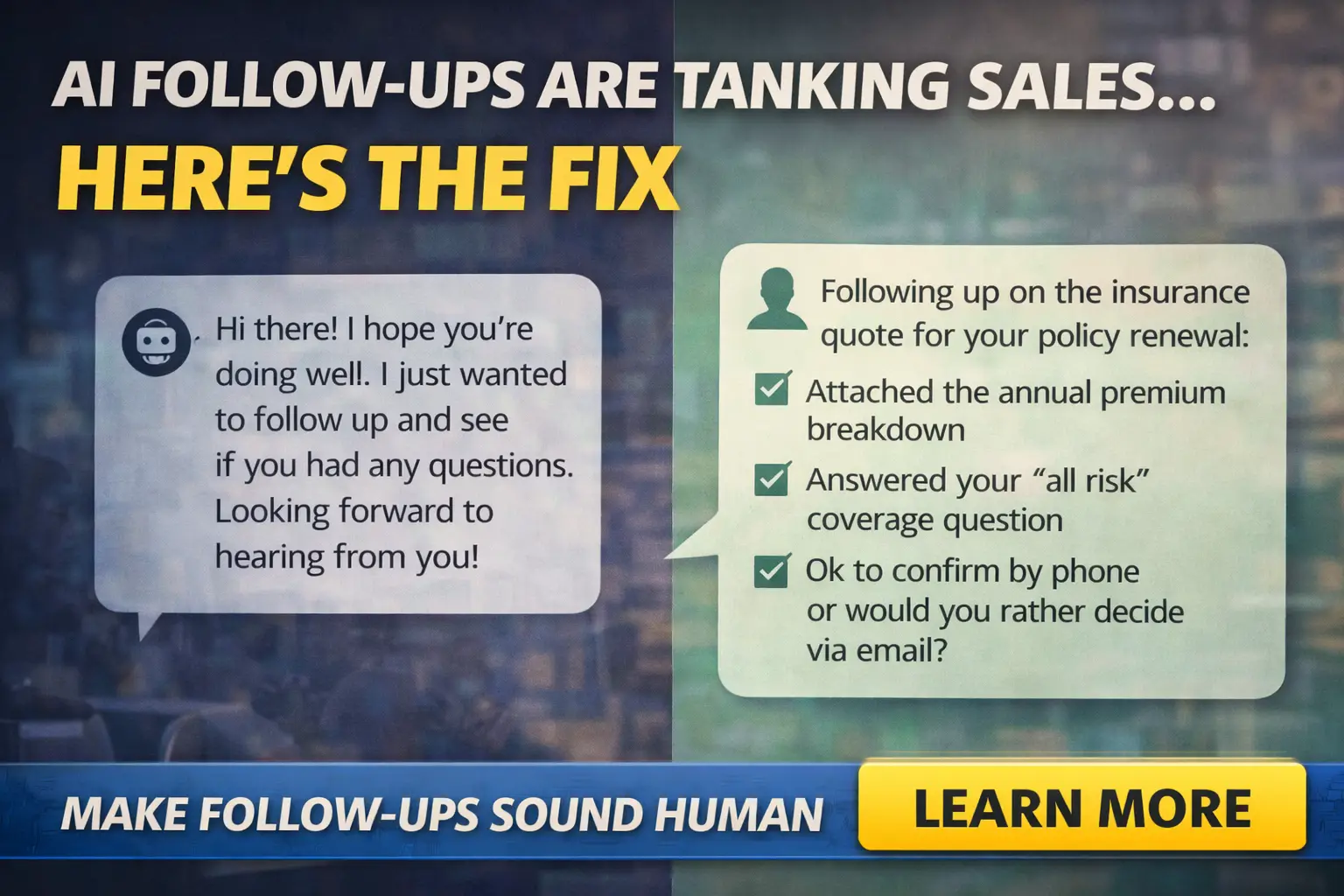
You sent a quote. A few days later your AI tool drafted the follow-up, and it read like this:
Hi there! I hope you're doing well. I just wanted to follow up and see if you had any questions. Looking forward to hearing from you!
Polite. Professional. And no reply.
That email isn't rude. It's empty. It could have come from any business in town, about any job, so it gives the prospect no reason to answer. If the follow-up feels generic, people start to wonder whether the work will be too.
The fix isn't to stop using AI. It's to stop letting it write without your details.
The quick answer
- Give the AI the job details every time: the person's name, what they asked for, and what you quoted.
- Make every follow-up do three things: remind them of their request, give them one useful thing, and offer two easy next steps.
- Ban the filler in your prompt: no "hope you're doing well," no "just checking in," no exclamation points.
- Read it out loud before you send. If you wouldn't say it on the phone, rewrite the first two lines.
- AI drafts, a person sends. Prices, dates and promises come from you, not the draft.
How to tell if your follow-ups sound fake-friendly
Pull up your last five follow-up emails or texts. Check each one against this list:
- Does it name the specific job (the leak by the vent, the policy renewal, the website audit)?
- Does it give them something new: an answer, an option, a date?
- Does it end with a clear choice, not "let me know"?
- Would it still make sense if you sent it to a different customer?
That last one is the giveaway. If the message works for anyone, it works for no one.
Other red flags:
- "Hope you're doing well" opening every message
- "Just checking in" or "circling back" with nothing attached
- Three exclamation points in four lines
- A cheerful tone that doesn't match the situation (a burst pipe is not exciting news)
- No reason to reply this week rather than never
Why AI writes like this
AI tools default to safe, upbeat, general language. Ask for "a follow-up email" and that's exactly what you get: the average of every follow-up email it has seen.
The tool isn't the problem. The missing context is. It doesn't know about the leak near the vent unless you tell it.
The fix: context, value, choice
Every follow-up needs three ingredients:
- Context: what they asked for, in their words.
- Value: one useful thing you're giving them right now.
- Choice: two easy next steps.
Here's what that looks like for a roofing quote:
Quick follow-up on the estimate for the leak near your back vent.
I put two options in it: a patch that should get you through the season, and a full flashing replacement if you'd rather not deal with it again.
Want me to hold Thursday morning for you, or would a five-minute call today be easier to talk through which one makes sense?
Three lines. No filler. It sounds human because it's specific.
Note the dates and options in there come from you. The AI can arrange the words; it shouldn't invent an opening on Thursday.
A prompt that stops the robot voice
Instead of "write a follow-up email," paste this and fill in the brackets:
Draft a short follow-up to [first name] about [the job they asked about]. Calm, confident tone, like a person who remembers the job. Include: one sentence reminding them what they asked for; one helpful detail that makes deciding easier: [paste the detail]; two next-step options: [option 1] and [option 2]. Under 90 words. No "hope you're doing well," no "just checking in," no exclamation points. Don't add prices, dates, discounts or promises that aren't in this prompt.
That last sentence matters. It keeps the draft from offering something you didn't approve. Your AI is making promises you can't keep covers what happens when it does.
If you want the drafts to sound like you specifically, give the tool three or four real emails you've written and tell it to match them. Can you train AI to sound like you? has the full setup.
Three follow-ups for an open quote
You don't need a long sequence. Most open quotes need three messages, spaced a few days apart. AI drafts them; you read and send.
Follow-up 1: Did you see it?
Short, specific, no pressure.
Hi [name], just making sure the estimate for [job] reached you. Happy to walk through it on a quick call if that's easier than reading it.
Follow-up 2: Help them decide
Answer the question most people ask at this point.
Most people ask whether [common question]. Short answer: [your answer]. If that helps, I can hold [day] for you, or send a revised quote for [option 2].
Follow-up 3: Close the loop
Give them an easy out. Easy exits tend to get more honest replies than another nudge.
If the timing changed, no problem. Want me to close this out for now, or keep it open until [date]?
A "not now" still beats silence. It tells you where you stand and when to try again.
Before you hit send: a 30-second check
- Specific? Their name, their job, their words.
- Useful? One thing they didn't have yesterday.
- Easy? Two clear choices.
- Accurate? Every date, price and option matches what you actually offered.
- Out loud? Read it as if you were on the phone. Fix anything you'd never say.
If it fails, the fix is usually the first two lines. Cut the warm-up and lead with the job.
If a robotic follow-up already went out
It happens. One bland email rarely loses a deal on its own. A run of them does.
- Send one specific message to anyone still open. Lead with their job and a real next step.
- Don't apologize for the earlier email. Just make the next one better.
- If the AI promised something (a date, a discount, a scope), correct it plainly and decide as a person whether to honor it. My AI sent the wrong info to a client has the cleanup steps.
- Fix the prompt or template that produced it, so the next one doesn't go out the same way.
Keeping follow-ups human in a business
- One prompt, saved and shared. Everyone on the team uses the same one, so the tone stays consistent.
- One automatic message only: the instant "we got your request" reply, from a template you wrote and approved. Everything after that is drafted by AI and sent by a person. Should I use AI for lead follow-up? explains where that line sits and why.
- Texts need consent. If follow-ups go out by text, get the person's consent first and keep a record of it. The lead follow-up post covers the rules for texts and calls.
- A weekly look: someone reads five recent follow-ups and flags any that could have gone to anyone.
- One staff rule: if the draft doesn't mention the job, it doesn't get sent.
When to get help
- You want saved prompts and templates set up for your team, wired into the email or CRM you already use.
- An AI tool is sending messages on its own and you're not sure what it's saying.
- You're thinking about automated texts or an AI phone agent and want the consent side done right from the start.
If that's where you are, talk to us.



No comments yet