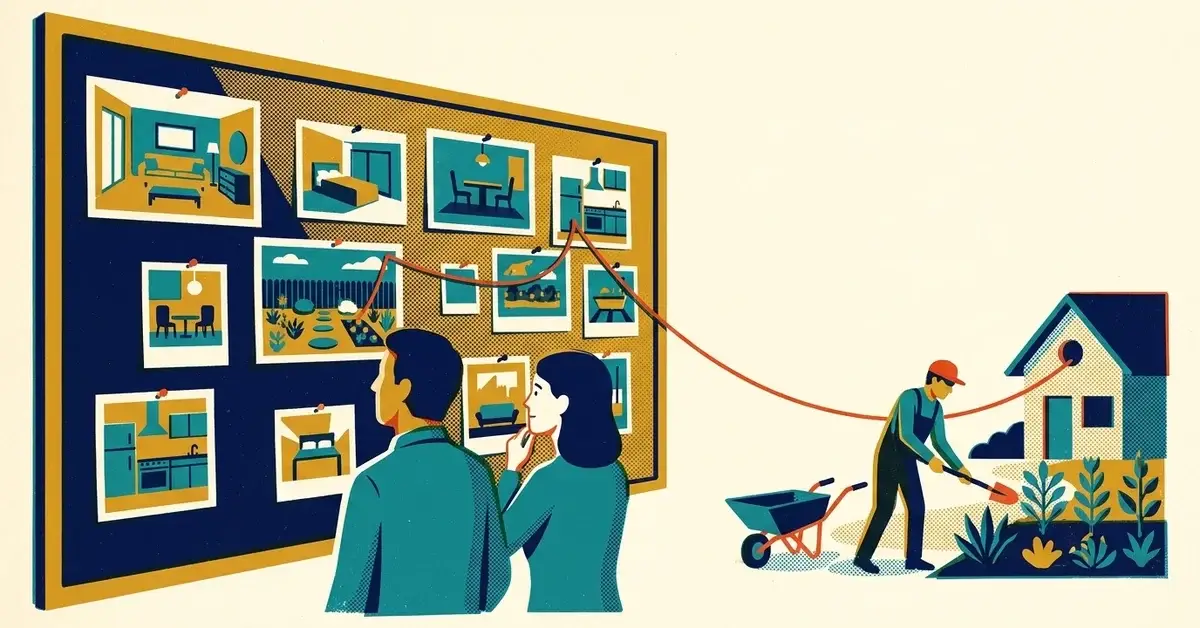
Someone told you to "get on Pinterest." You run a service business, not a recipe blog, and you're wondering whether pins would bring you a single customer or just eat another evening.
Fair question. Here's the honest answer: Pinterest works for some service businesses and is a waste of time for others. The difference is whether your customers plan the purchase with pictures.
The quick answer
- Check the fit first. If people browse ideas before they hire you (remodeling, landscaping, interior design, weddings, photography), Pinterest can work. If they call you in a panic (plumbing leaks, lockouts, IT outages), it usually won't.
- Use a free business account, not your personal one.
- Claim your website so pins from your site are tied to you and you get analytics on them.
- Make one pin per useful page: a clear title, a real description, a vertical image, and a link to the matching page, not your homepage.
- Give it three months, then check outbound clicks. If nobody is clicking through to your site, stop.
That's Pinterest SEO for a service business. Search-friendly pins pointing at pages that answer the question.
Is Pinterest worth it for a service business?
Pinterest is less a social feed and more a place people go to search, save and plan. Pinterest's own help page on Pin performance and distribution says there's no set engagement window: a Pin can pick up engagement hours, days, months or even years after it's published.
That long shelf life is the appeal. A Facebook post fades in a day. A good pin can keep sending people to your site long after you've forgotten about it.
But a long shelf life only helps if your customers are on Pinterest planning the thing you sell. A rough way to sort it:
Your business | Fit | Why |
|---|---|---|
Remodeling, kitchens, bathrooms | Strong | People save photos for months before they hire anyone |
Landscaping, outdoor living, pools | Strong | Highly visual, planned by season |
Interior design, staging, organizing | Strong | Before-and-after photos are the product |
Weddings, events, photography | Strong | Planned far ahead, mostly from pictures |
Real estate, home inspection | Mixed | Useful for buyer and seller guides, less for direct leads |
Accounting, legal, insurance | Weak | Checklists can get saved, but few people hire this way |
Emergency trades, IT support, locksmiths | Weak | Nobody browses pins while the pipe is leaking |
If you're in the "weak" rows, you're not missing much. Put the time into your Google Business Profile and your website instead.
How to tell if Pinterest is already sending you traffic
Before you build anything, check whether people are already pinning your pages.
- In Google Analytics 4, open Reports > Acquisition > Traffic acquisition.
- Change the table's dimension to Session source.
- Look for pinterest.com (or similar Pinterest sources) in the list.
If Pinterest shows up and you've never pinned anything, customers are saving your photos for you. That's a strong sign the platform fits.
If it's not there, that's normal. It just means you're starting from zero.
How to set up Pinterest for a service business
1. Use a business account
Pinterest says a business account is free, and you can convert an existing personal account or start a new one if you'd rather keep personal boards separate.
A business account gives you analytics and the Pinterest Trends tool, which shows what people are searching for on Pinterest by region, whether a search is seasonal, and how it's changed week to week, month to month and year to year.
2. Claim your website
This is the step most businesses skip.
According to Pinterest's help page on claiming your website, claiming gets you analytics for the Pins you publish from your site and for the Pins other people create from it, and puts your profile picture on Pins from your site.
You prove you own the site in one of these ways:
- An HTML tag added to your site's header.
- An HTML file uploaded to your site.
- A DNS TXT record added where your domain is managed. Pinterest notes DNS changes can take up to 72 hours.
- Google Merchant Center, if you already use it (mostly for online stores).
Two catches from that same page: you have to own the domain and be able to edit it, so a Facebook page or marketplace listing can't be claimed. And a website can only be claimed by one Pinterest account, so decide whose account it lives in before you start.
If someone else built your site, the tag or TXT record is a five-minute job for them. Send them the value Pinterest gives you.
3. Turn on Rich Pins (optional)
Rich Pins pull information from your page into the pin. Pinterest's developer docs list three types: article, product and recipe. Article Rich Pins show your headline, description and author.
They work from the metadata on your pages (Open Graph or Schema.org tags). Many website platforms and SEO plugins already add these. Check Pinterest's help page for the current setup steps, since they've changed over the years.
4. Name your boards like search terms
Boards are how Pinterest knows what your pins are about. Pinterest's business guide to boards recommends clear, descriptive board titles to help with search.
Good:
- Small Kitchen Remodel Ideas
- Low-Maintenance Front Yard Landscaping
- Bathroom Tile Before and After
Not so good:
- Our Work
- Stuff We Love
- Inspo
If you serve a local area, say so in the board description. "Kitchen remodels we've done in [your town] and nearby."
5. Write each pin like a search result
Each pin needs four things.
A title someone would type.
"Small Bathroom Remodel Ideas," not "Transform Your Space Today."
A description that says what's on the page.
What it shows, who it helps, where you work. For example:
Five small bathroom layouts that make room for a walk-in shower, with before-and-after photos from recent remodels. Full guide and pricing ranges on our website.
A vertical image.
Pinterest's creative best practices recommend a 2:3 ratio, 1000 x 1500 pixels, because most people browse on their phones. Short text on the image is fine if it's easy to read on a small screen.
A link to the right page.
The matching blog post, service page or project gallery. Not your homepage. Someone who saved a deck idea wants to see decks.
What to pin when you're starting
Start with what you already have. Every one of these links to a page on your site:
- Project photos with a one-line caption of what was done.
- Before-and-after pairs. For visual trades, this is the strongest thing you can post.
- Checklists, like "What to decide before you call a remodeler." People save checklists for later.
- Cost and planning guides from your blog. Make two or three pins per post, each with a different angle on the same page.
- Seasonal planning, like "Fall yard prep" or "Plan a spring patio now." Use Pinterest Trends to see when searches start rising.
A monthly routine you can actually keep
Once a month, block an hour:
- Pick one blog post or project gallery.
- Make three to five pin designs for it.
- Write a search-style title and a real description for each.
- Save them to the board that fits.
- Link each one to that page.
- Check Analytics in your Pinterest business account for saves and outbound clicks.
- Make more pins for whatever got clicked.
Why it often doesn't work
When Pinterest flops for a service business, it's usually one of these:
- Wrong fit. The business sells something people don't plan with pictures.
- Homepage links. Every pin goes to the homepage, so the visitor can't find what they saved and leaves.
- Vague pins. A pretty photo with no title or description gives Pinterest nothing to match to a search.
- Two weeks and done. Pins take time to get found. Judge it after a few months, not a few days.
- Stock photos. People planning a project want to see real work, and Pinterest is full of stock already.
How it connects to your SEO
Pinterest isn't going to move your Google rankings directly. What it does is give your best pages more ways to be found.
One helpful guide, five pins, five more entry points. Each pin sends people to a page on your site that answers their question, which is where a lead can actually happen.
It also tells you what people care about. If one pin keeps getting saved, that's a topic worth a full blog post or a better service page.
When to get help
Most owners can run Pinterest themselves once it's set up. It's worth bringing someone in when:
- You can't claim your website because nobody knows how to edit the site's header or DNS.
- Pins get saves but no outbound clicks, and you can't tell whether the landing pages are the problem.
- You can't connect Pinterest visits to calls or form fills at all.
If that's you, we can take a look.
Related reading
- Social search is real: why TikTok, YouTube and Instagram are acting like mini search engines
- The content repurposing machine: turn one blog into 10 marketing pieces
- Pick your platforms: Facebook vs Instagram vs TikTok vs LinkedIn
Originally published July 2026. Updated November 2026.



No comments yet