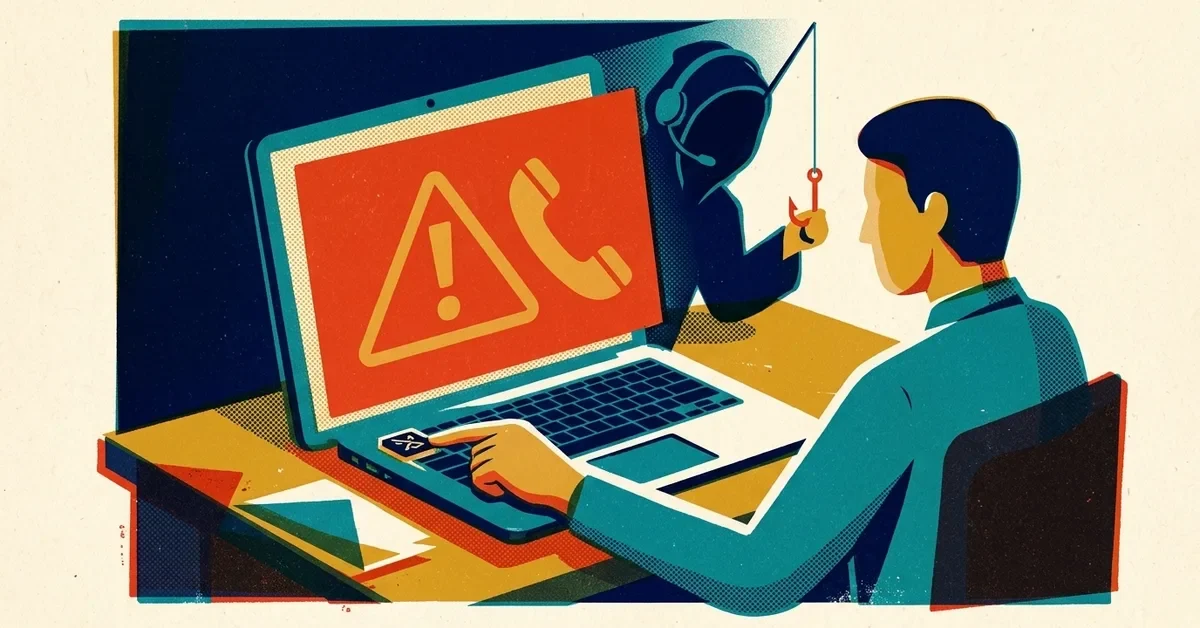
The phone rings. The caller says they're from your bank's fraud team and there's a suspicious payment on the business account. Or it's "IT" saying your mailbox has been compromised and they need you to approve a prompt. Or it sounds exactly like the owner, calling from an airport, asking for a payment to go out before the end of the day.
They know your name, your bank, maybe your last four digits. They sound calm and professional. And they want something right now: a code, a password, a payment or a click.
The quick answer
- Don't give out a code, password or account detail, and don't send money, on a call you didn't start.
- Say "I'll call you back," and hang up. A real bank, IT provider or boss will be fine with that.
- Call back on a number you already have: the back of your card, a recent statement, your IT provider's contract or ticket email, the boss's saved mobile number. Never the number the caller gives you.
- Tell someone else in the office, so the next call doesn't land with them.
- If you already shared something, jump to "If you already gave them something" below.
How to tell it's probably a scam
Any one of these on an unexpected call is reason enough to hang up and call back:
- They want a one-time code. The FTC is blunt about this: no one from your bank's fraud department will ever ask for a verification code. That code is what lets them log in as you.
- The caller ID looks right. That proves nothing. Scammers can fake caller ID to show your bank's real number.
- There's a deadline. "Your account locks in 30 minutes." "The wire has to go before 3." Pressure is the point: it stops you checking.
- They ask you to keep it quiet. "Don't mention this to anyone yet" is how they stop a colleague from saying "that's odd."
- They want you to install something or approve a prompt. Remote-control software, a "security tool," or tapping Approve on a sign-in prompt you didn't start.
- Money is moving somewhere new. New bank details, gift cards, crypto, or "move your money to a safe account."
"It's our bank"
The classic version: the caller already knows your business name and bank, says there's fraud, and asks you to "verify" by reading back a code that's just been texted to you. While you're on the phone, they're logging into your real account and the code is the last thing they need.
What to do:
- Hang up. Don't press any number the recording offers.
- Call the number on the back of your card or on a recent statement. The FTC's January 2026 guidance on unexpected calls that claim your money is at risk also warns against searching for the bank's number, because scammers buy ads so their fake numbers show up first.
- Ask the bank whether there's really a problem.
A real fraud team will never ask you to move money to a "safe" account or read them a code.
"It's IT"
This one works because people want to be helpful and because IT problems sound urgent. The caller says your account is compromised and asks you to approve a sign-in prompt, read out a code, or install a remote-support tool "so we can fix it."
Sometimes it starts the other way round: a browser pop-up dressed up as a Windows warning tells you to call "Microsoft" right away. Same scam, different opening. Our fake virus warning guide covers how to close it and what to do if you already called.
It isn't a small-business-only problem. In July 2020, Twitter said its breach began with "a phone spear phishing attack" on a small number of employees. In 2022 Microsoft described how the group it tracks as DEV-0537 (better known as Lapsus$) phoned help desks and talked staff into resetting account credentials, answering the usual recovery questions with details they'd dug up beforehand.
What to do:
- Hang up and contact your IT person or provider the normal way: the number in your contract, your support portal, or their usual email.
- Never approve a sign-in prompt you didn't start. If prompts keep arriving, that's someone with your password. Our post on MFA fatigue attacks covers what to do.
- Agree with your IT provider now how they'll contact you, so "IT" calling from an unknown number is automatically suspicious.
The help-desk password reset scam (when you're the one being asked)
Flip it around. In a small office, the "help desk" is often the owner, the office manager or your IT provider. Someone calls or texts claiming to be a staff member: "I'm locked out, I've got a new phone, can you reset my password and move my authenticator to this number?"
That exact move is what CISA and the FBI describe in their Scattered Spider advisory (updated July 2025): attackers pose as employees to get IT or help-desk staff to reset passwords and move the employee's MFA to a device the attackers control. They often make several calls first just to learn how the reset process works.
The fix is a rule, not a gut feeling: before resetting a password or MFA for anyone, call them back on the number already on file, or confirm in person. Not the number they're calling from, not a new number they give you. Ask your IT provider to follow the same rule, and make sure they actually do.
"It's the boss" (and it sounds exactly like them)
Voice cloning is real and cheap. The FTC warns that a scammer needs only a short audio clip, maybe from a video posted online, to make a call that sounds like someone you know. The FBI's December 2024 public service announcement says criminals use AI-generated audio to impersonate people in a crisis and ask for money, and recommends agreeing on a secret word or phrase to confirm identity. In its 2025 Internet Crime Report, the FBI tracked AI for the first time: 22,364 complaints involving AI, with nearly $893 million in reported losses.
So "it sounded just like her" is no longer proof. What to do:
- Don't act on a payment or gift-card request from a call, voicemail or text alone, however familiar the voice.
- Hang up and call the person back on the number saved in your phone. If you can't reach them, ask someone else who can.
- Agree a code word for payment requests between the owner and whoever pays the bills. If the caller can't give it, the answer is no.
The email version of this, where the "boss" or a supplier sends new bank details, is business email compromise. The FBI logged about $3 billion in reported BEC losses in 2025. Our business email compromise post covers it in detail.
Why careful people still fall for it
These calls aren't aimed at careless people. They're aimed at helpful, busy ones. Proofpoint's 2024 State of the Phish report, a survey of 7,500 working adults in 15 countries, found 71% admitted to a risky action such as reusing a password or clicking a link from an unknown sender, and 96% of those knew it was risky at the time. Convenience and saving time were the top reasons given. Knowing better isn't the problem. Having a simple rule that makes the safe choice the easy one is the fix.
If you already gave them something
Move quickly. Minutes matter.
- A bank code, login or card details: call your bank on the number on your card or statement, tell them what happened and ask them to lock the account and review recent activity.
- Money sent: call your bank immediately and ask them to recall the payment, then file a report at ic3.gov. Our BEC post covers this step by step.
- A work password or MFA approval: change the password from a device you trust, sign the account out of all sessions, and tell whoever manages your Microsoft 365 or Google Workspace. Check for new mail forwarding rules, a favorite trick after a takeover.
- Remote-control software installed: disconnect that computer from the network and the internet, and don't use it for banking or email until someone has checked it.
- Report it: the FTC takes reports at ReportFraud.ftc.gov, and the FBI at ic3.gov.
A one-page phone policy you can copy
Print this and put it by the phones. Change the names to suit.
- We never read out a verification code, password or account number to anyone who calls us. Not the bank, not IT, not the boss.
- If a call asks for money, a code, a password, a new app or a change of bank details, we hang up and call back on a number we already have.
- Caller ID doesn't count as proof. Neither does a familiar voice.
- Payments to new bank details, or changes to existing ones, need a call-back to a known number and a second person's OK.
- The owner and the person who pays the bills share a code word. Urgent payment requests without it get a no.
- Our IT provider contacts us through our usual number or support portal: ____________. Anyone else claiming to be IT gets a call-back.
- Before anyone resets a password or MFA for a staff member, they call that person back on the number on file or confirm in person.
- We never approve a sign-in prompt we didn't start.
- It's always fine to say "let me check and call you back." Nobody here gets in trouble for being careful.
- If something feels off, or you think you got caught, tell ____________ straight away. Speed matters more than embarrassment.
When to call someone
- Someone shared a code, password or remote access and you're not sure what the caller did afterwards.
- Money has left the account.
- You want the call-back and password-reset rules built into how your accounts are actually set up, not just written on a sheet.
If you'd like a hand with any of that, get in touch.
Related reading
- Business Email Compromise: The $3 Billion Scam Hiding in Your Inbox
- Phone Buzzing With Login Requests You Didn't Make? MFA Fatigue Attacks and How Passkeys Stop Them
- Scanned a QR Code From an Email? What to Do Now (and Why Your Filter Missed It)
- Fake Virus Warning Pop-Up? What to Do (and What Not to Click)