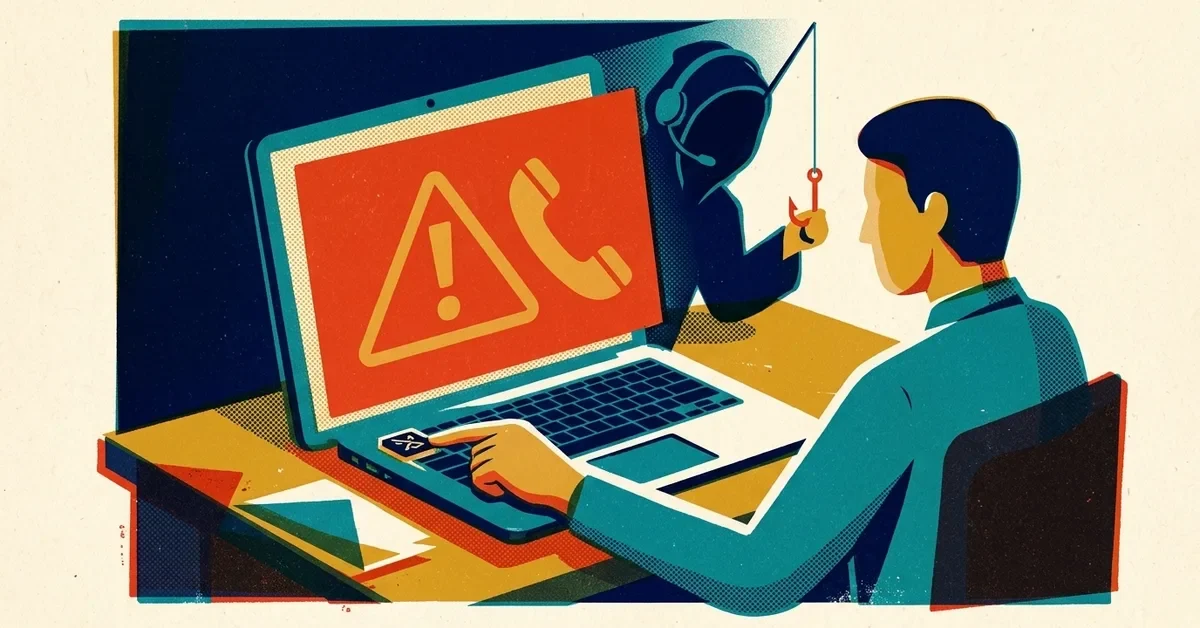
A vendor emails to say they've changed banks. Your boss emails from "a meeting" asking for an urgent wire. The title company sends updated closing instructions. Each message looks completely normal, and each one can be a scam that ends with your money in a criminal's account.
That's business email compromise (BEC), and it cost Americans about $3 billion in 2025, according to the FBI's Internet Crime Complaint Center. Not ransomware. Email. Plain, boring, text-based email.
BEC is consistently one of the costliest crimes the FBI tracks (second only to investment fraud in 2025), and it lands squarely on businesses. Here's the thing that makes it genuinely insidious: there's usually no malware involved. No virus. No suspicious attachment. No sketchy link. The attacker just... sends an email. And it works because the email looks like it came from someone the victim trusts.
If you think you've already sent money to a scammer, skip to the section called "If you've already sent the money" further down and call your bank now. Otherwise, here's how the scam works and what stops it.
What BEC actually is (and isn't)
BEC is not phishing in the traditional sense. Traditional phishing casts a wide net: send a million fake PayPal emails and hope a few people click. BEC is targeted. The attacker researches your business, figures out who handles money, learns how your company communicates, and then impersonates someone specific, your CEO, your vendor, your attorney, your accountant.
The FBI defines BEC as a sophisticated scam targeting both businesses and individuals performing legitimate transfer-of-funds requests. The key word is "legitimate." The transactions BEC attackers hijack are real. They just redirect the money.
There are a few flavors, but the most common ones for small businesses are:
CEO fraud. The attacker impersonates your boss or business owner and emails someone in accounting with an urgent wire transfer request. "I need you to process this payment today. I'm in a meeting and can't talk. Just handle it."
Vendor impersonation. The attacker pretends to be a vendor you actually work with and sends "updated" payment instructions. "We've changed banks. Please send future payments to this new account." The email uses the vendor's real name, references real invoices, and looks completely normal. In one documented case, attackers intercepted real invoice threads between companies and injected fraudulent banking details mid-conversation.
Attorney impersonation. This one hits hard during real estate closings, mergers, and any transaction where large wire transfers are normal. The attacker impersonates the attorney handling the deal and sends wire instructions to the buyer. The FBI's real estate fraud guidance specifically warns about this scenario because it's so common and the dollar amounts are so high.
How the attacker gets in position
The attacker doesn't just guess. They get into position first, and there are two main ways they do it.
Method 1: Compromised email account. The attacker gets access to a real email account at your company (or your vendor's company) through a separate phishing attack or credential theft. Once inside, they read email threads, learn the relationships, study how requests are phrased, and then strike at the right moment. They often set up hidden inbox rules that forward or file away messages, so they can watch conversations for days or weeks without anyone noticing.
Method 2: Spoofed and lookalike domains. The attacker either forges your exact domain in the From line, or registers a domain that looks almost identical to yours. If your company is acmeconsulting.com, they register acmeconsultiing.com (double "i") or acme-consulting.com and send from that. At a glance, it looks legit. Email authentication (below) stops the first trick but not the second: the attacker really does own the lookalike domain, so it can pass every check. That's what the human layer further down is for.
What stops this
There's no single tool that prevents BEC. It's a combination of technical controls and human awareness. But the technical controls do most of the heavy lifting.
SPF, DKIM, and DMARC (the email authentication trifecta)
These are three protocols that work together to verify that an email actually came from who it claims to come from. Think of them like the security features on a check: the watermark, the signature, and the bank verification.
SPF (Sender Policy Framework) is a DNS record (DNS is basically the internet's phone book, a system that translates human-readable domain names into the IP addresses computers use) that lists which servers are allowed to send email on behalf of your domain. If someone sends an email claiming to be from your domain but it didn't come from an authorized server, SPF flags it.
DKIM (DomainKeys Identified Mail) adds a digital signature to every email your server sends. The receiving server can verify that signature to confirm the email wasn't tampered with in transit. Think of it like a wax seal on a letter. If the seal is broken, you know someone messed with it.
DMARC (Domain-based Message Authentication, Reporting, and Conformance) ties SPF and DKIM together and tells receiving servers what to do when an email fails authentication. You can set it to monitor only (just report failures), quarantine (send failures to spam), or reject (block them entirely).
Here's the critical part: a DMARC record set to monitor only (p=none) doesn't block anything; it just sends you reports. Protection starts when you move it to quarantine or reject, and plenty of small businesses set up DMARC and never take that last step. Our SPF, DKIM and DMARC guide walks through it.
Setting up SPF, DKIM, and DMARC isn't optional anymore. It's foundational email security. Google and Yahoo have required DMARC for bulk email senders since February 2024, and Microsoft added the same requirement for high-volume senders to Outlook.com in May 2025. The writing is on the wall.
Multi-factor authentication on every email account
If an attacker can't get into your email account, they can't use Method 1 (the compromised mailbox approach). MFA (multi-factor authentication, meaning you need something beyond just a password to log in, like a code from your phone) stops the vast majority of account takeover attempts. Microsoft has said it blocks 99.9% of automated account attacks. For the people who move money, go a step further with passkeys, which can't be phished; our guide to MFA fatigue attacks and passkeys explains how.
The human layer: verification procedures
Technical controls handle the automated attacks. The human layer handles the social engineering. Every business that moves money should have one simple rule: any change to payment instructions must be verified by phone using a number you already have on file. Not the number in the email requesting the change. The number you already know is real.
That's it. If someone emails you new wire instructions, pick up the phone, call the number you've always used for that vendor, and ask "did you just change your banking information?" This one step stops the most common version of the scam cold.
If you've already sent the money
Move fast. The first hours matter most.
- Call your bank right now and ask them to recall the payment. Say the word fraud. The sooner your bank contacts the receiving bank, the better the chance the money can be frozen.
- File a complaint at ic3.gov. The FBI works with banks to freeze fraudulent transfers, and a fast report helps.
- Assume a mailbox was compromised, yours or your vendor's. Change the password, sign the account out of every session, and check for inbox rules that forward mail or move it out of sight.
- Call the vendor or client whose name was used, on a number you already have, so they can check their own email.
Check yours this week
Three quick checks tell you how exposed you are.
- Look for hidden forwarding rules. Each person who handles money should open their mailbox settings and check for rules or forwarding they didn't set up. In Outlook on the web that's Settings > Mail > Rules and Settings > Mail > Forwarding; in Gmail it's Settings > See all settings > Forwarding and POP/IMAP and Filters and Blocked Addresses. Anything sending mail to an outside address, or moving messages to a folder like RSS Feeds or Archive, is a red flag.
- Check your DMARC policy. Our SPF, DKIM and DMARC guide opens with a two-minute check. If your policy is none, or you have no record at all, anyone can send mail as your domain.
- Write down the payment-change rule. One sentence, shared with everyone who pays bills: "Any change to bank details is confirmed by phone on a number we already have, before any money moves."
The short version
BEC works because it exploits trust and routine. It targets the moments when people are busy, rushing, and unlikely to question a request that looks normal. The defense isn't complicated: authenticate your email (SPF, DKIM, DMARC), protect your accounts (MFA on everything), and verify payment changes by phone. None of it is expensive.
When to call someone
- Money has already gone out, or a vendor says they never received a payment you sent.
- You found a forwarding rule or sign-in you can't explain.
- Your DMARC record is missing or stuck at none and you're not sure how to tighten it safely.
If you'd like help locking this down, our cybersecurity service covers email security.