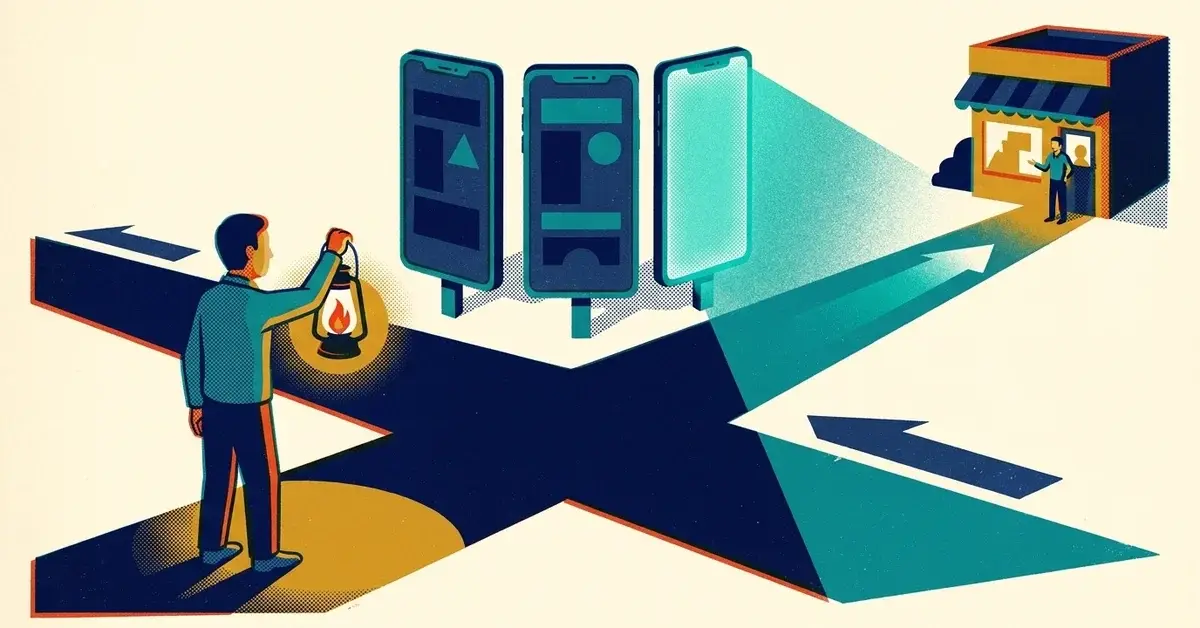
You've posted Reels, Shorts and TikToks for months. Some got views. None of them brought in a call.
That's usually not a video problem. It's an intent problem.
People now search inside these apps the way they search Google: "how much does a roof inspection cost", "why is my AC freezing up", "best bookkeeper for a small business". If your videos don't answer questions like that, in words the platform can read and hear, they get watched and forgotten.
The quick answer
- Start every video from a customer question, not a trend.
- Say the main phrase out loud in the first few seconds, and put it in the on-screen text and the caption.
- Write a caption that says what the video answers, in plain words.
- Point viewers to one deeper page: a blog post, a service page or a booking link.
- Judge videos by profile visits, link clicks, saves and inquiries, not views.
How to tell your videos have no search intent
Look at your last ten videos and check:
- The caption is a vibe, not a topic. "Monday energy" or a row of emojis tells nobody what's inside.
- The first line is a greeting. "Hey guys, just jumping on here..." wastes the seconds where the viewer decides whether to keep watching.
- Nobody could search for it. Ask: what would someone type to find this? If you can't answer, neither can the app.
- There's no next step. The video ends and the viewer has nowhere to go.
- Your best performer was a trend. Lots of views, no inquiries. That's attention from the wrong people.
Two or more of those and your videos are entertainment, not answers.
The fix: build each video around one question
1. Pick questions that come before a purchase
These five types work for almost any service business:
- Cost: "How much should a small business spend on SEO?" You don't have to quote a price. Explain the range and what moves it.
- Signs: "3 signs your Google Business Profile needs cleanup." Viewers diagnose themselves.
- Before you hire: "Before you hire an SEO company, ask this." Builds trust before the sales call.
- Mistakes: "Stop sending ad traffic to your homepage." Quick and useful.
- What happens next: "What happens after you fill out our contact form?" Takes the nerves out of the first step.
Where do the questions come from? Your inbox, your phone calls and your Google Business Profile Q&A. The questions customers already ask you are the ones other people are searching for.
2. Make the first seconds obvious
Open with the question or the problem:
- "Why aren't your Google reviews showing up?"
- "Your ads get clicks but no leads. Here's why."
- "Before you redesign your website, fix this first."
People should know the topic before they decide to swipe.
3. Say it, show it, write it
Use the same plain phrase in three places: out loud, as on-screen text and in the caption. If the video is about your Google Business Profile, say "Google Business Profile", not "your listing thing".
Keep on-screen text short enough to read in a second. "Google reviews missing?" works. "A framework for visibility optimization" doesn't.
Don't stuff keywords. TikTok's Creator Academy calls hidden, off-screen keyword text a myth and warns that unrelated text added that way can get a video flagged as spam. Use words that honestly describe the video.
4. Write a caption that answers something
Use it to say what the video covers.
Copy this shape:
If your Google Ads get clicks but no leads, check four things before you raise the budget: the landing page, the form, the offer and the tracking.
That tells viewers and the platform what the video is about.
5. Mention your area when it matters
If you serve a local area, say it naturally: "For small businesses in [your town]..." That ties the video to the place people are searching from, and to your Google Business Profile.
6. Link to the deeper answer
A 45-second video shouldn't carry the whole sale. It's a doorway. Send people to the page that finishes the job.
How you link is different on each platform (next section).
What each platform actually says
Here's what YouTube, Instagram and TikTok publish about their own search, as of October 2026.
YouTube Shorts
- Length: YouTube Help says Shorts can be up to 3 minutes long.
- Search ranking: Shorts in search are ranked partly on how well the metadata matches the viewer's search, and on whether people click and watch.
- Titles beat tags: YouTube says the title, thumbnail and description are more important for discovery than tags.
- Links: URLs in Shorts descriptions and comments are not clickable. So don't write "link below".
- Related video: instead, link the Short to a longer video. In YouTube Studio > Content, click the Short, choose a related video from your channel and save. It needs advanced feature access, and the video has to be public or unlisted.
Instagram Reels
- Search: Instagram says search matches what people type against usernames, bios, captions, hashtags and places. Put your keywords in the caption, not in a comment.
- Google: Instagram's Help Center says posts and reels from public professional accounts may appear in search engine results, and that you can turn that setting off. Leave it on if you want the reach.
- Links: the reliable place is the website on your profile (Edit profile). Say "link in our profile" in the caption.
TikTok
- Recommendations: TikTok says the For You feed uses video information such as captions, sounds and hashtags, and that follower count isn't a direct factor. A small account can still reach searchers with a clear video.
- Keyword ideas: TikTok's Creator Search Insights shows what people search for. Tap the search icon, type "Creator Search Insights" and tap View (TikTok Creator Academy). It's only offered in some countries, including the U.S.
- Links: use the website field on your profile if your account has one.
You don't need all three. Pick the one your customers actually use and repurpose the same idea elsewhere later. Pick Your Platforms helps with that choice.
A script you can copy
Five parts, under a minute:
- Hook: the question or problem.
- Answer: one sentence.
- Explain: two or three quick points.
- Example: one short scenario.
- Next step: where to go for more.
Filled in:
Getting clicks but no leads? Your ad may not be the problem. Check your landing page first. If it loads slowly, has a vague headline or a long form, people leave before they contact you. Make the offer clear and the form shorter. The full checklist is on our blog. Link in our profile.
Turn one blog post into three videos
Say you have a post on what your thank-you page should do after someone fills out a form. That's three videos:
- Problem: "Your thank-you page shouldn't just say 'we'll be in touch.'"
- Checklist: "3 things every thank-you page should include."
- Tracking: "Why your thank-you page is how you count leads."
One post. Three videos. Each one points back to the post. The Content Repurposing Machine takes this further.
Why trend videos don't bring in leads
Trends are built for reach. They get shown to people who like the trend, not people who need your service.
A question-based video works the other way. Someone searching "why is my water heater making noise" is already halfway to calling a plumber.
So a video with 300 views and one real inquiry is worth more than 10,000 views from people who will never buy.
What to measure
Skip the view count. Track these in a simple spreadsheet, one row per video:
- Video topic (the question it answers)
- Profile visits
- Link clicks
- Saves and shares
- Comments or DMs with a question
- Inquiries that mention the video
Add a column for "new blog or FAQ idea". The questions in your comments are your next videos.
Google now shows this side too. Search Console's platform properties report how your Instagram, TikTok, X and YouTube posts perform in Google Search, including clicks and impressions. It's rolling out gradually, so you may not see it yet. More in Google Search Console Can Track Your Social Content Now.
Keeping it going in a business
- Keep a question list. Whoever answers the phone adds every customer question to one shared doc.
- Batch it. Record three or four videos in one sitting. One question each.
- One rule for every video: say the topic in the first line, put it in the caption, end with a next step.
- Review monthly. Which questions brought inquiries? Make more of those.
When to get help
- You're posting regularly and still can't connect any inquiries to video.
- Your videos and your website say different things, or link to pages that no longer exist.
- You want video, blog and Google Business Profile working as one plan instead of three separate chores.
If that's where you are, we can help.
Related reading
- YouTube SEO for Small Businesses: Turn Helpful Videos into Search Traffic
- Instagram Profile SEO: Your Bio Is a Mini Landing Page
- Google Search Console Can Track Your Social Content Now
Originally published August 2026. Updated October 2026.





No comments yet