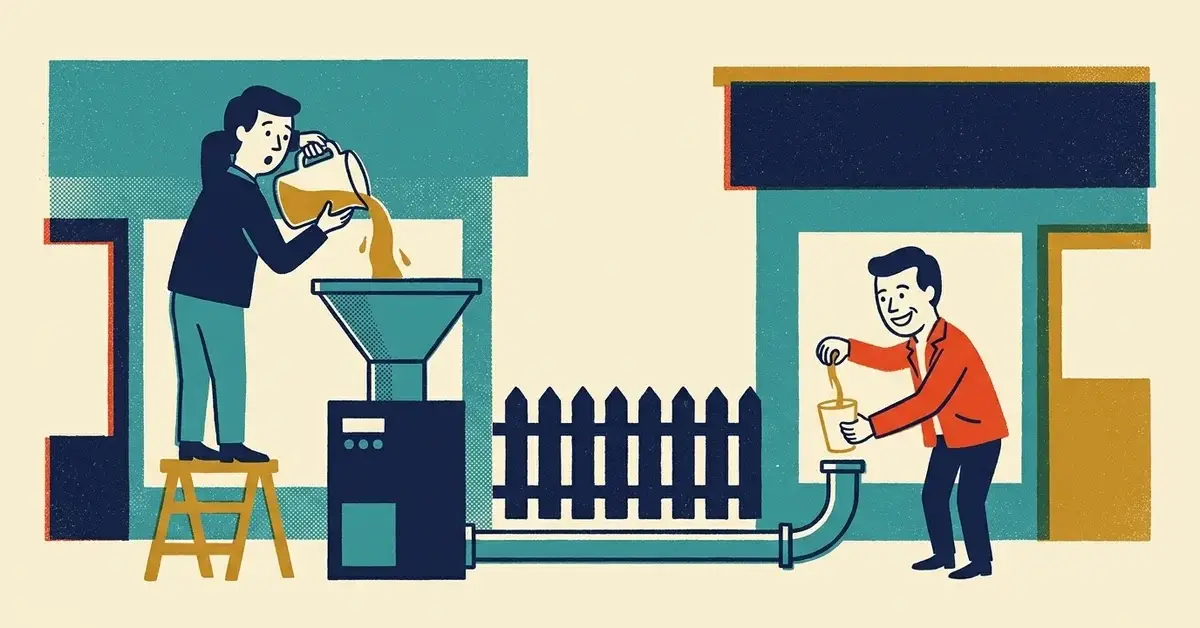
You pasted your best proposal into ChatGPT to tidy it up. Or your pricing tiers into Gemini. Or your whole client onboarding process into Claude.
Now you're wondering: if the AI learns from that, could the next business that asks a similar question get your work back?
Short version: on a business plan, the big four vendors say they don't train on your content by default. On a free or personal plan, they can, unless you switch it off. And training isn't the only way your material leaves your hands.
The quick answer
- Check which account it went into. Work account on a business plan, or someone's personal one? That decides almost everything.
- Turn off training on every personal account used for work. It takes a minute per tool.
- Move proprietary work to the business version you may already pay for (Microsoft 365 and Google Workspace both include one).
- Leave the crown jewels out of anything that isn't a business plan: pricing formulas, client lists, contract terms, your best proposal language.
- Go easy on the thumbs-up button. Feedback can send the whole chat for training, even with training off.
What "training on your data" actually means
It doesn't mean there's a shared memory your competitor can search. Your chat isn't sitting in a folder labeled "Acme Plumbing pricing."
It means your text can be added to the pile used to build the next version of the model. Most of the time it just nudges the model's general habits.
But "most of the time" isn't "never." Researchers have shown that language models can memorize and repeat exact text from their training data, including names, phone numbers and email addresses, sometimes from a single document (Carlini et al., Extracting Training Data from Large Language Models, USENIX Security 2021). Nobody can tell you the odds that your proposal comes back word for word. Low isn't the same as zero.
Training is also only one of three ways your material gets out of your hands:
- People can read it. Google says a subset of Gemini chats is reviewed by human reviewers, and asks you not to enter confidential information "that you wouldn't want a reviewer to see" (Gemini Apps Privacy Hub).
- It's kept. Anthropic keeps consumer Claude chats for five years if you allow training, 30 days if you don't (Anthropic: updates to consumer terms).
- It lives in someone's account. If an employee used their personal ChatGPT, your proposal is in their chat history. When they leave, it leaves with them.
What's actually worth protecting
For a service business, the edge usually isn't one document. It's the stuff you refined over years:
- pricing tiers and how you calculate them
- proposal and scope-of-work wording that wins jobs
- intake questions and onboarding steps
- email sequences and follow-up scripts
- the list of who your clients are and what they pay
Honestly, a competitor with your proposal template still has to deliver the work. The bigger risk is usually client information: names, contracts, financials. That's other people's data, and you may have promised to protect it.
Where each tool stands (as of October 2026)
From each vendor's own pages. The full plan-by-plan breakdown is in who owns the data you feed into AI.
ChatGPT
- Personal plans (Free, Plus, Pro): OpenAI says it may use your content to train its models unless you opt out (OpenAI: how your data is used).
- Turn it off: profile icon > Settings > Data Controls > Improve the model for everyone: off. Chats stay in your history but new ones aren't used for training (OpenAI: Data Controls FAQ). Temporary Chat isn't used for training either.
- The catch: if you rate a response with feedback, OpenAI says the entire conversation tied to that feedback may be used for training, even after you've opted out.
- Business, Enterprise, Edu and the API: OpenAI says it doesn't train on these by default (OpenAI business data).
Claude
- Free, Pro and Max: Anthropic may use your chats to train its models "unless you opt out of training through your account settings" (Anthropic Consumer Terms). Change it under Settings > Privacy.
- The catch: even if you opt out, Anthropic still uses chats for training when you send feedback on them or when they're flagged for safety review (same terms).
- Team, Enterprise and the API: under the Commercial Terms, "Anthropic may not train models on Customer Content from Services" (Anthropic Commercial Terms).
Gemini
- Personal Google account: with Keep Activity on, chats are used to improve Google's AI and some are read by reviewers. Turning it off stops future chats being used that way unless you submit feedback. Google still keeps them for 72 hours, and chats a reviewer already read are kept for up to three years (Gemini Apps Privacy Hub).
- Work account on Google Workspace: Google says your content "is not human reviewed or otherwise used for Generative AI model training outside your domain without permission" (Generative AI in Google Workspace Privacy Hub).
Microsoft Copilot
- Personal Microsoft account: consumer Copilot has model training settings for text and voice under Privacy in your Copilot profile. Microsoft says turning them off applies to future conversations (Microsoft Copilot privacy controls).
- Signed in with a work account: prompts and responses "aren't used to train foundation models" under enterprise data protection (Microsoft Learn: Copilot Chat FAQ). The same goes for the paid Microsoft Copilot license and the files it reads (Microsoft Learn: data, privacy and security for Microsoft Copilot).
Notice the pattern. Personal plan: trained unless you say no. Business plan: not trained unless you say yes.
Fixes, easiest first
1. Find out which accounts your team is using
Five minutes, one spreadsheet. Columns:
- Person
- Tool (ChatGPT, Claude, Gemini, Copilot, anything else)
- Account (work or personal)
- Training off? (yes / no / don't know)
- Used for client or pricing work? (yes / no)
Ask everyone. Expect some "don't know" answers. That's the point of asking.
2. Switch training off on every personal account
Use the settings above. It's free and takes a minute per tool.
It's also the weakest fix, because it depends on every person doing it, on every tool, and remembering not to click the feedback buttons.
3. Move the real work to a business account
You may already have one:
- Microsoft 365: Copilot Chat comes at no extra cost with eligible Microsoft 365 business licenses when people sign in with their work account. Microsoft says the work version shows a green data protection shield and a "Work" label under your profile (Manage Microsoft Copilot Chat).
- Google Workspace: Gemini signed in with your work Google account falls under the Workspace terms, on an edition that includes it.
- ChatGPT or Claude: if the team prefers one of these, a Business or Team plan is what turns "trained unless you opt out" into "not trained by default."
4. Strip it before you paste it
Even on a business plan, the AI rarely needs the sensitive part.
- Replace client names with "Client A."
- Use example prices, then put the real ones back yourself.
- Paste the section you need help with, not the whole proposal library.
5. Read the terms of every AI add-on
Note-takers, chatbots and "AI-powered" features in tools you already use each have their own terms. Look for "we may use your content to improve our services." That usually means training. The AI vendor red-flag checklist has the questions to ask.
Why vendors do it this way
Free AI costs a lot to run. Consumer plans pay part of their way in data: your chats help make the next model better.
Business customers won't sign on those terms, so business plans are sold on the opposite promise. That's why the account matters more than the app.
If your proprietary material already went in
- Work out what went in, where, and from which account.
- Delete the chats. That clears your history. The vendor may still keep a copy for its stated retention period.
- Turn training off now. It isn't retroactive: anything already reviewed or used in training can't be pulled back out of a model.
- Change any password or API key that was pasted in. Assume it's exposed.
- If client data went in, check your contracts and your state's breach rules before deciding it's nothing. The data ownership post covers what to do next.
For your own pricing and proposals, the practical fix is forward-looking. Lock down the accounts and move on. Your edge is how you deliver, not one document.
Preventing it in a business
Pin a one-page AI rule where people will actually see it. Copy and edit:
AI at [Business Name]. For client work, pricing and proposals, use [Copilot / Gemini / ChatGPT Business] signed in with your work account. Nothing else. Never paste passwords, card numbers, client contracts or anything marked confidential into any AI tool. If you use a personal AI account for anything work-related, training must be off. Not sure? Strip the names first, or ask [name].
Then:
- Repeat the account check from Fix 1 every six months, and whenever someone joins or leaves.
- Remove AI tools connected to your email, drive or CRM that nobody uses.
- Add "which AI tools do you use, on which accounts" to your new-hire checklist.
When to get help
- People use three or four different AI tools and you can't tell which accounts.
- AI is connected to your email, files or CRM and you can't say who can see what.
- A client or insurer asks how you use AI with their data, and you need a written answer.
If that's where you are, we can help you sort it out.
Related reading
- Who owns the data you feed into AI?
- The AI vendor red-flag checklist: 12 questions to ask before you let a tool touch client data
- What happens when your chat history isn't private
Originally published September 2025. Updated October 2026.




No comments yet