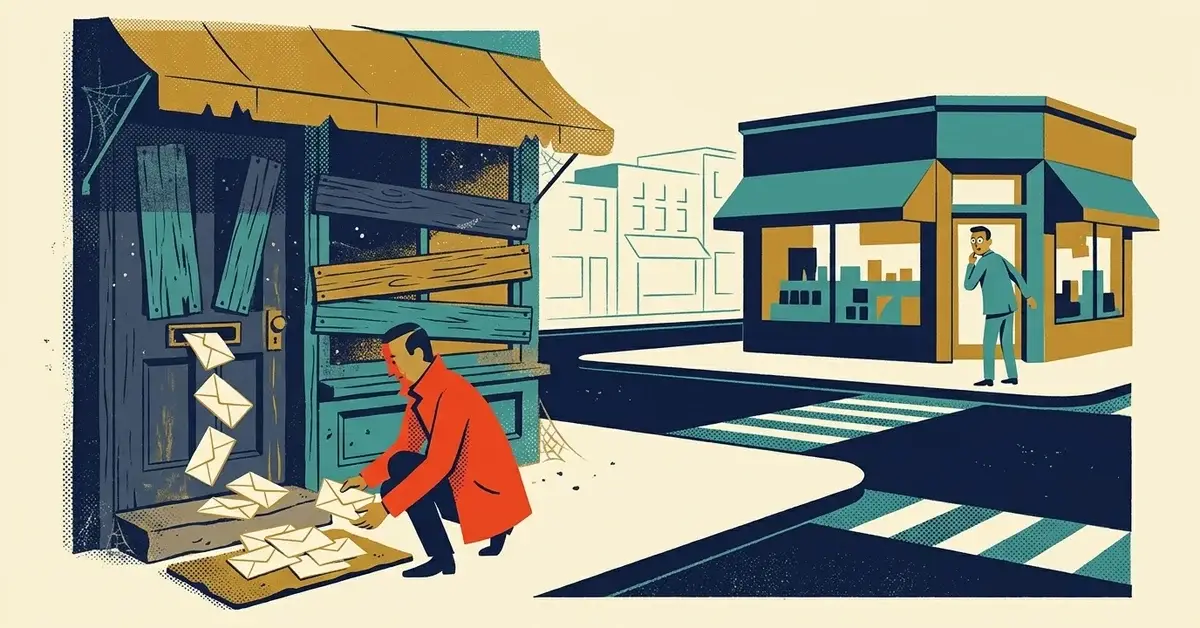
You rebranded a few years ago. Or closed a side business, or moved email from one provider to another. The old domain name wasn't needed anymore, so you let it lapse.
Here's the deal: that domain didn't disappear. Once it expires and the registrar's grace periods run out, anyone can buy it. And whoever buys it can set up email on it and start receiving whatever is still being sent to your old addresses. Customer emails, invoices, and password reset links for accounts you forgot were tied to it.
No hacking required. They just paid the registration fee you stopped paying.
The quick answer
- Don't let business domains expire. Turn on auto-renew for every domain you've ever used, including old ones. It's about the cheapest security control there is.
- List every domain you've owned and check each one is still registered to you.
- Move every account off old email addresses (bank, payroll, software logins, social media) before you even think about dropping a domain.
- Close or hand over the accounts of people who've left, in Microsoft 365 or Google Workspace, rather than leaving them half alive.
- Clean up DNS records that point to old websites or services you no longer use.
Is this a real risk or a scary story?
It's real, and researchers have shown it more than once.
In 2018, researcher Gabor Szathmari's team re-registered six expired domains that had belonged to law firms. Using a catch-all mailbox, they collected around 25,000 emails meant for the old owners, and said they could have used password resets to take over some of the lawyers' accounts (BleepingComputer's report on the research).
In January 2025, Truffle Security's Dylan Ayrey went a step further. He bought the domain of a failed startup, recreated former employees' email addresses, and used "Sign in with Google" to get into their old accounts on services like Slack, Notion, Zoom and HR systems (Truffle Security's write-up). His point: a lot of apps trust "whoever controls this email address", and buying the domain makes you that person.
Think of an old domain like the key to an office you moved out of. If the landlord rents it to someone new and you never changed the locks on your filing cabinets, the key still works.
How to tell if you're exposed
Go through this checklist. Any "yes" or "not sure" is worth fixing.
- Have you ever changed your business name, website address or email domain? List every old one.
- Is any old domain set to expire, or already expired? Look it up on ICANN Lookup and check the expiry date and registrar.
- Do any logins still use an old address? Your bank, payroll, accounting software, domain registrar, social media and Apple or Google accounts are the big ones.
- Are there accounts for people who left still active in Microsoft 365 or Google Workspace?
- Does your DNS point to things you've retired, like an old website builder, a test site on a subdomain or a past email service?
- Do your systems use a made-up address as a placeholder, like "noreply@" on a domain you don't own? (More on that below.)
How to fix it, easiest first
1. Turn on auto-renew for every domain
Log in to your domain registrar (GoDaddy, Namecheap, Cloudflare, Squarespace Domains, wherever you bought it). Find each domain and turn on auto-renew. Check the card on file is current, and that renewal reminders go to an inbox someone actually reads, not to the old domain itself.
ICANN's Expired Registration Recovery Policy requires registrars to send at least two reminders before a domain expires, about a month and about a week ahead. If those reminders go to a dead mailbox, you'll never see them.
2. Keep old domains, even if you don't use them
I'd keep any domain your business has ever used for email. Renewal is a small yearly fee, and a lot cheaper than cleaning up after someone else buys it. Point it at your current website if you like, so old links still work.
If you're sure you want to drop one, do it last: after every account has moved off it, and after you've run it with no email for a good while.
3. Move logins off old addresses
For each service on your list, sign in and change the account email to a current address. Start with the ones that hold money or data: bank, payroll, accounting, your domain registrar, and your Microsoft or Google admin accounts.
Use a simple sheet with these columns: Service, Login email, Updated to, Date, Who owns it. It doubles as your record of what the business actually uses.
4. Handle former employees properly (Microsoft 365)
Microsoft's guide to removing a former employee walks through the whole sequence. The short version:
- Block their sign-in first, so they can't get back in.
- If you need their email, go to Microsoft 365 admin center > Users > Active users, select the user, and on the Mail tab choose Convert to shared mailbox (Microsoft's steps). A shared mailbox under 50 GB doesn't need a license.
- When you no longer need the account, select it and choose Delete user. Microsoft keeps a deleted account restorable for about 30 days (Step 7 of Microsoft's guide).
Don't delete an account you've converted to a shared mailbox or set up forwarding on. Both need the account to keep working.
5. Remove an old domain from Microsoft 365 the right way
If an old domain is still added to Microsoft 365, move users, shared mailboxes and groups to your current domain first, then go to Settings > Domains, select the old domain and choose Remove domain (Microsoft's steps). Removing it from Microsoft 365 doesn't cancel the registration; keep that renewed at the registrar.
6. Clean up DNS that points at retired services
Open your DNS settings (usually at your registrar or Cloudflare) and look for records pointing to things you don't use anymore: an old website host, a test site on a subdomain, a past marketing tool. Microsoft calls these "dangling" records. If the service at the other end is deleted, someone else can sometimes claim it and serve their own content on your subdomain (Microsoft Learn: prevent dangling DNS entries). Delete records you can't explain, after checking with whoever set them up.
Why this happens
Nobody owns the old stuff.
Domains get bought by whoever built the first website, on their own card, with renewal notices going to their personal email. Rebrands get done in a hurry. Employees leave and their accounts sit there because "we might need something from it."
And a lot of systems trust email more than they should. Password resets, "Sign in with Google" and invoice notices all assume that whoever receives mail at an address is the right person. Control the domain and you control that address.
A newer twist: in 2026, researchers reported receiving large volumes of sensitive email sent to placeholder addresses at domains they'd bought, such as noreply.net and deleteduser.com, from companies that used those addresses in their own systems without owning the domains (SC Media summary). If your software or website forms use a "dummy" address, make sure it's on a domain you own.
If an old domain is already gone
Act fast. Timing matters here.
- Check its status first. Look it up on ICANN Lookup. If it's recently expired, call your registrar today. Under ICANN's policy, generic domains like .com go through a 30-day Redemption Grace Period after deletion, during which the registrar that deleted it can restore it at your request.
- If someone else already owns it, assume they can receive mail sent to it. Change the login email on every account that used it, starting with banking, payroll and your admin accounts, and turn on two-step verification where it isn't already.
- Tell customers and vendors your old address is no longer yours and they shouldn't send anything to it, especially invoices or payment changes.
- Watch for password reset emails you didn't ask for on your current accounts. That's a sign someone is trying.
Preventing it in a business
- One domain list, kept with your other important records: every domain, registrar, renewal date, and who has the login.
- Domains registered in the business's name, on a business account, with at least two people who can get in.
- Auto-renew on, always, and renewal notices to a shared inbox.
- An offboarding checklist that includes blocking sign-in, moving or converting the mailbox, and transferring any accounts that used that person's email.
- A once-a-year look at DNS records and old logins. Put it on the calendar next to your insurance renewal.
- A staff rule: nobody signs the business up for a service with a personal email address.
When to get help
- You've rebranded or merged and don't know which domains, accounts or DNS records came along for the ride.
- An old domain has already been bought by someone else and was used for logins or invoices.
- You're seeing password reset emails or sign-in alerts you didn't trigger.
If any of that sounds familiar, we can help you sort it out. Get in touch.
Related reading
- Don't Let Expired Domains Tank Your SEO
- Hackers Love Your Forgotten Cloud Storage
- Old Data Breach? How to Check if Hackers Are Using Your Leaked Passwords
Originally published June 2026. Updated November 2026.





No comments yet