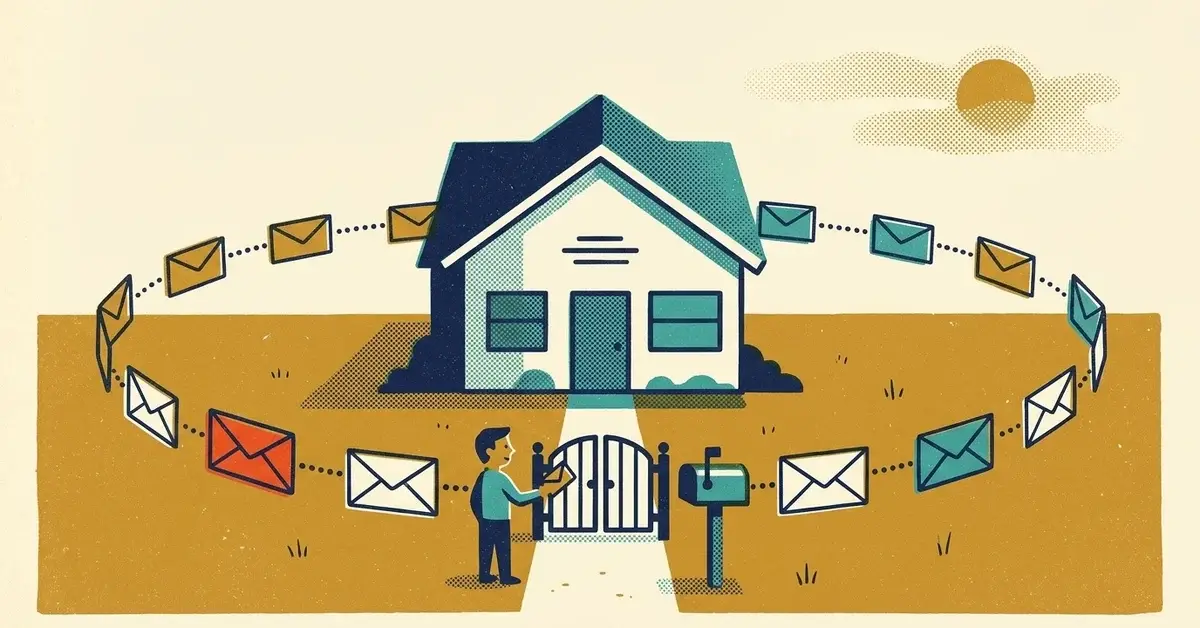
You closed on a house last spring. The buyers loved you. They said they'd send their friends your way.
A year later, one of those friends asks them for a realtor. They can't remember your last name.
That's not a relationship problem. It's a follow-up problem. And it's one AI is actually good at: writing the messages you never have time to write, so the follow-up happens on schedule instead of when business slows down.
The quick answer
- Make a past-client list in a spreadsheet: name, closing date, client type, how they like to be contacted.
- Set a simple timeline: one week, 30 days, 90 days, six months, one year, then once a season.
- Use AI to draft each message from a short prompt, then add one real detail about that client.
- Schedule the sends in your email or calendar so they go out without you remembering.
- Keep AI away from home values, market numbers, contract questions and anything about who a neighborhood "suits."
Thirty minutes a week runs the whole thing.
Why past clients drift
They didn't stop liking you. Life moved on after closing.
The usual fix is a "Do you know anyone looking to buy or sell?" message twice a year. That's the only time some past clients hear from you, and it shows.
Messages that give something first land better:
- A homeowner checklist for the first few months
- A seasonal maintenance reminder for their area
- A short list of local vendors you trust
- A home anniversary note
- An offer to pull an updated value range when they want one
AI makes these fast to write. You make them worth reading.
Step 1: Build the past-client sheet
You don't need a new CRM to start. Excel or Google Sheets works.
Use these columns:
- Name
- Client type (buyer, seller, investor, referral partner)
- Closing date
- City or neighborhood
- Preferred contact (email, text, call)
- Last contact
- Next follow-up
- Notes (kids, pets, the deck they wanted to build)
Add one more column, Anniversary, and let the sheet work it out. In both Excel and Google Sheets, =EDATE(C2,12) returns the date 12 months after the closing date in C2 (Google Sheets: EDATE). Format the column as a date. Sort by it once a month and you know who's coming up.
Step 2: Set a post-closing timeline
Time-based is the easiest system to keep. Here's a simple version you can copy:
When | What to send | Purpose |
|---|---|---|
1 week after closing | Thank-you note | Say thanks, ask if they need anything |
30 days | Homeowner setup checklist | Be useful while they settle in |
90 days | Seasonal maintenance reminder | A real reason to reach out |
6 months | Quick check-in | Ask how the home is working out |
1 year | Home anniversary message | Offer a value update or vendor list |
Every season after | One local homeowner tip | Stay in touch without asking for anything |
Put the referral ask in sparingly. Once or twice a year is plenty, and never as the only message.
Step 3: Draft the messages with AI
Any AI chat tool works for this: ChatGPT, Microsoft Copilot or Google Gemini.
Start with the whole year:
Create a 12-month post-closing follow-up plan for a realtor. Audience: [first-time buyers / sellers / investors]. Tone: warm, professional, not salesy. For each touchpoint, give the timing, the purpose and one short message under 80 words. No pushy referral language.
Then one message at a time.
Home anniversary:
Write a one-year home anniversary message from a realtor to a past client. Warm and personal, not pushy. Offer one helpful next step: a local vendor list, a maintenance checklist, or an updated home value range. Don't ask for referrals. Under 70 words.
Seasonal tip:
Write a short seasonal homeowner tip message for a realtor to send to past clients. Season: [fall]. Region: [city or region]. Three practical tips that fit the local climate, and one offer to recommend a local vendor. Under 100 words.
Referral check-in:
Write a short, low-pressure message from a realtor to a past client. Thank them, and mention that if a friend, family member or coworker has questions about buying or selling, I'm happy to help, even if they're not ready yet. No begging, no urgency. Under 60 words.
Check the seasonal tips before they go out. AI will happily tell a client in Phoenix to winterize their pipes.
Step 4: Personalize without sounding fake
AI writes the structure. You add the one detail only you know.
Too much:
Hi Sarah, I hope your beautiful new home is bringing you endless joy and magical memories.
About right:
Hi Sarah, I hope you're all settled in. It's been about three months, so here's a quick maintenance checklist for this time of year. Did the deck project ever happen?
That last line comes from your Notes column, not from AI. It's what makes the message read like it came from a person.
Things worth noting at closing so you can use them later:
- The project they planned (fence, kitchen, basement)
- A vendor they needed
- Where they moved from
- Kids starting school, a new dog, a new job
Keep those notes in your sheet, not in a free AI tool. If you paste client details into AI, use a business account and keep names and addresses out of the prompt. More on that: Are free AI tools safe for client data?
Step 5: Schedule the sends
A drafted message that never goes out doesn't help.
Gmail on a computer: write the email, click the down arrow next to Send, then Schedule send, and pick a date and time. Scheduled messages wait in the Scheduled folder until they go (Gmail Help: schedule emails). Google says you can have up to 100 scheduled at once.
New Outlook and Outlook on the web: add the recipients first, then click the arrow next to Send and choose Schedule send. The message sits in Drafts until it goes, and it sends even if Outlook is closed. Microsoft says it isn't available for POP or IMAP accounts.
Classic Outlook for Windows: in the message, open the Message Options arrow in the Tags group (on the simplified ribbon, Options > More commands), then under Delivery options check Do not deliver before and pick the time. Outlook needs to be online and connected for it to send (Microsoft Support: delay or schedule sending).
Texts: many phones and real estate CRMs can schedule texts. Only text people who've agreed to hear from you that way. That's what the Preferred contact column is for.
If your follow-up turns into a regular newsletter or marketing email, the FTC's CAN-SPAM guide applies: say who it's from, include a way to opt out, and include your postal address. Most email marketing tools add the last two for you.
Step 6: The 30-minute weekly routine
Same time each week. Monday morning works for a lot of agents.
- 5 minutes: sort the sheet by Next follow-up. Who's due this week?
- 10 minutes: ask AI for drafts for that group.
- 10 minutes: add the personal detail to each one.
- 5 minutes: schedule the sends and update Last contact and Next follow-up.
And that's it. Consistent beats clever.
What not to let AI do
Real estate has rules, and AI doesn't know your market. Keep these with you:
- Home values and market numbers. Pull them from your MLS and your own comps. AI will produce a confident number with nothing behind it.
- Contract, disclosure or legal questions. Those go to your broker or an attorney.
- Describing neighborhoods by who lives there. HUD's fair housing rules bar statements that show a preference based on race, color, religion, sex, disability, familial status or national origin (24 CFR 100.75). AI can drift into "perfect for young families" without being asked. Read every line, and check your brokerage's guidance.
- Sending without review. Every message gets read by you before it goes.
AI drafts. You decide what goes out under your name.
When to get help
You can run this with a spreadsheet and a free AI tool. It's time to bring someone in when:
- Your past-client list lives in three places (your phone, an old CRM and a box of closing files)
- You want messages to send from your CRM automatically and they don't
- You're not sure which AI tools are safe for client details
If that's where you are, we can help you set it up.
Related reading
- How do I use AI to build a customer referral system that actually gets used?
- How do I use AI to create customer reminder systems that get repeat business?
- Protecting your real estate transactions: a cybersecurity how-to guide
Originally published July 2026. Updated November 2026.




No comments yet