Your website looks good. You paid for the design, the photos, the animated banner. People visit.
And the phone doesn't ring.
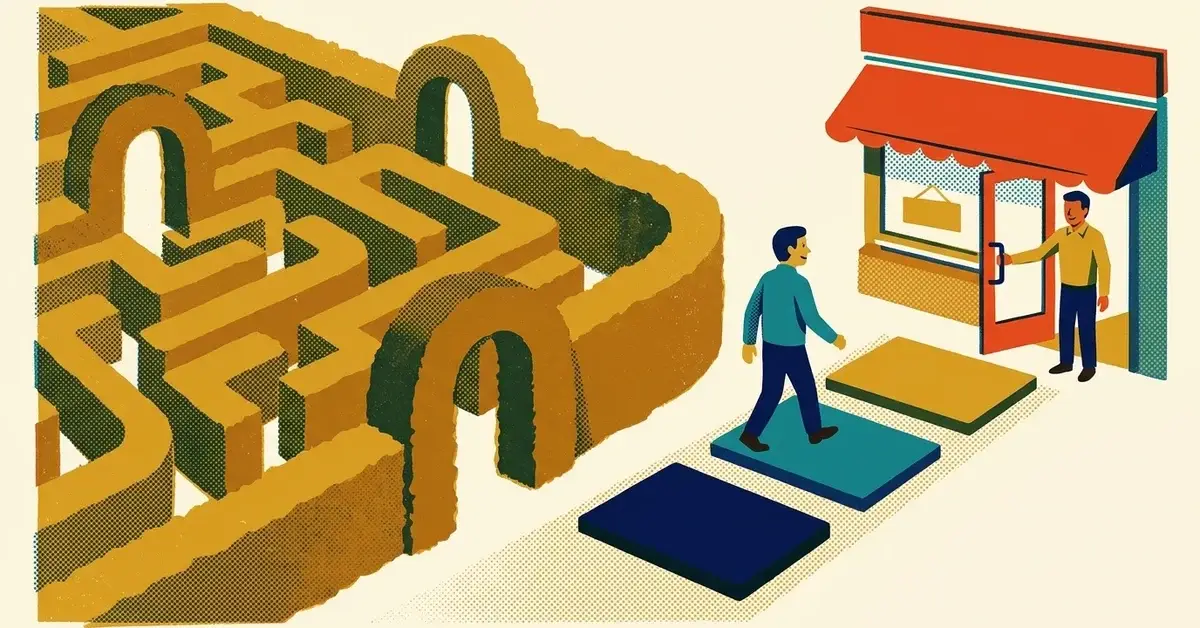
Usually that's not a design problem. It's a clarity problem. The site tries to do everything for everyone: twelve services on the homepage, a menu with twenty links, long paragraphs about your history, and no obvious next step. Visitors who came with one question leave without an answer.
For most small service businesses, three focused pages will bring in more leads than a big "fancy" site. More pages aren't bad. Unclear pages are.
The quick answer
- Build one page around the service you want more of, for the area you serve, with one clear call to action.
- Build one proof page with real reviews, real photos and honest answers to the questions people ask before they call.
- Make the contact or booking page short and fast: three to five form fields and a tap-to-call number on mobile.
- Send your ads and Business Profile traffic to those pages, not your homepage.
- Track form fills and calls so you know it's working.
How to tell your site has this problem
Run these checks this week. Each takes a few minutes.
- The five-second test. Open your homepage on your phone. Can a stranger tell what you do, where you do it and how to contact you without scrolling? If not, that's the leak.
- The landing page check. In Google Analytics, open Reports > Engagement > Landing page. If most visitors land on pages that don't mention the service they came for, they have to go hunting.
- The ad check. If you run Google Ads and your ads point at the homepage, you're paying for clicks that land in the lobby. Here's why that hurts.
- The form count. Count the fields on your contact form. Every extra one is another reason to give up.
- The phone test. Tap your phone number on your own site from a phone. Does it dial?
If two or more of those fail, the three-page setup below is your fix.
Page 1: the core service page
This is the page that earns the lead. Build it around one service and one audience, not everything you offer.
What it needs:
- A headline that matches what people search: "Roof Repair in Evans, GA" or "Small Business IT Support in Augusta". Plain beats clever.
- Three to five benefits you can actually back up: how you quote, how you schedule, what's included.
- Your service area: list the cities or counties by name.
- What's included, in short, specific bullets.
- A simple process: call, quote, schedule. Three steps is plenty.
- One piece of proof near the button: a real review or a before-and-after photo.
- One call to action. Call, request a quote or book. Pick the one you want most.
If you run ads, this is where ad clicks should land. Google rates every keyword partly on landing page experience, which it defines as "how relevant and useful your landing page is to people who click your ad." A page about exactly the thing they searched for is the easiest way to be relevant.
Offer more than one main service? Make one core page per service. That's still a small site, and each page stays focused.
Page 2: the proof page
People don't just need information before they call. They need to feel safe calling.
What it needs:
- Reviews in your customers' own words, with their permission.
- Before-and-after photos of your actual work.
- Three to five short job stories: the problem, what you did, how it turned out. Real jobs only.
- Credibility details that are true: years in business, licenses, the area you cover.
- A short FAQ: typical price range, how long the job takes, what to expect on the day, who you're a good fit for.
Keep every word of it real. The FTC's rule on consumer reviews and testimonials, in effect since October 21, 2024, bans fake reviews and testimonials, including AI-generated ones (Federal Register, 16 CFR Part 465). A thin proof page is better than a padded one. Start with what you have and add to it after every good job. If you need more reviews, here's how proof lowers what you pay per lead.
Page 3: the contact or booking page
This is where leads are won or lost. If it's slow, confusing or asks for too much, every other marketing dollar looks expensive.
What it needs:
- One main action. Book online, request a quote or call now. Pick one to lead with.
- A short form: three to five fields. Name, phone or email, what they need, and maybe their zip code.
- Honest expectations: when you'll get back to them, only if you can keep that promise every time.
- A service area reminder: "We serve Evans, Martinez and Augusta."
- A backup option: if the form is the main action, add a tap-to-call number for mobile visitors. Smaller, not equal.
It has to work on a phone. Google says it uses "the mobile version of a site's content" for indexing and ranking, and most of your local customers are probably looking at it on one anyway. Your lead form can hurt your SEO too if it's clunky.
After someone submits, send them to a thank-you page. It tells them what happens next, and it gives you a clean way to count leads. The thank-you page most small businesses waste covers what to put on it.
Build it this week
Here's a five-day version. About an hour a day.
- Monday: pick the one service you want more of. Write its headline, service area and what's included.
- Tuesday: finish the core service page. Add the process, one review and one call to action.
- Wednesday: collect your proof. Copy your best reviews (with permission), pick your best photos, write three short job stories and your FAQ.
- Thursday: trim the contact page to five fields or fewer, add tap-to-call, set up the thank-you page. Submit a test lead.
- Friday: point your menu, your Google Business Profile link and your ads at these pages. Compress big images so the pages load fast (why speed matters). Set up tracking for form fills and calls.
That's the foundation. You can add blog posts and extra service pages later. But if these three aren't solid, more content won't fix the leads.
Why bigger sites often convert worse
Someone who lands on your site from Google, your Business Profile or an ad is asking four questions:
- Can you fix my problem?
- Do you work in my area?
- Are you legit?
- What happens next?
A big site makes them dig for those answers. A focused one puts them on the screen.
The same thing helps your search visibility. Google says its ranking systems "are designed to prioritize helpful, reliable information" made for people (Creating helpful, reliable, people-first content). A page that clearly answers what you do, who you serve and where is that kind of page. Twenty thin pages that each say a little bit aren't.
Already have a big site?
Don't delete pages to get down to three. Some of them may be bringing in search traffic.
- Check first. In Google Search Console, open Performance > Search results and click the Pages tab to see which pages get impressions and clicks. Keep those.
- Build the three pages on top. Make them the ones your menu, ads and Business Profile point to.
- Merge the thin stuff. If you combine or remove pages, use permanent (301) redirects from the old address to the closest new one, so you don't lose what they'd earned.
Keeping it that way
Sites get cluttered one "quick addition" at a time. A few rules help:
- Every new page gets one job and one call to action.
- Before adding a menu link, ask whether it helps someone call you.
- Review the three pages every quarter. Update the reviews, photos, prices and service area.
- Retest the form after any site change. Plugins and theme updates break forms more often than you'd think.
When to get help
- Your site is built in a way you can't edit yourself, or every small change costs a developer invoice.
- You've built the pages and the leads still aren't coming, so the problem might be the offer, the traffic or the tracking.
- You're merging or deleting pages and don't want to lose your rankings.
If that's where you are, talk to us.
Related reading
- The landing page lie: why sending ad clicks to your homepage kills sales
- Your lead form is hurting your SEO: why bad UX kills conversions and rankings
- Do I still need a website if I have a Google Business Profile?
Originally published May 2026. Updated November 2026.




No comments yet