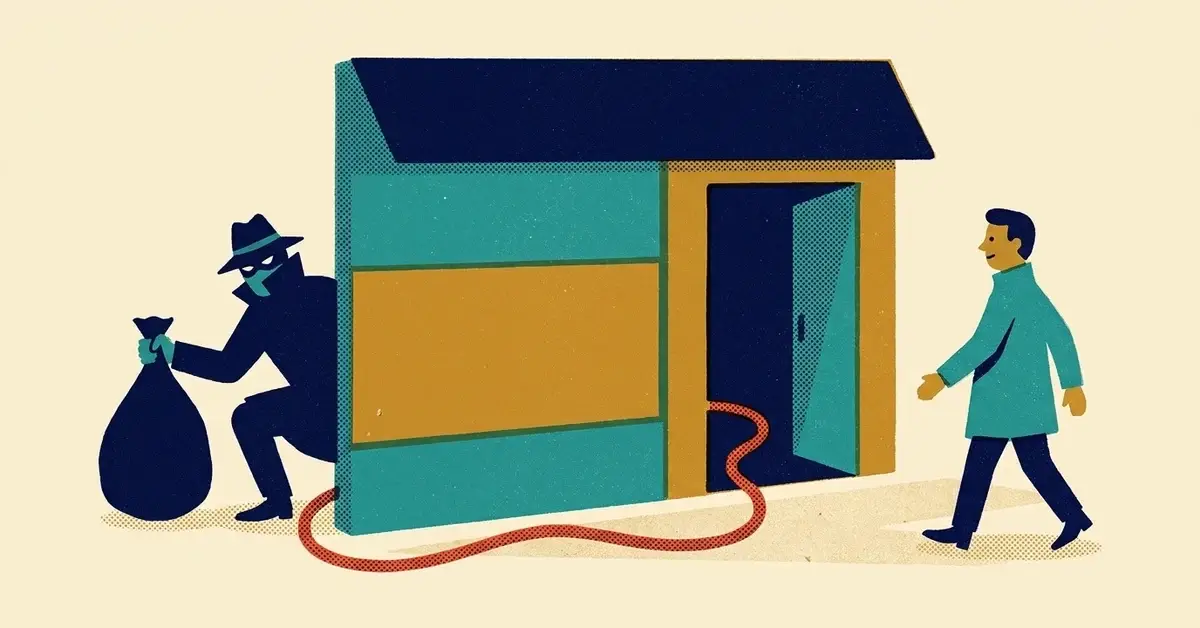
A customer tells you your website sent them to a strange page. A fake prize, a "your computer is infected" warning, a download they didn't ask for.
You open the site. It looks completely normal. You try again on your phone. Still normal.
That's not a sign they're wrong. That's the trick. Some hacked websites only misbehave for a small slice of visitors, and the owner is almost never in that slice.
The quick answer
- Check Google's view of your site: in Google Search Console, open Security & Manual Actions > Security issues. Google says to treat this report as the source of truth, even when you can't reproduce the problem yourself (Google Search Console Help).
- Update everything: WordPress itself, every plugin and every theme. Delete the ones you don't use.
- Change the passwords for your website admin, your hosting account and any FTP or file-access logins, and turn on two-factor authentication wherever it's offered.
- Look for admin users you don't recognize and remove them.
- If anything looks off, call your web host before you start deleting files. They can often see what you can't.
What happened: the Detour Dog campaign
In early October 2025, the DNS security company Infoblox published research on a group it calls Detour Dog (Infoblox; coverage in The Hacker News). Here's the deal:
- Scale: Infoblox counted more than 30,000 infected websites.
- The hiding place: the hacked sites quietly asked the attackers' DNS servers what to do each time someone visited. DNS is the internet's address book, the system that turns a website name into a server address. Using it as a messaging channel is like leaving instructions in the phone book. Nobody thinks to look there.
- The odds: about 90% of those check-ins came back "do nothing", so the visitor saw the normal page. About 9% sent the visitor off to a scam. About 1% told the hacked site to fetch and pass along a malicious file.
- The payload: from mid-2025, that fetch-and-run step was used to deliver malware for a separate group's Strela Stealer campaigns, which spread through spam emails.
- How long it went unnoticed: in some cases, more than a year.
Strela Stealer is narrow on purpose. It goes after saved email logins in desktop email programs, specifically Outlook and Thunderbird (BleepingComputer, reporting Palo Alto Networks Unit 42's research). An email login is a skeleton key: password resets, invoices, client conversations, all in one place.
According to The Hacker News coverage, Infoblox has tracked this group since August 2023, when Sucuri reported attacks on WordPress sites that used the same DNS trick.
How to tell if your site is one of them
The awkward part: most of the time your site will look fine. These are the signs that mean it's worth a closer look:
- Visitors report redirects or pop-ups you can't reproduce.
- Google shows a warning. A "This site may be hacked" label in search results, a red "Deceptive site ahead" page in Chrome, or anything listed in the Search Console Security issues report.
- Admin users you didn't create under Users > All Users in WordPress.
- Plugins or themes you don't remember installing under Plugins > Installed Plugins or Appearance > Themes.
- A note from your host about unusual activity, high resource use or a suspended account.
- Plugins that haven't been updated in months. Not proof of a hack, but it's the most common way in.
Free online scanners only see the page they're served, and this kind of infection is designed to serve them the normal one. A clean scan is good news. It isn't proof.
Fixing it, easiest first
1. Check Search Console
If you don't have Google Search Console set up, set it up now. It's free, and it's the one place Google will tell you directly that it thinks your site is hacked.
Open Security & Manual Actions > Security issues. A green check mark means Google hasn't found anything. If there are issues, open each one and follow its Learn more link.
2. Update, then prune
In WordPress, go to Dashboard > Updates and update WordPress, your plugins and your themes. Then go to Plugins > Installed Plugins and delete anything deactivated or unused. A switched-off plugin can still be a way in while its files sit on the server.
3. Lock down the logins
Change these passwords, in this order:
- Your hosting account
- Every WordPress administrator
- FTP, SFTP or file manager logins
- The database password (your host can help with this one)
Turn on two-factor authentication for the hosting account and for WordPress admins.
4. Ask your host to scan from the server side
Because the infection lives in the site's files and talks to the attacker behind the scenes, the best scans run on the server. Many hosts include one or will run one on request. Ask them specifically to look for modified core files and code making unexpected outside lookups.
Protecting your staff from sites like this
Your own site is half the story. The other half is your team landing on someone else's hacked site.
- Use a DNS filter. It blocks known malicious sites before the page loads. Cloudflare's free 1.1.1.1 for Families service, at 1.1.1.2 and 1.0.0.2, blocks domains associated with malware and phishing (Cloudflare docs). Set it on your office router and every device on the network gets it. It won't catch a brand-new scam domain, but it catches a lot.
- Turn on multifactor authentication for email. If a stealer grabs a password, MFA is what stops it from working. For Microsoft 365, security defaults turn it on for everyone at no extra cost (Microsoft Learn).
- One rule for the team: don't open downloads you didn't ask for, even from a site you trust. A real site doesn't push surprise files.
Why it happens
Most small business sites get hacked the boring way: an outdated plugin with a known hole, or a reused admin password that turned up in an old breach. Attackers scan the internet for both, automatically, all day. Nobody picked your site. It was just on the list.
What makes Detour Dog different is the hiding. Older hacks dumped spam links or obvious redirects on the page, so someone noticed. This one shows the real page nine times out of ten and asks permission before it does anything nasty. Very polite, as malware goes.
If your site is already infected
- Don't panic-delete files. You'll lose evidence your host needs to find how they got in.
- Restore from a clean backup taken before the infection, if you have one, then update everything and change every password straight away. Restoring without fixing the hole just resets the clock.
- Tell your host and ask whether other sites on your account are affected.
- Ask Google for a review once it's clean: in the Security issues report, choose Request review and describe what you fixed (Google Search Console Help).
- If customers enter information on your site (forms, logins, payments), get professional help before you decide what to tell them.
- Running WordPress? Our guide to a hacked WordPress site covers the full cleanup order.
Preventing it next time
A short monthly checklist:
- Update WordPress, plugins and themes (or turn on automatic updates for them)
- Delete plugins and themes you don't use
- Check Users > All Users for accounts you don't recognize
- Confirm backups are running and stored somewhere other than the web server
- Glance at the Search Console Security issues report
And when someone leaves the business or a web designer finishes a project, remove their admin account that day.
When to get help
- Search Console lists a security issue, or Chrome shows a warning on your site.
- You've cleaned the site and the redirects came back.
- You don't know who has admin access, or nobody has updated the site in a year.
If that's where you are, we can take a look.
Related reading
- Your old website could still be leaking information years later
- DNS security: the internet's phone book is trying to kill you (and how to fix it)
- If a website tells you to paste something into your computer, stop
Originally published October 2025.




No comments yet