Your team runs half the business through WhatsApp. Job photos, customer questions, schedule changes, the occasional quote. It says "end-to-end encrypted" right there in the chat, so it must be private. Right?
Mostly. Here's the deal: encryption protects what's inside your messages on the way between phones. It doesn't cover everything around them, it doesn't cover what happens after a message lands on the other phone, and it doesn't cover every kind of WhatsApp chat. And since May 2026, Texas has been in court arguing Meta can see more than it says.
You don't need to delete the app. You need to know where the gaps are and change a few settings.
The quick answer
- Treat WhatsApp as fine for everyday coordination, not for passwords, bank details or anything you'd hate to see forwarded.
- Turn on end-to-end encrypted backup, and keep the passkey, password or key somewhere safe. Without it, your chat backup is protected only by your Google or Apple account.
- Turn on Restricted chat (called Advanced chat privacy in older versions) in chats where customer details come up, so nobody can export the conversation.
- Turn on two-step verification so nobody can take over the account.
- Keep business and personal chats on separate accounts, so a staff member leaving doesn't take your customer history with them.
What the Texas lawsuit says
On May 21, 2026, Texas Attorney General Ken Paxton sued Meta and WhatsApp in Harrison County under the Texas Deceptive Trade Practices Act, the state's consumer protection law. The suit claims WhatsApp's marketing implied that not even the company could read messages, when Meta and WhatsApp allegedly "have access to all WhatsApp users' communications in their entirety" (Texas petition). Texas is asking for a permanent order barring Meta from accessing the content of any Texan's WhatsApp communications without consent, and civil penalties of $10,000 per violation of the act.
The suit leans on earlier reporting. On April 28, 2026, Bloomberg Law reported that a U.S. agency had abruptly closed an investigation into allegations that Meta can access encrypted WhatsApp messages, after a Commerce Department investigator had shared his conclusions "thus far" with other federal officials (Bloomberg Law). According to Texas Public Radio, the investigator concluded there was "no limit" to the type of messages Meta could access, a finding Bloomberg couldn't verify and Meta denies.
Meta denies all of it. Its spokesperson's statement (KERA News, via Texas Public Radio): "WhatsApp cannot access people's encrypted communications and any suggestion to the contrary is false."
Where it stands in October 2026
Still early. In September 2026, after a September 17 hearing, Judge Brad Morin kept the case in Harrison County, denying Meta's request to move it to Travis County (Bloomberg Law). As of this writing (October 16, 2026), we haven't seen a ruling on the merits, and we know of no court finding that Meta reads encrypted messages.
So the honest answer on the lawsuit is: we don't know yet. The rest of this post doesn't depend on how it turns out. These gaps exist either way, and Meta's own documents describe most of them.
What encryption covers, and what it doesn't
End-to-end encryption means the message is scrambled on your phone and only unscrambled on the recipient's phone. Anyone in the middle, including WhatsApp's servers, sees gibberish. That part is real and it's good.
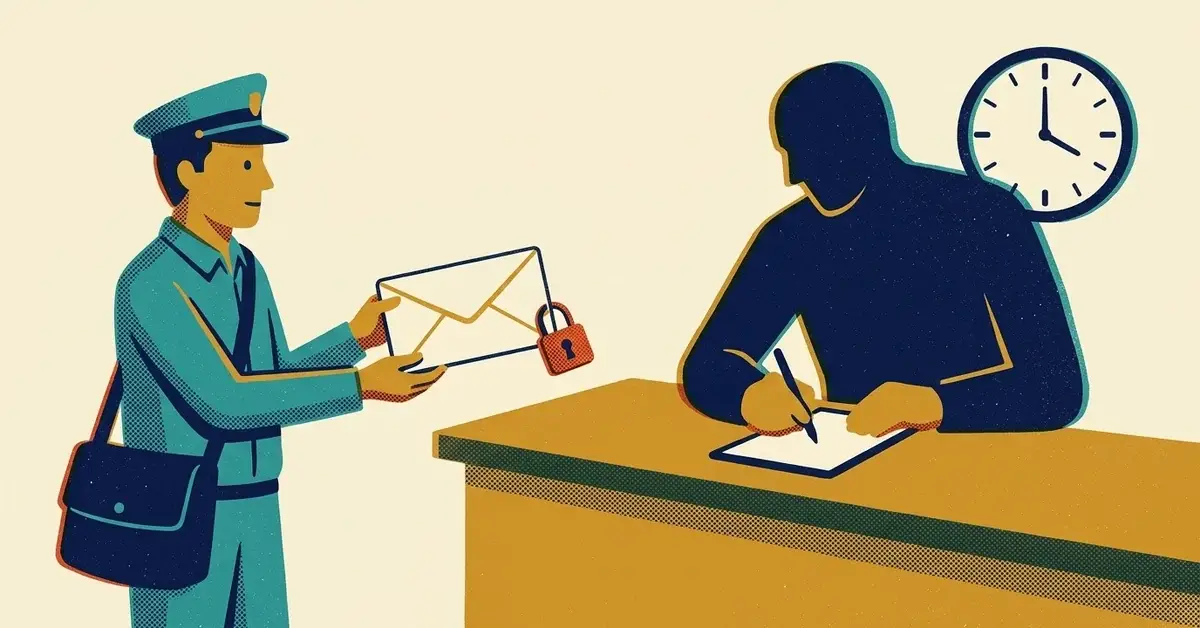
Think of it like a sealed envelope. Nobody can read the letter in transit. But the post office still knows who sent it, who got it, when, and how often you write. And once the letter is opened, the recipient can photocopy it.
The information around your messages
WhatsApp's privacy policy lists what it collects automatically, separate from message content. It includes:
- How you use the app: features, settings, when you're online, and the timing, frequency and length of your activity, including when you interact with a business
- Your device: model, operating system, app version, battery level, signal strength
- Your connection: IP address, phone number, mobile carrier or internet provider, language and time zone
None of that is your message text. All of it says a lot about who your customers are and when you talk to them.
Reported messages
If someone reports you or your business, WhatsApp receives up to five of the most recent messages that person got from you, plus your user ID (or the group's), when each message was sent and what type it was, and basic details of your last five calls if you called each other, per WhatsApp's help page on reporting. Same if you report someone. That's by design, and it's how spam gets caught. Just know a "private" chat can be read by a moderator if it's reported.
Chats with businesses that use a provider
This one matters if you message customers through a WhatsApp Business platform or a customer-messaging tool rather than the plain app.
When Meta opened WhatsApp business messaging to hosting providers in 2020, it said chats with a business that uses a third-party vendor to manage messages aren't end-to-end encrypted in the usual sense, "since the business you are messaging has chosen to give a third-party vendor access to those messages," and that the same applies when the vendor is Meta (Meta). Meta's developer documentation for its Cloud API says Meta manages the encryption keys on the business's behalf.
If you use one of those tools, your customers' messages sit with that provider. Pick it like you'd pick any vendor that holds customer data.
Backups
Your chats are encrypted in transit. Your chat backup on iCloud or Google Drive is end-to-end encrypted only if you turn on end-to-end encrypted backup. Otherwise it's protected by your Google or Apple account, so it's only as safe as that account. With it on, the backup is locked with a passkey, a password or a 64-digit key. The catch is that key: if you lose access to your account and forget it, nobody can get the backup back for you.
The other phone
Encryption ends at the recipient's screen. They can screenshot, forward, export the chat or lose an unlocked phone. No setting fully stops that.
Settings to change this week
These take about ten minutes per phone. Menu names are from WhatsApp as of October 2026.
1. Check your backup encryption
On Android: Settings > Chats > Chat Backup > End-to-end encrypted backup. On iPhone: Settings (or your profile picture) > Chats > Chat Backup > End-to-end encryption. Make sure it's on and you know what protects it: a passkey, a password or a 64-digit key. Store a password or key in your password manager. WhatsApp can't reset it, and if you lose access to your account and forget it, you can't restore the backup (WhatsApp Help).
2. Turn on Restricted chat for sensitive chats
On the latest WhatsApp, open the chat, tap the chat or group name at the top, then Restricted chat, and switch it on. In a one-to-one chat it's under View contact > Restricted chat (WhatsApp Help). It replaces Advanced chat privacy, which WhatsApp introduced in April 2025 (WhatsApp blog); on an older version, tap the chat name, then Advanced chat privacy. In that chat it stops media saving automatically to people's galleries, blocks exporting the chat, and turns off Meta AI features and linked devices.
It's set per chat. In a one-to-one chat, either person can switch it on or off. In a group, admins can turn it on.
3. Lock the account itself
Most WhatsApp trouble in small businesses isn't encryption. It's account takeover: someone tricks a staff member into reading out a verification code. Turn on two-step verification and passkeys. Our post on WhatsApp scam accounts has the exact steps.
Rules for using WhatsApp in a business
A short list you can paste into your staff handbook:
- Business chats on a business account. Use the WhatsApp Business app on a work phone or number, not a staff member's personal account.
- No passwords, card numbers or bank details in any chat. Use a password manager's sharing feature or a secure link instead. See how to send a password or sensitive file securely.
- Customer documents go in your file system, not only in a chat thread. If the chat disappears, so does your record.
- When someone leaves, the number stays. Log them out of the business account the same day.
- If you use a messaging platform for customer chats, know who the provider is and what it keeps.
One-line rule for staff: WhatsApp is for "running late" and "here's the photo," not for anything you'd lock in a drawer.
When to call someone
Get help if customer data has already gone out through a personal account you don't control, if you're choosing a customer-messaging platform and can't tell what it stores, or if a staff member's WhatsApp was taken over. If you'd like a second opinion on how your team messages customers, get in touch.
Related reading
- WhatsApp Blocked 6.8 Million Scam Accounts. Is Your Business Next?
- How to Send a Password or Sensitive File Securely (Not by Email)
- What Happens When Your Chat History Isn't Private
Originally published May 2026. Updated October 2026.





No comments yet