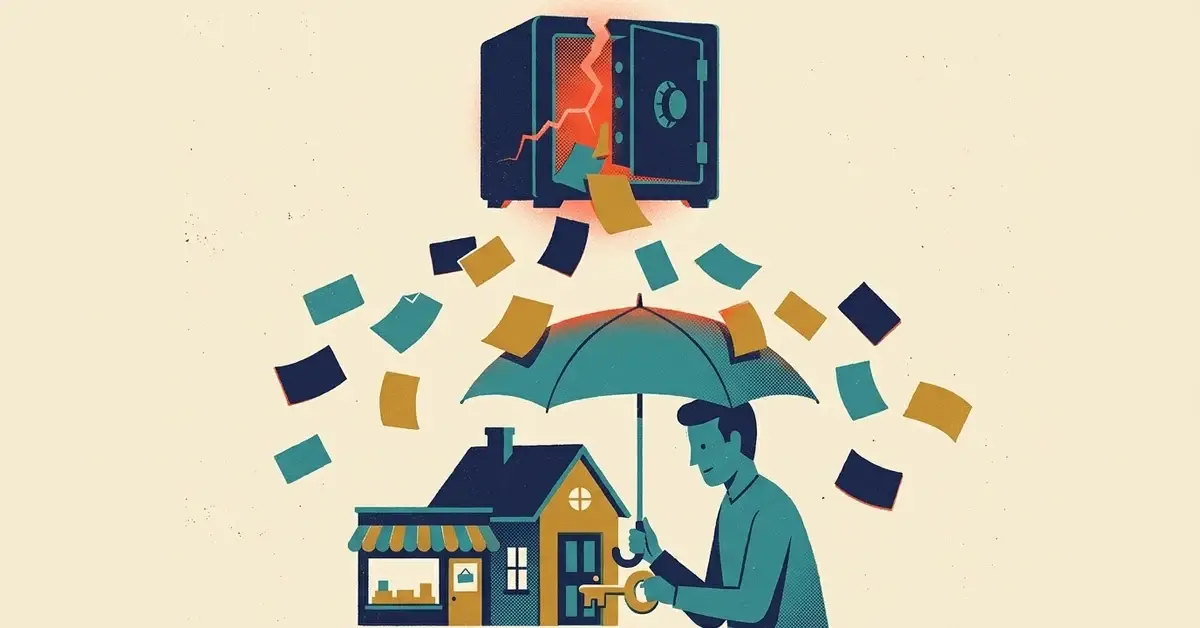
A letter shows up, or an email: "We recently learned of a security incident that may have involved your personal information." Maybe it's from your bank, your doctor's office, a store you bought from once in 2019, or a company you've never heard of.
Here's the deal. You can't un-leak your data. You can make it much harder for anyone to use it, and most of that is free and takes an afternoon.
This guide covers what to do as a person, and what to do if it's your business that had the breach, or one of your vendors.
The quick answer
If your personal information was in a breach:
- Freeze your credit at Equifax, Experian and TransUnion. It's free.
- Change the password for the breached account, and anywhere else you used the same one. Turn on two-step sign-in (multifactor authentication, or MFA).
- Pull your free credit reports at AnnualCreditReport.com and look for accounts you don't recognize.
- If your Social Security number was exposed, get an IRS Identity Protection PIN.
- Expect scams that use the breach as bait. Don't click links in "breach follow-up" emails or texts. Go to the company's site yourself.
That covers most people. The rest of this post is the detail.
What was exposed, and what to do first
The notice should say what was taken. That decides what you do first.
What was exposed | Do this first |
|---|---|
Email and password | Change that password and any reused copies of it; turn on MFA |
Social Security number | Freeze your credit at all three bureaus; get an IRS IP PIN |
Credit or debit card number | Call the number on the back of the card and ask for a new one |
Bank account number | Call your bank; watch your statements closely |
Name, email, phone, address only | Expect more phishing and scam calls; don't click links |
Not sure the letter is real? Don't use the phone number or link in it. Look the company up yourself and check their website or call their main number. The FTC warns that scammers pretend to be government agencies or companies you know, and a breach in the news is perfect cover.
You can also check whether your email address has turned up in known breaches at Have I Been Pwned, a free service that will email you about future breaches if you sign up. A clean result isn't a guarantee. It only knows about breaches that have been loaded into it.
Step by step: protecting yourself
1. Freeze your credit
A credit freeze stops lenders from pulling your credit report, so a thief can't easily open a new account in your name. It's been free nationwide since September 21, 2018, and the FTC says it lasts until you lift it.
You have to do it at each of the three bureaus separately. The FTC keeps the current links and phone numbers at IdentityTheft.gov.
When you need to apply for a loan or a new card, lift the freeze temporarily at the bureau the lender uses, then it goes back on.
Not ready to freeze? A fraud alert is the lighter option. You only contact one bureau, and it tells the other two. The FTC says an initial alert lasts one year and can be renewed. Identity theft victims can get an extended alert that lasts seven years.
2. Change passwords and turn on MFA
If a password was in the breach, change it now. Then change it on every other account where you used the same one. The FTC's advice is the same: change the breached password and any accounts that use a similar password.
Reused passwords are like one key for your house, car and office. Lose it once and someone has all three.
Then turn on MFA, starting with email and banking. Your email is the master key: whoever controls it can reset everything else.
3. Check your credit reports
All three bureaus now give you a free report every week at AnnualCreditReport.com. That's the only site the FTC says is authorized for the free reports. Look for accounts, addresses or credit checks you don't recognize.
If the breached company offers free credit monitoring, the FTC says take it. It's free, and it's on them.
4. If your Social Security number was exposed
This one deserves extra care, because you can't change your number the way you change a password. It happens at scale: in August 2024, background-check company National Public Data told Maine's attorney general that 1.3 million people were affected by a breach that included Social Security numbers, while the data being sold online was claimed to hold 2.9 billion rows.
Three extra steps, all free:
- IRS Identity Protection PIN. The IRS says anyone with an SSN or ITIN who can verify their identity can get an IP PIN. It's a six-digit number that has to be on your tax return, so a thief can't file one in your name. A new one is issued each year.
- Check your work history with a my Social Security account. Earnings you didn't earn mean someone's using your number for a job.
- Lock your SSN in E-Verify at e-verify.gov/mye-verify, so it can't be used to confirm someone else for a job.
5. Keep your devices patched and protected
Most of this is already on. Check it is.
On Windows 11:
- Updates: Settings > Windows Update > Check for updates.
- Firewall: open Start, type Windows Security, then select Firewall & network protection. Microsoft's docs show this is where the firewall status lives. All three networks should say the firewall is on.
- Antivirus: in Windows Security, select Virus & threat protection and check real-time protection is on.
On your phone, install updates when they show up. Don't put them off for a week.
If someone has already used your information
Signs: a bill for something you didn't buy, a debt collector calling about an account you never opened, the IRS saying you already filed.
- Report it at IdentityTheft.gov. The FTC builds you a personal recovery plan with letters you can send.
- Call the fraud department of every company where an account was opened or used.
- Place a freeze, or an extended fraud alert, if you haven't yet.
- Keep a log: date, who you spoke to, what they said, reference numbers. You'll need it.
If your business had the breach
It's a bad day. Stay calm and go in order. The FTC's Data Breach Response guide for business breaks it into three parts: secure your operations, fix the weak spots, and notify the right people.
- Call your cyber insurance carrier first if you have a policy. Many policies want to be told early, and some want you to use their response team. Check your policy wording.
- Contain it without wiping it. Disconnect affected computers from the network, but don't delete files or rebuild machines yet. The evidence tells you what was taken.
- Change passwords for admin accounts, email and any shared logins. Turn on MFA everywhere it's off.
- Bring in help. The FTC guide suggests a response team that can include forensic investigators and legal counsel.
- Report it. You can file with the FBI at ic3.gov.
- Notify people when you're required to. According to the National Conference of State Legislatures, all 50 states, D.C., Guam, Puerto Rico and the Virgin Islands have breach-notification laws. Who you have to tell, and how fast, depends on the state and the data. This is a lawyer question, not a Google question.
- If Social Security numbers were taken, the FTC guide suggests telling the credit bureaus and considering free credit monitoring for the people affected.
If one of your vendors had the breach
This is the more common version for a small business. Your bookkeeper, payroll company, website host or software provider sends the notice.
- Change the password for that service and turn on MFA.
- Ask the vendor exactly which of your data was involved: customer records, staff records, payment details.
- If customer or staff data was taken, check with a lawyer whether you have notice duties too.
- Watch for invoice and payment-change scams that use the vendor's name. Confirm any new bank details by calling a number you already have.
Why breaches happen
Mostly boring reasons. A reused or phished password. Software nobody updated. A storage folder or old website left open to the internet. A vendor with weaker security than yours.
That's actually good news. Boring problems have boring fixes.
Preventing it in a business
A short checklist you can work through this month:
- MFA for everyone. In Microsoft 365, Microsoft's free security defaults require it for all users. To check: sign in to the Microsoft Entra admin center, go to Entra ID > Overview > Properties, select Manage security defaults, and set it to Enabled (Microsoft Learn). If you use Conditional Access instead, that option is grayed out and your policies do the job.
- Updates on autopilot for Windows, browsers and your website.
- Least access. Staff only get the folders and apps their job needs. Remove ex-employees on their last day.
- A vendor list. Every service that holds customer or staff data, who owns the account, and whether MFA is on.
- Collect less. Don't keep Social Security numbers, card numbers or ID scans you don't need. You can't leak what you don't have.
- Someone watching alerts. Security alerts that go to an inbox nobody reads at 2 a.m. aren't protection.
- A one-page response plan. Who to call (insurer, IT help, lawyer), where the policy number lives, and who's allowed to talk to customers.
- One staff rule: if an email asks you to log in, pay, or change bank details, check it another way before you act.
When to get help
- Your business had a breach and you don't know what was taken.
- A vendor breach involved customer or staff data and you're not sure what you owe them.
- You want MFA, updates and alert monitoring set up properly, not half-done.
If you're in one of those spots, talk to us.




No comments yet