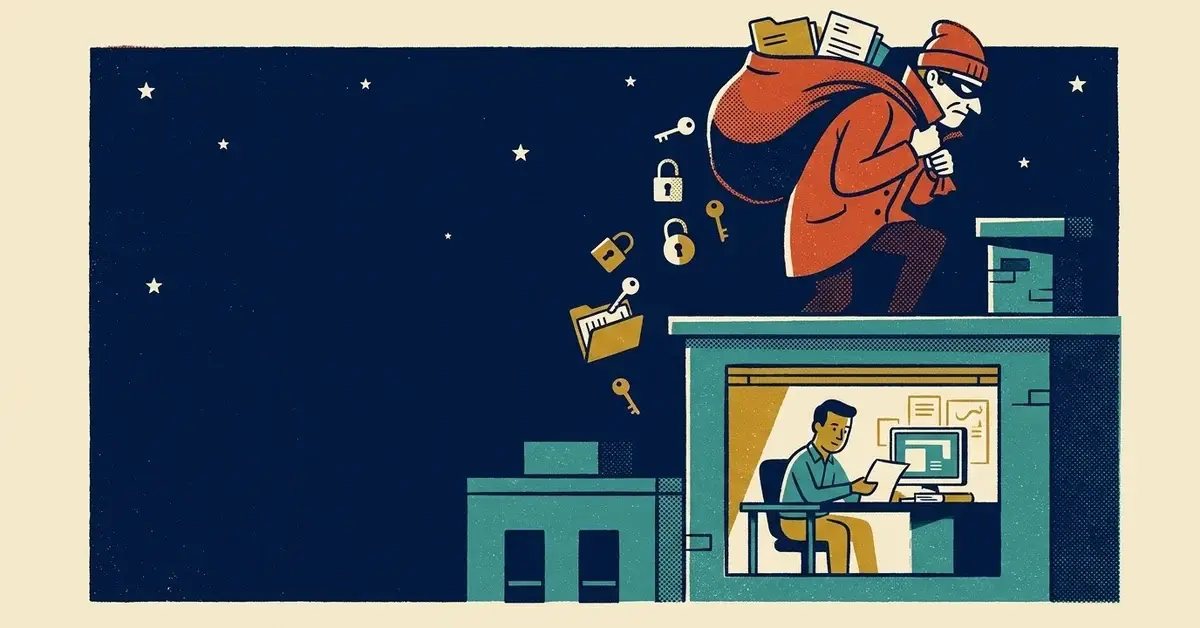
A "verify you're human" box tells you to press a couple of keys and paste something. Or a shipping notice arrives with an attachment right when everyone is waiting on holiday orders. Either one can be how an information stealer gets onto a work PC.
SantaStealer is one of those stealers. Rapid7 Labs, the researchers who first analyzed it, published their report on December 15, 2025. Here's what it does, what it doesn't do, and what to do if someone in your office may have run it.
The quick answer
- Never paste anything into the Windows Run box (Windows key + R), PowerShell or Terminal because a website, pop-up or email told you to. No real CAPTCHA works that way.
- If someone already did, unplug that PC from the network (or turn off its Wi-Fi) and stop using it for logins.
- From a different, clean device, change the passwords that were saved in that PC's browser, starting with email and banking.
- Sign that person out of every session in Microsoft 365 or Google Workspace, so stolen login cookies stop working.
- Run a Microsoft Defender Offline scan on the PC, or have it checked before it goes back into use.
What SantaStealer is (as of December 2025)
It's an information stealer: malware that grabs saved logins and files and sends them to the attacker. It doesn't lock your files like ransomware. It quietly copies what's worth selling.
According to Rapid7's report:
- It goes after documents, credentials, crypto wallets and application data on Windows PCs. That includes passwords, cookies and autofill saved in Chrome and other Chromium-based browsers, browser extension data and Discord tokens.
- It's sold as malware-as-a-service, advertised on Telegram and underground forums: a basic plan at $175 a month and a premium plan at $300 a month. Rapid7 believes it's a rebrand of an earlier stealer called BluelineStealer. A December 16 update to the report noted that the official SantaStealer Telegram channel had announced its release.
- Stolen data is zipped, split into 10 MB chunks and sent to the attacker's server.
Here's the deal with the scary marketing. The sellers claimed it runs entirely in memory and is "fully undetected." Rapid7 found the samples it examined were "far from undetectable," with only basic tricks to avoid analysis, and suggested they may have been early builds leaked by mistake (SC World's write-up quotes the researcher). Criminals overselling their product. Shocking.
That doesn't make it harmless. It means your normal protections, up-to-date Windows and Microsoft Defender, have a fair shot at it. The weak spot is the person being talked into running it.
How it gets in
At the time of the report, there was no confirmed large-scale campaign, so nobody could say for sure how it would spread. Rapid7's advice was to watch for:
- Links and attachments you didn't expect.
- Fake "human verification" pages or tech-support pop-ups that tell you to run a command.
The second one has a name: ClickFix. Microsoft's threat intelligence team described it in August 2025: a fake error or CAPTCHA tells you to copy a command and paste it into the Windows Run box or a terminal. Microsoft says these lures arrive through phishing emails, malicious ads and compromised websites, and typically end in information theft. Pirated software and fake "cracked" tools are the other classic route for stealers.
How to tell if someone ran something
Ask the person directly, and make it safe to answer. These scams are built to catch normal people. Look for:
- They pressed Windows key + R (or opened PowerShell or Terminal) and pasted something because a web page or email asked them to.
- They opened an attachment that "didn't do anything" or showed an error.
- They installed a free or "cracked" version of paid software.
- A Microsoft 365, Google or bank account shows sign-ins from places or devices they don't recognize.
- Windows Security showed a threat alert they dismissed.
Stealers often grab what they want within minutes and may not leave much behind. "The PC seems fine" doesn't mean the passwords are fine.
What to do if it already happened
Work through these in order. Do the account steps from a different, clean device, not the suspect PC.
1. Take the PC off the network
Unplug the network cable or turn off Wi-Fi. Don't wipe it yet if your IT person may want to look at it.
2. Change passwords, most important first
Assume every password saved in that PC's browsers is known. Change, in this order: the person's email account, banking and payment accounts, Microsoft 365 or Google Workspace, then everything else saved in the browser. If they had a crypto wallet on that PC, treat it as exposed and move funds to a new wallet created on a clean device.
3. Kill existing sessions
Stolen cookies can let an attacker into an account without the password or the MFA prompt. Changing the password isn't enough on its own; sign out every session too.
For a Microsoft 365 admin, per Microsoft's steps: in the Microsoft 365 admin center go to Users > Active users, select the person, choose Reset password, then on the Account tab select Sign out of all sessions. Microsoft notes it can take up to an hour to take effect. Its compromised-account guide also says to check the account's MFA methods, app consents and mail forwarding for anything the attacker added.
4. Scan the PC
On Windows 11, go to Start > Settings > Privacy & security > Windows Security > Virus & threat protection > Scan options, select Microsoft Defender Offline scan, then Scan now. The PC restarts and scans outside of Windows, which takes about 15 minutes (Microsoft Learn). Save your work first, and have the BitLocker recovery key handy if the drive is encrypted, since you may be asked for it.
If anything is found, or you can't rule it out, the safest option is to back up the files and reinstall Windows.
Why it works
Nothing about SantaStealer needs a clever hack. It needs someone to run it. Holiday rush, shipping notices and "quick verification" pages all lean on the same thing: a busy person who just wants the annoying box to go away. And browsers that save every password make one infected PC worth a lot. Closing the office for the holidays? Our holiday IT checklist covers the other checks worth doing first.
Preventing it in a business
A short checklist you can run this week:
- One staff rule: "No website or email ever needs you to paste a command. If one asks, stop and tell someone." Put it in writing.
- Keep Windows supported and updated. Windows 10 reached end of support on October 14, 2025, so PCs still on it only get security fixes through the paid Extended Security Updates program.
- Keep Microsoft Defender (or your antivirus) on and current on every PC.
- Use a password manager with its own master password, rather than letting every browser save every login.
- Turn on MFA for email, banking and Microsoft 365 or Google Workspace. It won't stop a stolen cookie, but it stops a stolen password.
- No pirated or "cracked" software. Ever.
- Don't let staff run as local admin on their everyday account, so a bad download can do less.
When to get help
- Someone ran a command or file and you don't know which accounts were saved on that PC.
- You see sign-ins, mail rules or payments you didn't make.
- The PC holds client data or payment information, and you need to know what was exposed.
If that's where you are, we can help.
Related reading
- This Windows update screen is actually a hacker's trap
- Fake virus warning pop-up? What to do (and what not to click)
- Phone buzzing with login requests you didn't make? MFA fatigue attacks and how passkeys stop them
Originally published December 2025.




No comments yet