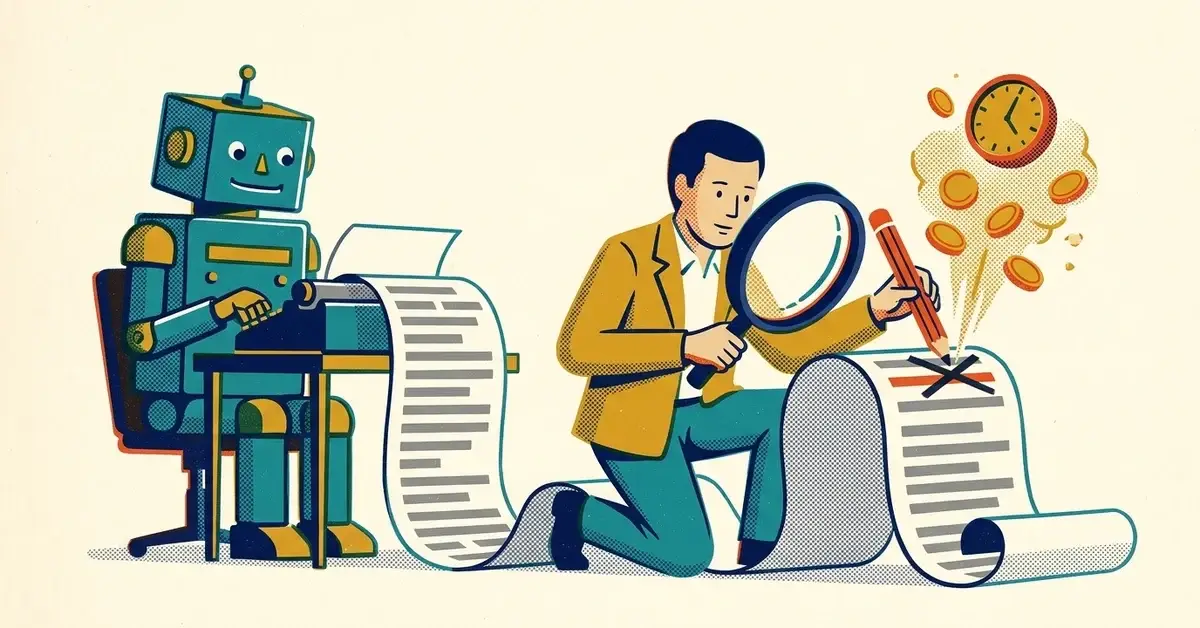
You need a proposal out by Friday. You've got the client's email, some notes from the call and a blank Word document. You'd like AI to write the thing.
It can. It can write most of it, actually. But left alone it will also fill the gaps with things you never said: a timeline you can't hit, a feature you don't offer, a price it guessed. The client reads all of that as a promise from you.
The quick answer
- Give the AI your facts first: the client's request, your notes, your scope and your prices. Don't ask it to "write a proposal for a website redesign" from nothing.
- Tell it not to invent anything. "Use only the details below. Where something is missing, write [NEEDED] instead."
- Let it do the structure and the wording. You supply the numbers, dates and promises.
- Read the draft against your notes before it goes out, line by line, with the checklist further down.
- If you're pasting client details in, use a tool that doesn't train on your data (more on that below).
Which part of the proposal is going wrong?
Most AI proposal problems fall into one of three buckets. Work out which one you have, because the fix is different.
- It's generic. It reads like it could go to any client. No mention of what they actually asked for. That's an input problem: the AI wasn't given enough about this client.
- It's wrong. A price, a date, a deliverable or a guarantee that isn't yours. That's the AI filling a gap. Fix the prompt and check every number.
- It's too much. Six pages, three "executive summaries", words like "synergy". That's a format problem. Give it a template and a length.
One quick test: ask the same question in a new chat. If the price or timeline changes, the AI was guessing.
How to build a proposal with AI, step by step
These steps work in ChatGPT, Microsoft Copilot or Gemini. The tool matters less than what you give it.
1. Write a one-page fact sheet first
Five minutes, plain bullet points. This is the only source the AI gets to use.
- Client: name, contact, what they asked for in their words
- Problem: what's costing them money or time right now
- Scope: what you'll do, as a list
- Not included: what you won't do (this is the line that saves arguments later)
- Timeline: dates you can actually commit to
- Price: from your own price sheet, not from the AI
- Terms: deposit, payment schedule, how long the quote is valid
If you don't have a price sheet yet, start there. Why ChatGPT shouldn't set your rates has the columns.
2. Paste in this prompt
Write a business proposal using only the facts below. Sections: the client's goal in their words, what we'll do, what's not included, timeline, price, next steps. Keep it under two pages. Plain, friendly language. Do not add services, guarantees, dates or prices that aren't in the facts. If something is missing, write [NEEDED] in its place. Facts: [paste your fact sheet]
The [NEEDED] line matters. Without it, the model may write something believable rather than leave a blank. OpenAI's own researchers wrote in September 2025 that the way language models are trained and scored rewards a confident guess over admitting uncertainty (OpenAI: Why language models hallucinate).
3. Make it sound like you
Paste in an email or proposal you've already sent and liked, then:
Rewrite the draft above in the same tone as this example. Keep every fact, date and price exactly as it is.
4. Ask it to check its own work
List every number, date, deliverable and promise in this proposal. For each one, say which line of my fact sheet it came from. Flag anything that isn't in the fact sheet.
It won't catch everything. But it often catches the extra deliverable it slipped in two drafts ago.
5. Put it in your template
Paste the final text into your own Word or Google Docs template, or your proposal tool. Dedicated proposal tools such as Proposify, PandaDoc and Bidsketch add things like reusable content blocks, e-signatures and a notice when the client opens the proposal. Their AI features change often (Proposify's AI proposal generator page says it's being reworked), so check what's current before you pay for a plan because of one.
The pre-send checklist
Print it, or keep it next to your screen. Every proposal, every time.
- Every price matches your price sheet.
- Every date is one you've checked against your calendar.
- Nothing in "what we'll do" is missing from your fact sheet.
- "Not included" is there and is specific.
- No guarantees you can't keep: "guaranteed results", "first page of Google", "zero downtime".
- The client's name and company are right everywhere. Search the document for the last client's name too.
- No [NEEDED] tags left.
That second-to-last one catches more than you'd think when proposals start from an old one.
Why AI gets proposals wrong
It doesn't know your business. Your capacity, your costs, what you actually include in a "standard" package: none of that is in the model unless you type it in.
And it's built to finish the document. Ask for a "complete proposal" and it will complete it, with whatever sounds most likely to belong there.
Neither is a reason to avoid it. It's a reason to give it the facts and keep the promises to yourself.
If a wrong proposal already went out
- Work out exactly what's wrong against your fact sheet before you contact anyone.
- If it hasn't been signed, send a corrected version with a short note: "I found an error in the proposal I sent. Here's the corrected version. The change is in [section]." Short and honest is fine.
- If it's been signed, talk to the client before work starts. If the error is a price or a promise with legal weight, talk to your attorney before you agree to anything.
- Fix the source, whether that's the prompt, the template or the old proposal everyone copies from, so it doesn't happen twice.
Your AI is making promises you can't keep goes deeper on that last kind.
Preventing it in a business
- One fact sheet template that everyone fills in before they open an AI tool.
- One saved prompt with the "only use these facts" and [NEEDED] lines in it. A shared doc is fine.
- A team rule: AI writes the words. Prices, dates and guarantees come from people.
- A second reader on any proposal over a set dollar amount. You pick the number.
- Watch where client details go. Proposals often hold names, budgets and internal problems. In a personal ChatGPT account, your chats can be used to train OpenAI's models unless you turn off Settings > Data controls > Improve the model for everyone (OpenAI Help Center). Microsoft says that Copilot Chat used with a work account has enterprise data protection, and prompts and responses aren't used to train its foundation models (Microsoft Learn). Pick one approved tool for client work and tell the team which it is.
When to get help
- Your team uses different AI tools and you don't know which ones have client data in them.
- You want proposals to pull prices from one shared sheet or your CRM instead of being typed by hand.
- You're on Microsoft 365 and want Copilot set up so it can only see what each person should see.
That's the kind of setup we help with. Talk to us if it's on the list.
Related reading
- AI pricing mistakes: why ChatGPT shouldn't set your rates
- How do I stop AI from hallucinating in my business documents?
- Who owns the data I feed into AI?
Originally published August 2024. Updated November 2026.




No comments yet