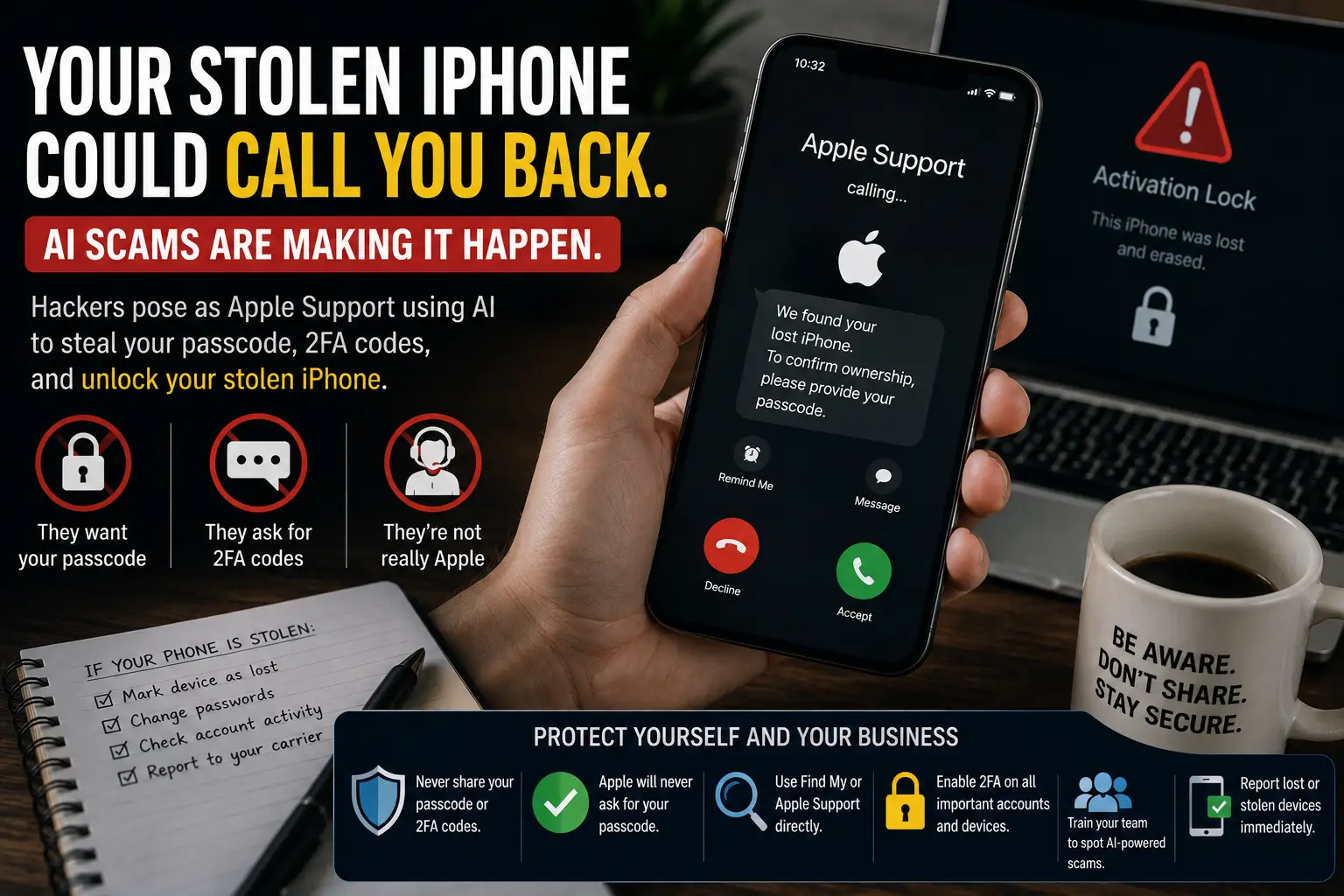
Your iPhone was stolen. A few hours later you get a text, an email or a phone call from "Apple Support." They know which model you had. They say it's been found. They just need your passcode, or the code that was texted to you, to confirm you're the owner.
Hang up. That call is very likely the second half of the theft.
The quick answer
- Don't give your passcode, Apple Account password or any verification code to anyone who contacts you. Not by phone, text, email, WhatsApp or a web page.
- Don't tap the link in a "your iPhone has been found" message.
- Open Find My yourself (the app on another Apple device, or icloud.com/find) and mark the phone as lost.
- Leave the phone on your Apple Account. Removing it is what the thieves want.
- If it's a work phone, tell whoever runs IT today, so work email and apps can be cut off.
What the scam looks like
Thieves who steal an iPhone have a problem. Activation Lock ties the phone to the owner's Apple Account, so a locked phone can't simply be wiped and set up again for resale. Breaking that protection is hard. Talking the owner into undoing it is much easier.
In August 2026, Help Net Security reported on research from SOCRadar into a phishing kit called AnonyMousKIT, sold to criminals as a service. As reported:
- It goes after people whose iPhones have already been lost or stolen.
- It reaches them by text, email and WhatsApp, with fake "found your iPhone" pages.
- It uses an AI voice agent that calls the owner, poses as Apple Support (one persona introduces itself as "Alice from Apple Support") and asks for the passcode and verification codes.
The AI part matters less than you'd think. In the call logs SOCRadar recovered, 200 calls cost the criminals $19.24 in total, about 10 cents a call (BleepingComputer). The trick is old: a caller who knows real details about your problem sounds legitimate. AI just makes it cheap to run that call over and over without paying anyone to sit on the phone.
How to tell it's a scam
Any one of these is enough.
- They contacted you. You didn't call Apple; "Apple" called you.
- They want a passcode or a code. Your device passcode, your Apple Account password, or a six-digit code sent to you. Apple says its support staff will never ask for your password, device passcode or two-factor code (Apple: what to expect from Apple Support).
- They send a link to see the phone's location, sign in, or "confirm ownership."
- They ask you to remove the phone from your account or from Find My, often to "release" it to a repair shop or the police.
- There's a deadline. "The device will be wiped in 30 minutes unless you verify."
Knowing your model, your number or that the phone was stolen proves nothing. The thief has the phone. Of course they know.
If you want Apple's help, start the contact yourself through the Apple Support app or getsupport.apple.com. Same rule for your bank, your carrier and Microsoft 365: you pick the number or the app, not the person who reached out.
What to do right after a phone is stolen
1. Mark it as lost
Open the Find My app on another Apple device, or sign in at icloud.com/find. Select the phone and choose Mark As Lost. That locks it and lets you show a message and phone number on the screen. If you won't get it back, you can erase it from the same place. Apple says an erase on an offline phone runs the next time it connects, and Activation Lock stays on (Apple: Erase a device).
2. Don't remove it from your account
Erasing is fine. Removing the phone from your Apple Account or from Find My is not, because that's what lifts the lock the thief is stuck behind. Leave it listed until you've replaced it and your insurer and carrier are done with it.
3. Change your Apple Account password
Do it from another device you trust, at account.apple.com. If the thief watched you type your passcode before taking the phone, change that habit too: use Face ID in public.
4. Call your carrier
Ask them to suspend the line. That stops calls and texts, including any codes texted to your number, from reaching the stolen phone.
5. Expect the follow-up
Watch for "found your iPhone" texts and calls for weeks. Delete them. Don't reply, even to say no.
If it's a work phone
A phone is often the key to the whole business: email, Microsoft 365 or Google Workspace, banking apps, the authenticator app, saved passwords. For a one-person business it can be everything.
Do these the same day, in this order:
- Sign the person out everywhere. In Microsoft 365: Microsoft 365 admin center > Users > Active users > select the user > Sign out of all sessions, then reset their password. Microsoft notes this can take up to an hour to take effect.
- Wipe the work data from the device if it's managed. Our remote wipe guide has the exact steps for Intune, Basic Mobility and Security and Google Workspace.
- Remove the stolen phone as a sign-in method. If the phone held their authenticator app or received their texted codes, set up a new method on the replacement and delete the old one.
- Check sign-ins and banking activity for anything after the theft.
Why it works
Thieves aren't breaking Apple's encryption here. They're going around it. The owner is stressed, wants the phone back, and gets a call from someone who sounds calm, professional and already knows the facts. That's exactly when good people hand over a code.
Phishing used to mean a badly spelled email. Now it can be a polite voice that knows your phone model and calls back if you hang up.
Preventing it in a business
Turn on Stolen Device Protection. On iPhone it's under Settings > Face ID & Passcode > Stolen Device Protection (iOS 17.3 or later). When the phone is away from familiar places, it asks for Face ID or Touch ID, not just the passcode, before sensitive changes like the Apple Account password (Apple: About Stolen Device Protection). It makes a stolen passcode much less useful. Apple says it has to be on before the phone goes missing.
Use a longer passcode. Six digits, not four. A custom alphanumeric code is better still, and Face ID means nobody has to type it in public.
Manage work phones. If work email lives on the phone, the business should be able to wipe it. See protecting company data on personal phones.
Make reporting fast and blame-free. One line for staff:
If a work phone, or a personal phone with work email on it, goes missing, tell [name] within the hour. And if anyone calls or texts to say they've found it, don't give them anything. Forward it to [name].
Add it to security awareness training. "Don't click strange links" isn't enough anymore. Staff should know that a caller with accurate details can still be a scammer, and that AI can make a fake support agent sound real. We cover voice cloning in could your employees recognize your voice if it was fake?
When to get help
- Someone already gave a caller their passcode, Apple Account password or a code.
- The stolen phone had admin access to Microsoft 365, Google Workspace or the business bank.
- You don't know whether your work phones are managed, or how you'd wipe one.
If any of those fit, get in touch and we'll help you lock things down.
Related reading
- Think You Found Your Lost iPhone? Think Again It Might Be a Scam
- Remote Wipe: How to Erase a Lost or Stolen Work Laptop or Phone
- Lost Phone or Angry Ex-Employee? Protecting Company Data on Personal Phones
Originally published August 2026.



No comments yet