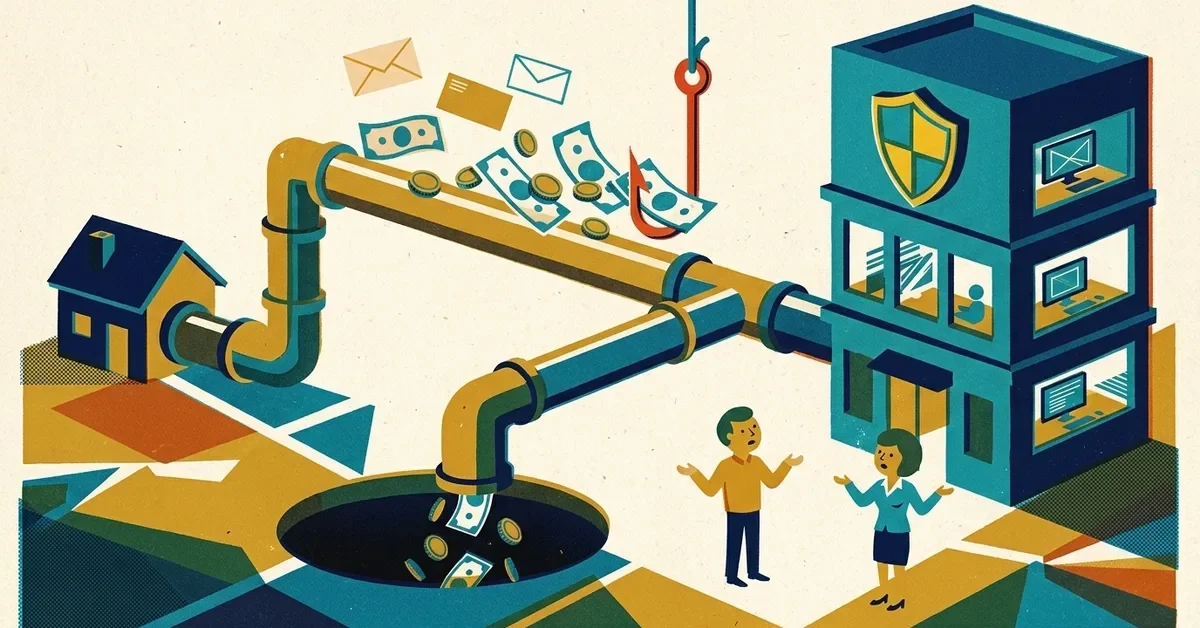
A client calls to confirm their renewal is sorted. They paid last Tuesday, by wire, to the account in your email. You check: no payment. You never sent an email with wiring instructions. They forward it to you, and it looks exactly like you: your name, your signature, maybe even a reply in the same thread.
This is payment redirection, a form of business email compromise. It's one of the most expensive scams there is: the FBI's Internet Crime Complaint Center logged about $3 billion in reported business email compromise losses in 2025. Independent agencies are a natural target, because clients send real money based on emails, and premium amounts are large.
Speed matters more than anything else right now.
The first hour
- Have the client call their bank now and ask for a recall of the wire as fraud. The FBI's guidance is to contact the sending bank as soon as the fraud is recognized. The client's bank is the one that can request a recall, not yours.
- File a complaint at [ic3.gov](https://www.ic3.gov) with the bank details from the fake instructions. The FBI asks for a complaint regardless of the amount. The client should file too. When it's reported quickly, the FBI's Recovery Asset Team can work with banks to try to freeze the money.
- Stop using that email thread. Call the client on a number you already had on file, not one from the email, and tell them to ignore any further payment emails until you've spoken.
- Call your E&O and cyber insurers. Most policies require prompt notice, and they may have a breach response team to help.
- Don't delete anything. Keep the fake emails, with their full headers, for the bank, the FBI and your insurer.
Whose email was compromised?
There are three common versions, and the fix depends on which one it is. Ask the client to forward the fake email as an attachment so you can see where it really came from.
1. Your mailbox was broken into
The fake email came from your real address, in a real thread, and maybe you noticed replies you never saw. Someone signed in to your account, watched for a renewal, and sent the instructions themselves.
Microsoft's guide to compromised accounts lists the signs: rules that forward mail to unknown addresses, or move messages to folders like RSS Subscriptions or Notes so you don't see the client's replies. Attackers often set rules to catch words like "invoice" or "payment".
- In Outlook on the web, go to Settings > Mail > Rules and Settings > Mail > Forwarding and remove anything you didn't set up.
- Change the password, sign out of all sessions, and check that MFA is on, with no new phone or app added that you don't recognize.
- Look at your sent items and deleted items for messages you didn't send.
2. The client's mailbox was broken into
The fake instructions arrived in a thread from your real address, but the client's replies went somewhere you never saw. Or the client's own account sent or changed messages. Tell the client plainly: their email account needs securing too, and they may need their own IT help.
3. Nobody was hacked: it's a lookalike address
The sender looks like you, but the address is slightly off: an extra letter, a swapped character, or a different ending (.co instead of .com). Look at the full address, not just the display name. Nothing on your side was broken into, but your client list or renewal dates may have leaked somewhere, so still check your mailbox for case 1.
Who pays?
Honestly, it depends: on how the money moved, the bank agreements, your agency agreement and your E&O and cyber policies. There's no simple rule, and it's a question for your carrier and your attorney, not a blog post. What's clear is that the quicker the bank and the FBI hear about it, the better the chance of getting the money back at all.
How to stop it happening again
Set a rule clients can rely on
Tell every client, in writing, at onboarding and on every invoice: we will never change our payment details by email. If they ever get an email saying otherwise, they should call you on the number they already have. Scammers rely on the email looking routine; a standing rule makes the change itself the warning sign.
Do the same internally. The FTC's advice to small businesses is to require a phone call to confirm wire transfer requests that come in by email, using a number you know is correct, not one from the email.
Lock down your email
- MFA on every mailbox, including shared ones. A stolen password alone shouldn't be enough.
- Turn off automatic forwarding to outside addresses. In Microsoft 365, the outbound spam policy controls this. Microsoft's recommended settings set it explicitly to Off. Don't rely on the default: older accounts may still treat it as on.
- Set up SPF, DKIM and DMARC on your domain so scammers can't send email from your exact address. It won't stop lookalike domains, which is why the phone-call rule matters.
- Send payment instructions through your carrier's or agency management system's portal, not as an email attachment, where you can.
Train for the moment
The scam works because the email arrives at a believable time, about a real renewal. A five-minute talk with your staff about this one scenario does more than an hour of general training.
When to get help
- You found forwarding rules or sign-ins you don't recognize.
- You can't tell from the headers where the fake email came from.
- Your insurer asks for a written account of what happened and what you changed.
We help small agencies secure Microsoft 365 and Google Workspace and investigate exactly this kind of incident. See our cybersecurity service, or get in touch if it's happening now.

No comments yet