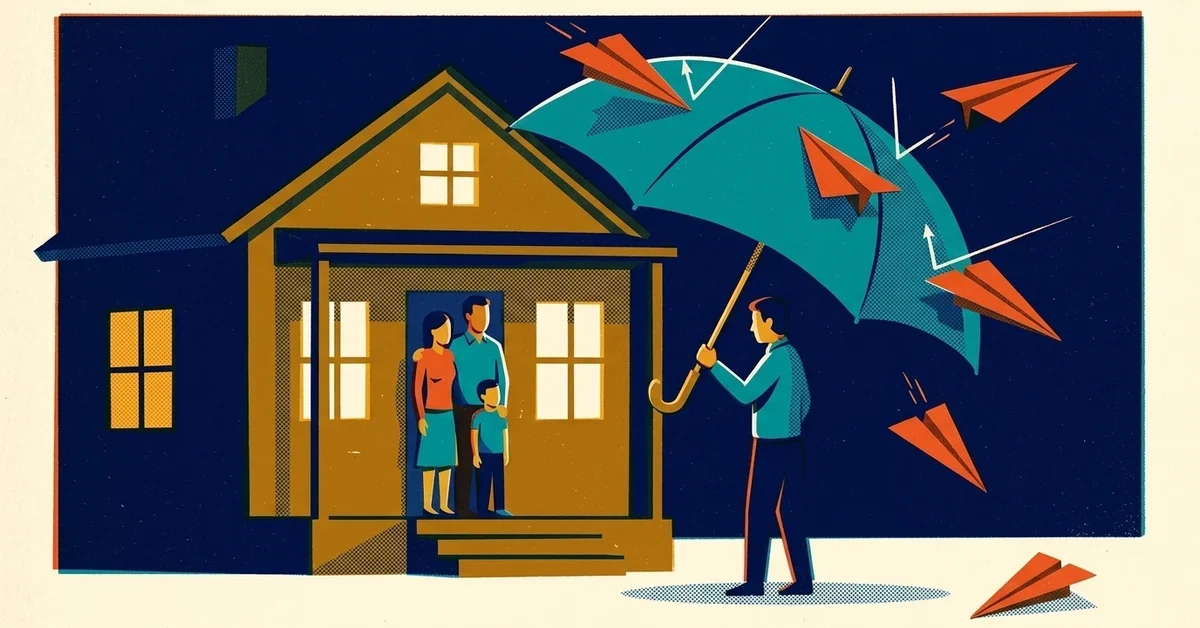
One of your employees gets a text on their personal phone, at home, on a Sunday. It names their kid's school. It says the company needs to pay, and it would be a shame if anything happened.
That's not a movie plot anymore. Ransomware gangs have figured out that threatening to leak a company's files doesn't scare people the way it used to, so some of them have started going after the people instead. Here's what's happening, and what a small business can do to protect its staff before it ever comes to that.
The quick answer
- Tell your team now that this can happen, and that the right move is to report it, not handle it alone or keep it quiet.
- Pick one person who staff go to if they're threatened, and make sure everyone knows who it is.
- If someone is in danger, call 911 first. Then report the threat to the FBI at ic3.gov.
- Don't reply, don't negotiate and don't delete anything. Screenshots, phone numbers and timestamps are evidence.
- Shrink what's public. Home addresses, personal phone numbers and family details are what make these threats possible.
This is real, and it's not rare
The clearest numbers come from Semperis's 2026 Ransomware Risk Report, a survey of 1,200 IT and security people at organizations that had been hit by ransomware in the past year. (The sample leans toward larger organizations, and Semperis sells security tools, so read the percentages as a direction rather than your exact odds.)
- 37% of attacks included threats against employees' family members or friends.
- 41% of respondents had been targeted with physical or psychological intimidation.
- In 53% of cases, the attackers followed through on at least some of their threats.
When staff were threatened, here's what it looked like:
How staff were threatened | Share of respondents |
|---|---|
Threatening texts, letters or packages | 57% |
Threats against family or friends | 37% |
Someone physically showing up | 19% |
Threats of abduction | 17% |
Threats of bodily harm | 13% |
Stalking | 6% |
And the fallout landed on real people. About a quarter of organizations said employees or their families were doxxed (their home address or personal details posted online, 25%) or swatted (someone made a fake emergency call so armed police showed up at their home, 23%). A quarter needed medical or psychological treatment, about a quarter needed a security detail, and 14% had people who had to change jobs, offices or even homes.
This has been building for a while. In 2024, Mandiant's chief technology officer described gangs that took over the phone numbers of executives' children and used them to call the parents (The Register). By 2025, Semperis's previous survey found 40% of victims reported physical threats (The Register).
Why attackers are doing this
Simple: the old threats stopped working as well. Backups got better, so encrypting files lost some of its punch. Then gangs started stealing data and threatening to leak it. Now, as Semperis's crisis management lead Courtney Guss puts it in the report, people are almost desensitized to their data being stolen, so attackers are reaching for leverage that still hurts.
Former U.S. National Cyber Director Chris Inglis explains it in the same report: the attacker's whole goal is to make resisting cost more than paying. Threatening someone's family is just the latest way to tip that math.
There's a second effect, too. An employee who's worried about their kids isn't thinking clearly about restoring servers. Fear slows the response, and a slow response makes paying look easier. That's the point.
Who's most likely to be targeted
In a small business, the attackers usually go after people they can find easily:
- The owner, whose name is on the website, the state business filing and probably a dozen directory listings.
- Your IT person or IT partner contact, because they're the ones who can let the attackers back in or slow down the recovery.
- The office manager or bookkeeper, often the most visible person on LinkedIn and the one who handles money.
- Anyone whose personal details are easy to find: a team page with full names, a public Facebook profile with family photos, a home address on a property record.
Attackers who've been inside your email for days also know a lot more than what's public. They've read the messages about the holiday party, someone's maternity leave, the owner's vacation. Assume they know what your email knows.
Before it happens: protect your people
You can't stop a criminal from sending a threat. You can make it much harder to find your people, and much easier for your team to know what to do.
1. Tell your team it can happen
A two-minute talk at the next staff meeting is enough: "If an attacker ever contacts you or your family about the company, it's not your fault, don't engage, and tell [name] right away." People who've been warned are much less likely to panic, hide it, or try to deal with it alone.
2. Pick a point person and a backup
Someone needs to own this: take the report, call the police if needed, call your insurer and IT partner, and check in on the person who was threatened. Put both names in your incident plan. If you don't have one yet, our post on whether to pay a ransomware demand includes a one-page plan you can fill in.
3. Shrink what's public
This is the most useful thing you can do this month.
- Trim the team page. First names and roles are usually enough. Skip personal email addresses, direct cell numbers and photos that show where people live.
- Run Google's "Results about you" tool. Each person can check whether their home address, phone number or email shows up in Google Search and ask for it to be removed (Google Search Help). It doesn't delete the information from the site it's on, but it makes it much harder to find.
- Lock down personal social media. Make family photos, kids' names and check-ins visible to friends only. It's worth asking staff to do this; you can't make them.
- Watch what goes on LinkedIn. Job titles like "IT administrator" or "accounts payable" tell attackers exactly who to pressure.
4. Make the call to law enforcement before you need it
Semperis's experts recommend reaching out to local police and the FBI before anything happens. Find your nearest FBI field office at fbi.gov/contact-us/field-offices and save the number. Guss says in the report that CISOs who already knew their law enforcement contacts got information and help much faster.
For a small business, that can just mean a phone call to your local police department's non-emergency line: "We're a small business, we're thinking about how we'd handle a cyber extortion threat against staff, who should we call?" Write down the answer.
5. Prepare for swatting
Swatting is dangerous because armed officers arrive believing there's a real emergency. The FBI's public guidance on swatting suggests talking about it ahead of time with colleagues and family and having a plan for police contact at home or at work, and it notes the information used is usually what's publicly available online. If anyone on your team is especially exposed, some local police departments will add a note to their address so dispatchers know a threat call may be fake. Ask yours whether they do.
6. Plan to look after the person
The Semperis numbers on treatment and relocation are a reminder that this isn't just an IT incident. Decide now what you'd offer someone who's been threatened: paid time off, counseling through your health plan or an employee assistance program if you have one, and permission to step back from the incident response entirely.
If someone on your team is threatened
- If anyone is in immediate danger, call 911. Everything else can wait.
- Don't reply to the message or call, and don't pay or promise anything.
- Save everything: screenshots, phone numbers, email headers, voicemails, the time it happened. Don't delete the messages, even though people will want to.
- Tell the point person, who should loop in your IT partner, your cyber insurer and your lawyer.
- Report it to the FBI at ic3.gov and to local police.
- Treat it as a sign the attackers are still active. A threat usually means they're inside or were recently, so the technical response should speed up, not pause.
If someone has been doxxed or swatted
Doxxed: report the post to the site or platform it's on and ask for removal, use Google's removal tool for search results, and report it to local police and ic3.gov. If there's a credible threat to their home, call 911.
Swatted: if officers arrive, follow their instructions, keep your hands visible, and calmly explain who you are and that you may be the target of a hoax. Afterward, write down the agency, officer names and badge numbers, keep any messages or call logs, and report it to local police and the FBI.
Preventing it in a business
The best protection against threats to your people is not getting to the extortion stage at all:
- Turn on multi-factor authentication (MFA, the code on your phone after your password) for email, remote access and admin accounts.
- Lock down remote access, a favorite way in; see how to lock the ransomware front door.
- Keep offline, tested backups so encrypted files aren't leverage; see the 3-2-1 backup rule.
- Train people on fake IT calls and voice scams. Attackers often start by phoning staff while pretending to be IT; see the fake IT support scam hitting law firms.
- The one-line staff rule: if an attacker contacts you, it's not your fault and you're not alone. Tell [name] right away.
When to call someone
- Any employee or family member has been contacted by someone claiming to have hacked the company.
- You've been hit by ransomware, and the attackers know personal details about your staff.
- You don't have a plan for who handles threats, or nobody on your team would know who to call.
If you want help putting that plan together, get in touch.



No comments yet