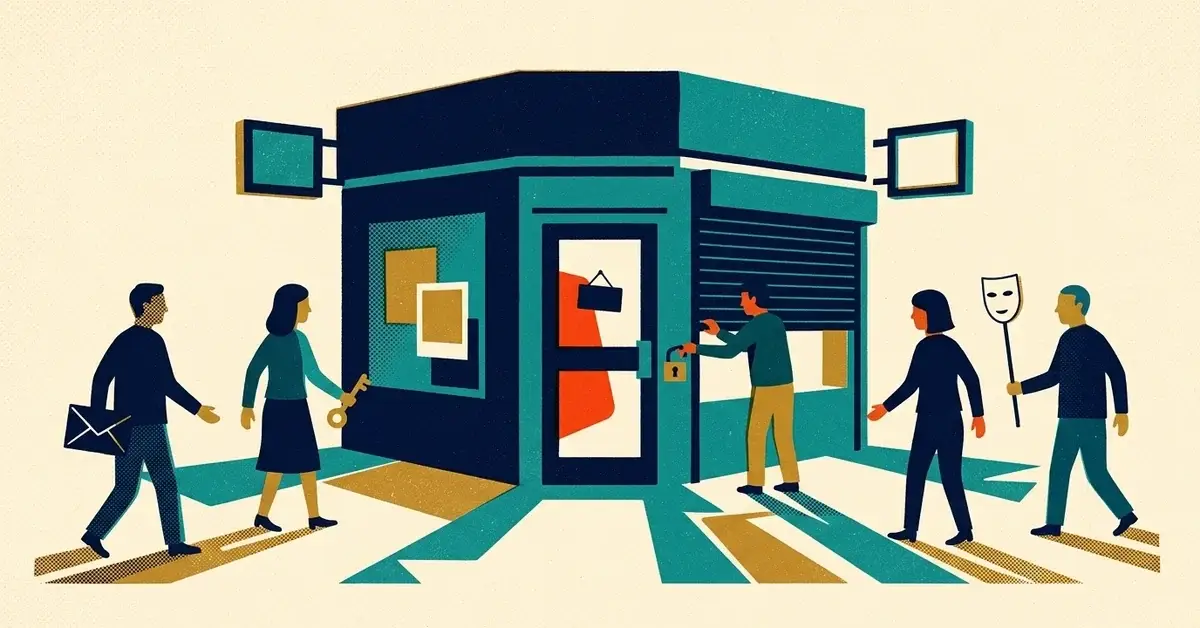
You don't need to be a big company to get hit. Attackers don't pick targets by size. They pick whatever opens easily: a reused password, a fake invoice, a firewall nobody has updated since it was installed.
Here's the deal. The list of threats facing a small business hasn't changed much since 2025, but each one has gotten a bit sharper. These are the five worth your attention in 2026, what changed, and the one or two fixes that matter for each.
The quick answer
- Fake payment requests by email (business email compromise). Fix: never change bank details on the strength of an email. Call a number you already have.
- Ransomware, often through a supplier. Fix: backups that ransomware can't reach, and a list of which vendors can get into your systems.
- Stolen logins. Fix: multi-factor authentication (a code or app prompt on top of the password) on email and every admin account.
- AI impersonation: cloned voices, fake video calls, flawless phishing. Fix: a call-back rule for anything involving money or passwords.
- Unpatched software and devices. Fix: automatic updates on, and anything that can't be updated gets replaced.
If you only do one thing this week, do number 3. It blunts the other four.
1. Fake payment requests (business email compromise)
Business email compromise (BEC) is the scam where someone poses as your boss, your supplier or your client and asks for money to go somewhere new. No malware, no hacking movie. Just a convincing email at the right moment.
It's still one of the costliest crimes reported to the FBI. Losses reported to the FBI's Internet Crime Complaint Center were $2.9 billion in 2023 and about $3 billion in 2025. And that's only what people reported.
What's changed: the emails got better. The FBI warned in December 2024 that criminals use generative AI to write convincing messages and fix the spelling and grammar mistakes that used to give them away. "Look for typos" is no longer a security plan.
What to do:
- Any request to change bank details, or to pay urgently, gets confirmed by phone, using a number you already had, not the one in the email.
- Two people sign off on new payees or changed account details.
- Set up SPF, DKIM and DMARC on your domain so it's harder for someone to send email that looks like it came from you. Our SPF, DKIM and DMARC guide walks through it.
The full playbook, including what to do if the money has already gone, is in Business Email Compromise: The $3 Billion Scam Hiding in Your Inbox.
2. Ransomware, often through a supplier
Ransomware locks your files and demands payment to unlock them. Most gangs now steal a copy first, so they can threaten to publish your data even if you restore from backup.
What's changed is the route in. Verizon's 2026 Data Breach Investigations Report found a third party involved in 48% of the breaches it studied, up from 30% a year earlier. For small and medium-sized businesses it was 55%. Your IT provider, your bookkeeping software, the vendor with remote access to your phone system: each one is a door into your business you don't fully control.
Think of every vendor login as a spare key. Most businesses have handed out more spare keys than they can name.
What to do:
- Keep backups that ransomware can't touch: at least one copy offline or locked against changes, and test that you can actually restore from it. Our 10-minute backup check shows how.
- Make a list of every vendor that can log in to your systems, and turn off access you no longer need.
- Decide now who you'd call if it happens. Paying is a business decision with real downsides; Should You Pay a Ransomware Demand? covers why it rarely ends things.
If a supplier tells you they've been breached, Your Vendor Got Breached has a 48-hour checklist.
3. Stolen logins
Plenty of attackers would rather log in than break in. Passwords leak in other companies' breaches, get typed into fake login pages, or get scooped up by password-stealing malware on a home laptop. Then someone signs in to your email as you.
What's changed: password-stealing malware is now often installed by the victim. Fake "verify you're human" pages tell people to copy a command and paste it into their computer. It looks like a CAPTCHA. It isn't. Microsoft's security team calls this trick ClickFix and has seen it used to install malware such as the Lumma Stealer password thief. If a website ever asks you to do that, stop and close the page.
What to do:
- Turn on multi-factor authentication (MFA) for email, banking, payroll, your website and every admin account. An authenticator app beats text messages.
- Use a password manager, so every account gets its own password and a leak in one place doesn't open the rest. Credential stuffing is what happens when it doesn't.
- On Microsoft 365, check the handful of security settings small businesses never turn on.
4. AI impersonation
This used to be a "someday" threat. It isn't anymore.
In 2024, the engineering firm Arup confirmed that an employee in its Hong Kong office transferred about $25 million after a video call with people who looked and sounded like company executives. Every one of them was fake. The same FBI warning describes criminals using real-time video chats with fake company executives, and suggests families agree on a secret word or phrase to check who they're really talking to.
A small business doesn't need a $25 million mistake for this to hurt. A cloned voice message from "you" asking the office manager to buy gift cards does the job.
What to do:
- Set a call-back rule: any request for money, gift cards, passwords or bank changes gets confirmed through a channel you start, using contact details you already have.
- Agree a code word with the people who can move money. The FBI's secret-word tip is for families, but it works just as well in an office.
- Tell your team that a familiar voice or face on a call is no longer proof on its own. Would Your Staff Spot a Fake Call From You? has a short drill you can run.
5. Unpatched software and devices
Every update you put off is a known hole left open. Attackers scan the whole internet for those holes automatically. They aren't looking for you. They're looking for anyone who didn't patch.
What's changed: Verizon's 2026 report says exploiting software flaws has overtaken stolen logins as the most common way attackers first get in: 31%, against 13% for stolen logins. Firewalls, VPNs and remote-access tools are favorite targets because they sit on the edge of your network, facing the internet. And Windows 10 stopped getting free security updates in October 2025; if you still have Windows 10 PCs, here's what changed this month.
What to do:
- Turn on automatic updates for Windows, macOS, browsers and phones.
- Check your firewall, router and VPN for firmware updates. These are the devices nobody remembers until they're the problem.
- Update or remove website plugins you don't use.
- If a device can't get updates anymore, plan to replace it.
CISA keeps a public Known Exploited Vulnerabilities catalog of flaws attackers are actively using. You don't need to read it. Just know that "it hasn't been a problem yet" isn't how attackers choose.
How to tell if one of these already got you
Some signs worth taking seriously:
- People reply to emails you never sent, or you find mail rules in Outlook or Gmail you didn't create.
- You get MFA prompts you didn't ask for.
- A supplier or client says they paid you, but the money never arrived.
- Files won't open, or have strange new extensions.
- Your security software was switched off and nobody did it on purpose.
If you see any of these, change the password for that account from a different device, sign out all sessions and check the email forwarding rules. If money went out, call your bank right away and report it at ic3.gov.
Preventing it in a small business
You don't need an enterprise budget. In rough order of value for the money:
- MFA everywhere it's offered.
- A call-back rule for money and password requests, written down and known by everyone.
- Backups that are offline or locked, tested twice a year.
- Automatic updates, plus a yearly check of the firewall and router.
- A list of vendors with access, reviewed once a year.
- Short, regular reminders for staff about what scams look like right now.
One line for the team: if a message is urgent and involves money or passwords, slow down and check it another way.
When to call someone
- Someone has already logged in to an account who shouldn't have, or money has moved.
- Files are encrypted or you see a ransom note. Don't wipe anything; that's evidence.
- Your cyber insurance renewal asks about MFA, EDR or backups and you aren't sure what to answer.
If that's where you are, talk to us.
Related reading
- 2025 Was a Wake-Up Call: The Year's Biggest Hacks and What to Learn
- Can a Stranger Reach Your Office Computer? How to Lock Down Remote Access
- Is That Person Real? How to Spot Deepfake Video Calls, Fake Job Candidates and AI Photos
Originally published April 2025. Updated October 2026.




No comments yet